
You pull your old thermostat off the wall, ready to upgrade, and count the wires. There’s an R wire, a W wire, a G wire – but no C wire. The smart thermostat box sitting on your counter says “C wire required”. Now what?
The good news is that not having a C wire doesn’t mean you’re stuck. Several smart thermostats are designed specifically for homes without a C wire, and others include adapter kits that solve the problem cleanly. This guide explains what the C wire does, how to check if you have one, and which thermostats work without it – plus a few things worth knowing before you buy.
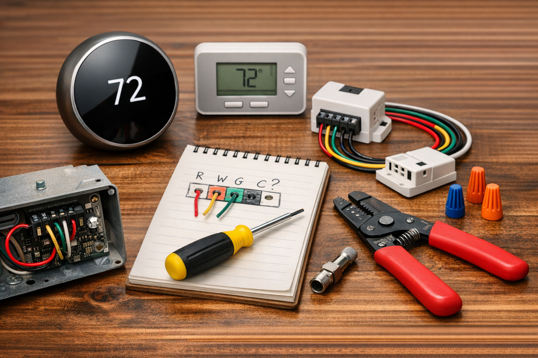
Can You Use a Smart Thermostat Without a C Wire?
Short answer: yes. In most homes, you have three practical options:
- Use a thermostat designed to work without a C wire (like the Sensi ST55 or Google Nest Thermostat)
- Use a thermostat that includes a built-in adapter solution (like the Ecobee Enhanced, which ships with its Power Extender Kit)
- Install a standalone C wire adapter kit on your existing thermostat wiring
The right choice depends on your HVAC system and how much installation work you’re comfortable with.
What Is a C Wire and Why Do Smart Thermostats Need One?
The C wire (short for “common wire”) completes the electrical circuit between your HVAC system and your thermostat. Traditional thermostats used very little power, drawing just enough from the R (power) wire to operate a simple display and a couple of mechanical switches. Smart thermostats are different. They run Wi-Fi radios, color touchscreens, occupancy sensors and cloud connections around the clock. This requires a steady, continuous power supply, and that’s exactly what the C wire provides.
Without a C wire, a smart thermostat has to find power somewhere else. Some do this by “borrowing” power through the existing wires in a process called power stealing or power sharing. It works in many homes but can cause problems in others, including intermittent connectivity, HVAC short cycling or unreliable scheduling. Short cycling is where your system turns on and off more rapidly than it should. The solutions covered below handle this more reliably.
Do You Have a C Wire? How to Check
Before assuming you don’t have a C wire, it’s worth checking properly. Many homes have a C wire tucked behind the wall that was never connected to the old thermostat.
Remove your current thermostat from the wall (leave the wires attached to their terminals) and look at which terminals have wires in them. A wire in a terminal labeled C, Com or Common means you have a C wire, and most smart thermostats will install without any workarounds.
An empty C terminal doesn’t necessarily mean you’re out of options. Look for any spare wire tucked into the wall behind the thermostat plate. If there’s a wire there that isn’t connected to anything, your HVAC installer may have left a C wire unused. It just needs connecting at both ends – at the thermostat and at the furnace control board. Verify the situation before buying any adapter solution.
If there genuinely is no C wire and no spare wire available, the options below are your path forward.
Worth Knowing: System Compatibility Matters
Even among thermostats designed for C-wire-free installation, not every system is supported. Heat pump systems, radiant heating, zone-controlled systems and some high voltage electric baseboard systems fall outside what most smart thermostats can handle. Every product listed below includes a compatibility checker on the manufacturer’s website. Use it before purchasing. It takes two minutes and prevents the frustration of having to return an incompatible thermostat.
Best Smart Thermostats Without a C Wire
Four thermostats stand out for homes without a C wire – each taking a different approach to the power problem, and each suited to a different type of buyer and budget.
Emerson Sensi Smart Thermostat (ST55)
Price range: $80-$130
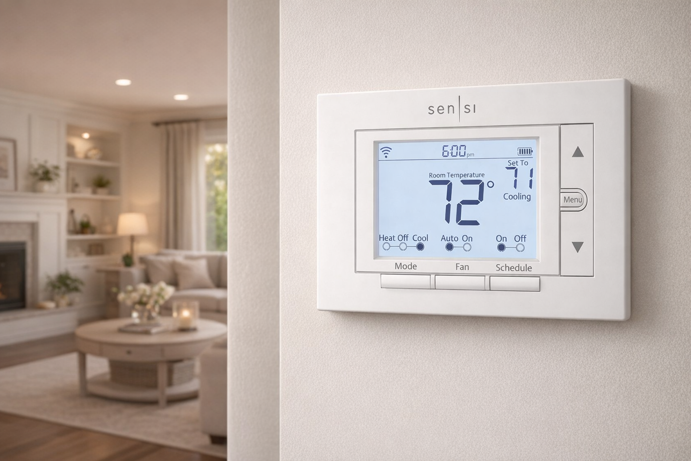
The Sensi ST55 is the most straightforward no C wire option on this list. Emerson explicitly confirms that for conventional heating and cooling systems (gas furnace, electric furnace, air conditioner and boiler), a C wire is not required. The thermostat draws power through the existing wires in compatible systems, using a form of power sharing. This works well in many homes, though performance still depends on your system compatibility.
Setup is handled through the Sensi app, which walks you through installation with a wire-by-wire diagram. The display is a traditional button operated LCD rather than a touchscreen, which suits people who want a thermostat that looks like a traditional thermostat rather than a tablet on the wall. It connects via 2.4 GHz Wi-Fi and works with Alexa, Google Assistant and Samsung SmartThings.
Worth Knowing: The Sensi ST55 requires a C wire if you have a heat pump, heating-only or cooling-only system. The compatibility chart on the Amazon listing makes this explicit. Apple HomeKit requires a C wire on this model, so it won’t be available in a no-C-wire setup. Energy Star certified.
Google Nest Thermostat (2020)
Price range: $90-$130
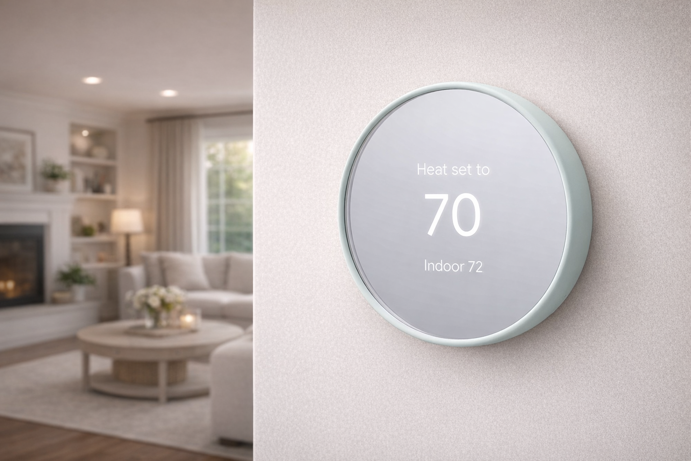
The Google Nest Thermostat was designed from the ground up to work in homes without a C wire. Google states it is compatible with 85% of systems and works without a C wire in most homes, using a power-sharing approach to draw power from the existing wiring.
The design is distinctively minimal, and includes a round display with a mirror-like finish that blends into the wall rather than commanding attention. Temperature can be adjusted using the touch-sensitive bar on the side of the device, through the Google Home app, or via voice control with Google Assistant and Alexa.
Worth Knowing: Heating-only, cooling-only, zone-controlled and heat pump systems may still need a C wire or compatible power accessory. Google’s Nest Compatibility Checker will tell you definitively. No Apple HomeKit support.
Ecobee Smart Thermostat Enhanced
Price range: $175-$200
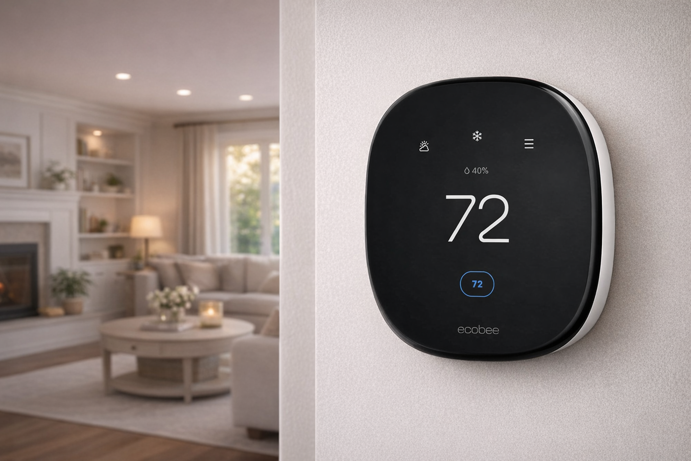
The Ecobee Enhanced takes a different approach to the C wire problem. Rather than power sharing, it includes the Power Extender Kit (PEK) in the box. This small adapter installs at your furnace control board and allows the thermostat to draw continuous power without needing a dedicated C wire run. It’s a clean, reliable solution that is generally more stable than power-sharing approaches and less sensitive to wiring variations.
Compatible with 90% of 24VAC HVAC systems, the Enhanced supports gas, oil, electric, dual fuel, forced air, conventional heat pump and boiler setups. The touchscreen display is responsive and easy to navigate. It connects via 2.4 GHz and 5 GHz Wi-Fi, and works with Alexa, Google Assistant and Apple HomeKit, offering one of the most complete smart home ecosystem integrations on this list. HomeKit also exposes more advanced features than Matter-based integrations typically allow.
The Ecobee app offers scheduling, energy reports and remote access. You can also add Ecobee SmartSensors separately to monitor room temperatures and occupancy, allowing the thermostat to adjust heating or cooling based on where people are in the home.
Worth Knowing: The PEK installation requires a trip to the furnace. It’s still DIY friendly, but takes slightly longer than a standard thermostat swap. Run the Ecobee compatibility checker before purchasing. Energy Star certified.
Google Nest Learning Thermostat (4th Generation)
Price range: $230-$280
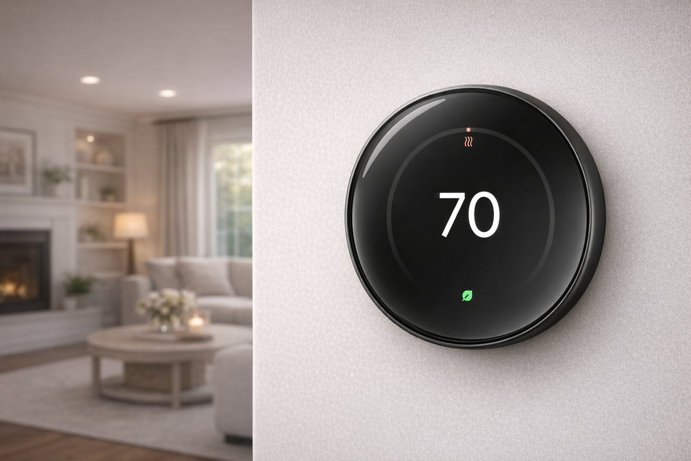
The Nest Learning Thermostat is Google’s flagship, and the fourth generation is a meaningful step up from the basic Nest Thermostat. It works with most 24V systems including gas, electric, oil, forced air, heat pump and low voltage radiant systems, and does not require a C wire in many homes, though some systems will still need a C wire or Nest Power Connector. The compatibility checker will confirm this for your setup.
The headline feature is self-learning. The thermostat observes your adjustments over the first week and builds a schedule automatically, without requiring manual programming. The display is 60% larger than the previous generation with Dynamic Farsight, showing the temperature, time or weather from across the room when it detects your presence. It includes a Nest Temperature Sensor in the box and integrates with the Google Home ecosystem, with Matter support allowing basic control in platforms like Apple Home and Alexa once configured through Google Home.
Worth Knowing: Control in Apple Home via Matter covers basic functions (temperature and mode), while advanced features like energy reports and learning adjustments remain within the Google Home app. If Apple Home is your primary smart home platform, this behaves more like a basic thermostat control rather than a fully integrated HomeKit device. The accompanying Nest Temperature Sensor does not currently expose its readings through Matter to Apple Home. Energy Star certified.
How to Use a C Wire Adapter for a Smart Thermostat
If none of the above thermostats suit your needs – or if you already own a smart thermostat that requires a C wire – a C wire adapter kit is worth considering. These small devices install at the furnace control board and create a C wire connection using your existing wiring, often by repurposing one of the existing wires to carry the common signal.
It’s important to note that C wire adapters are not universal. Many are designed for certain thermostat brands or wiring configurations, so compatibility with your particular thermostat and HVAC system needs confirming before purchase. Some systems that rely heavily on independent fan control may also be affected depending on which wire is repurposed. Check the product listing carefully and use any compatibility tools provided. If you’re not comfortable working at the furnace board, it’s the kind of job most HVAC technicians can handle quickly, often in under an hour.
Which Smart Thermostat Without a C Wire Should You Choose?
For conventional heating and cooling with a tight budget, the Sensi ST55 handles it cleanly without requiring any additional hardware.
Prefer a minimal wall presence without a major investment? The Google Nest Thermostat earns its place at the mid-range price point.
Those with more complex systems, or who want the broadest smart home compatibility including full Apple HomeKit support, will find the Ecobee Enhanced and its included Power Extender Kit the most reliable all-round choice.
For the most advanced features, self-learning automation and Matter compatibility, the Nest Learning Thermostat 4th gen is the one to choose.
If you have a heat pump or a more complex system, compatibility is a crucial factor. The Ecobee Enhanced is the most reliable option here thanks to its Power Extender Kit, while Nest models vary depending on your setup.
Whichever you pick, run the manufacturer’s compatibility checker before buying, especially if you have a heat pump or multi-stage system. Five minutes of checking now is worth considerably more than the hassle of a return later.
If you’re still weighing up whether a smart thermostat is worth the investment at all, my Is a Smart Thermostat Worth It? guide walks through the real costs, savings and trade-offs.
Still Connected, Even Without the C
If there’s one takeaway, it’s this – the presence of a C wire matters far less than system compatibility. Most installation problems don’t come from missing a wire. They come from choosing a thermostat that doesn’t match the way your HVAC system actually works.
Before buying anything, take two minutes to run the compatibility checker and confirm your wiring. If you’re unsure, a quick look at your furnace control board will tell you more than the thermostat wall plate ever will.
Get that part right, and everything else becomes straightforward. The right thermostat will install cleanly, run reliably, and do exactly what it’s supposed to – with or without a C wire.
For more on building a connected home, check out my Smart Home 101 and Smart Home Hub guides.