
You bought a smart lock. Your iPhone is already in your pocket. Tap-to-unlock should just work, right? It doesn’t – unless your lock specifically supports Apple Home Key, a feature distinct from basic HomeKit compatibility.
Apple Home Key lets you unlock your door with a tap of your iPhone or Apple Watch via NFC, the same contactless technology used for Apple Pay. No app to open, no code to enter. Support is still limited compared with standard HomeKit and Matter lock support.
This guide covers the best Apple Home Key compatible locks for US buyers, what you need to make Home Key work, and how the leading options compare.
What Is Apple Home Key?
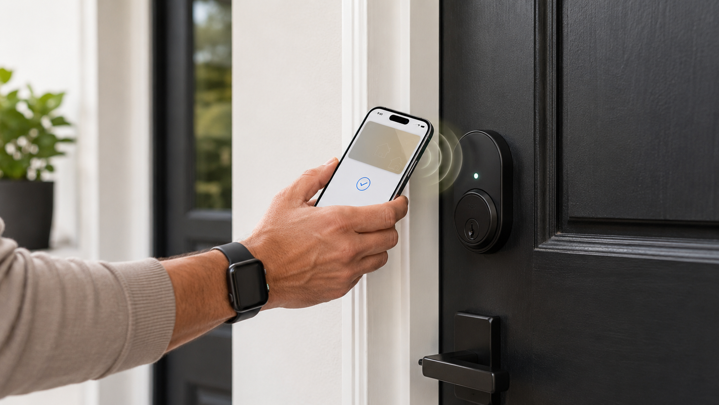
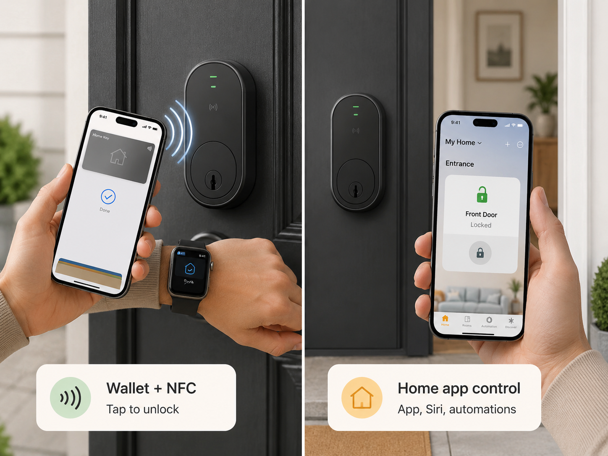
Apple Home Key is a digital key stored in Apple Wallet that unlocks compatible smart locks through NFC tap-to-unlock. Hold your iPhone or Apple Watch near the lock’s NFC reader and the deadbolt disengages. The key lives in Wallet, not the Home app. The lock itself still appears in Apple Home for remote control and automation.
During setup, you’ll choose between two unlock modes. Instant unlock (Express Mode) opens the door the moment you tap (no Face ID required). Authenticated unlock requires Face ID or passcode confirmation before the lock responds, preventing accidental unlocks if you bump your phone against the lock. You can change this setting anytime in the Home app.
Apple Home Key is separate from standard HomeKit compatibility. Dozens of smart locks support HomeKit for app control, Siri commands and automation. Only a small subset include the NFC hardware required for Home Key tap-to-unlock. A lock can support HomeKit without also supporting Home Key.
Requirements for Apple Home Key
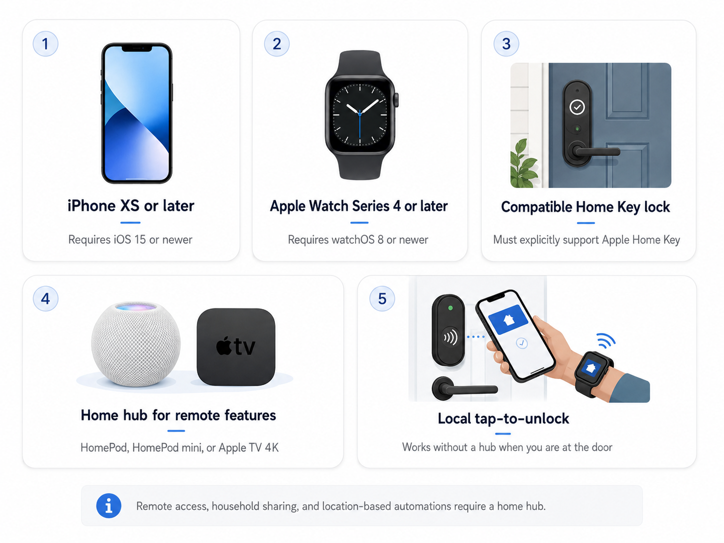
Apple Home Key requires an iPhone XS or later running iOS 15 or newer, or an Apple Watch Series 4 or later running watchOS 8 or newer. Older devices are not supported for Apple Home Key.
Local tap-to-unlock works without additional hardware. Remote access, sharing Home Keys with household members and location-based automations require a home hub. Options include HomePod, HomePod mini or Apple TV 4K. The hub keeps your Apple Home setup available when you’re away, handles remote commands and enables automatic Home Key provisioning for household residents.
Without a home hub, Apple Home Key can still unlock the door when you’re physically present, but you lose remote control and Apple Home-based key sharing for household members. Many manufacturers offer app-based sharing as an alternative, though recipients may need to use the lock manufacturer’s app rather than Apple Wallet.
Some newer locks support Ultra Wideband (UWB) unlocking. UWB uses short range radio positioning instead of a NFC tap to detect your proximity and unlock automatically when you are close to the door. The Aqara U400, introduced at CES 2026, is one of the first widely available Apple Home Key locks with UWB hands-free unlocking. It can unlock as you walk up to the door, with no tap required. The lock uses precise distance and angle measurements to help distinguish between walking toward the door and simply passing nearby.
UWB unlock on the Aqara U400 requires a compatible UWB-equipped iPhone or Apple Watch, current Apple software, and a Thread-enabled Apple home hub such as HomePod mini, HomePod 2nd generation or Apple TV 4K. Standard NFC-based Home Key still works on older supported devices even if the lock also includes UWB hardware.
Apple Home Key vs. HomeKit: The Critical Difference
HomeKit compatibility means the lock integrates with the Apple Home app, responds to Siri commands and participates in automations. You can ask Siri to lock the front door or create a scene that locks all doors when you say “goodnight”. You can receive unlock notifications. Dozens of smart locks from August, Yale, Kwikset and Schlage support HomeKit via Bluetooth or Wi-Fi. None require NFC hardware.
Apple Home Key support means the lock includes an NFC reader that communicates directly with Apple Wallet. This enables tap-to-unlock without opening any app. The lock must be HomeKit-compatible to support Home Key, but the reverse is not true. Many HomeKit locks lack the NFC antenna and chipset required for Home Key. When shopping, “Works with Apple HomeKit” does not guarantee Home Key support unless the product explicitly lists “Apple Home Key” as a feature.
Best Apple Home Key Compatible Locks
As of early 2026, Apple Home Key support is still limited compared with standard HomeKit and Matter lock support. This guide focuses on the most widely available deadbolt options for US buyers. Additional models exist – including Aqara U50, U300, U400 and Lockly Zeno Series locks – but the four below represent the best-documented choices across security, features and price.
Schlage Encode Plus
Best for Security-Conscious Apple Users | $280-$330 | View on Amazon
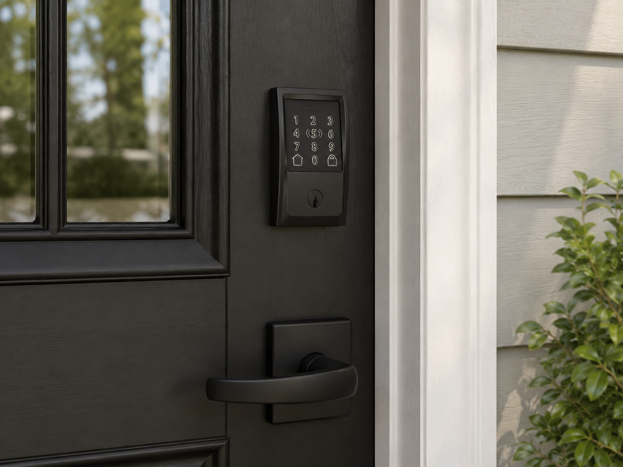
The Schlage Encode Plus was the first widely available Home Key lock when it launched in 2022. It remains the most security-focused option. The lock carries ANSI/BHMA Grade 1 certification, the highest residential security rating. It passes rigorous tests for forced entry resistance, cycle life and durability. The built-in touchscreen keypad provides PIN code access for users without iPhones. Physical key backup ensures entry is still possible if the batteries die.
Built-in Wi-Fi removes the need for a separate bridge for remote access through the Schlage Home app. A HomeKit home hub is still required for remote control through Apple Home and for sharing Home Keys. The lock supports up to 100 unique access codes with individual scheduling. It offers auto-lock with configurable delay and a built-in alarm that detects forced entry attempts.
The Encode Plus works across ecosystems. Alexa, Google Assistant and Apple HomeKit all integrate natively. Installation follows standard deadbolt procedures and usually takes minutes with a screwdriver. Four AA batteries power the lock. Alerts are sent through the app when the battery runs low. This lock is also recommended in my smart home devices for elderly adults guide for Apple households prioritizing keypad access and physical security.
Yale Assure Lock 2 Plus
Best for Keypad and Home Key Combination | $150-$310 | View on Amazon
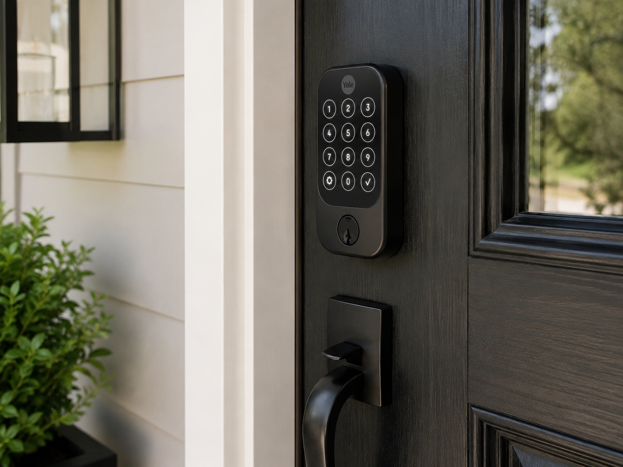
The Yale Assure Lock 2 Plus combines Apple Home Key tap-to-unlock with a touchscreen keypad. This delivers multiple entry methods in a single lock. Yale’s DoorSense technology detects whether the door is fully closed before auto-locking. This prevents the bolt from extending into the doorframe if the door didn’t latch properly.
The lock pairs with Apple Home over Bluetooth. The Wi-Fi version or optional Wi-Fi module adds remote control through the Yale Access app. Apple Home remote control and Home Key sharing still depend on your Apple Home setup and compatible home hub.
One-touch locking from the exterior keypad provides quick manual lock when leaving. The lock works with Siri voice commands and HomeKit automations. Physical key backup is included. Battery life from four AA batteries typically runs several months depending on usage frequency.
Level Lock Pro
Best for Invisible Smart Lock Design | $330-$350 | View on Amazon
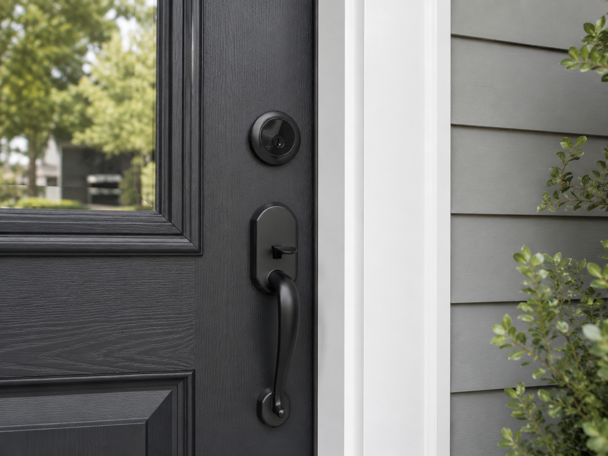
The Level Lock Pro fits entirely inside the door. The exterior looks like a standard deadbolt with no visible indication it’s a smart lock. This invisible profile appeals to design-conscious homeowners, renters wanting discretion, and anyone in buildings with strict aesthetic requirements or HOA regulations prohibiting visible smart home hardware.
The lock supports Apple Home Key, the Level Home app for iOS and Android, physical key access and NFC keycards (sold separately). Level offers an optional keypad accessory that mounts separately on the door or nearby wall, preserving the invisible lock design while adding PIN code access. Without the keypad, access is limited to Home Key, the Level app, keycards or a traditional key. For households where PIN code entry is important for guests, service providers or family members without smartphones, the separate keypad adds cost and complexity. The Level Lock Pro works best for iPhone-focused households comfortable with app-based or tap-based access.
The lock includes Matter support over Thread. A Thread Border Router is required for Thread connectivity. This includes HomePod mini, HomePod 2nd gen and certain Apple TV 4K models. Installation requires standard door prep.
Aqara Smart Lock U100
Best for Fingerprint Access with Home Key | $190-$200 | View on Amazon
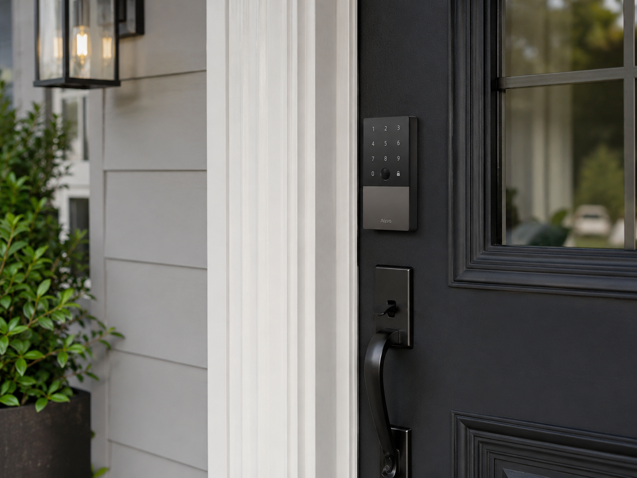
The Aqara U100 combines Apple Home Key with a fingerprint sensor, keypad, NFC card reader and physical key backup at a lower price point than most competitors. The fingerprint reader supports up to 50 registered prints. It typically recognizes them in under a second, offering biometric access regardless of smartphone battery level.
The U100 supports Apple Home Key and local Bluetooth HomeKit functions without requiring an Aqara hub. Basic tap-to-unlock and Apple Home app control work out of the box. An Aqara hub is required for Google Home, Amazon Alexa and IFTTT integration, as well as Aqara-specific automations, remote unlock through the Aqara app, Matter support and cross-platform functionality. Fingerprint management and access logs are handled through the Aqara app.
The outdoor panel carries an IP65 weatherproof rating (the indoor battery compartment is not waterproof). Four AA batteries power the lock. A USB-C emergency charging port on the exterior allows temporary power from a portable battery pack if internal batteries fail. The lock is also featured in the Zigbee smart locks guide for users already invested in Aqara’s ecosystem.
Apple Home Key Lock Comparison
| Lock Model | Price Range | Keypad | Fingerprint | Hub Required | Security Grade | Best For |
|---|---|---|---|---|---|---|
| Schlage Encode Plus | $280-$330 | Yes | No | No (built-in Wi-Fi) | ANSI Grade 1 | Security-focused buyers |
| Yale Assure Lock 2 Plus | $150-$310 | Yes | No | Optional Wi-Fi module | ANSI Grade 2 | Keypad + Home Key combo |
| Level Lock Pro | $330-$350 | No | No | Thread Border Router | BHMA AAA / ANSI Grade 1/A | Invisible design priority |
| Aqara U100 | $190-$200 | Yes | Yes (50 prints) | No for Home Key, Aqara hub for advanced features | BHMA Level 3 standard | Fingerprint + budget |
How to Set Up Apple Home Key
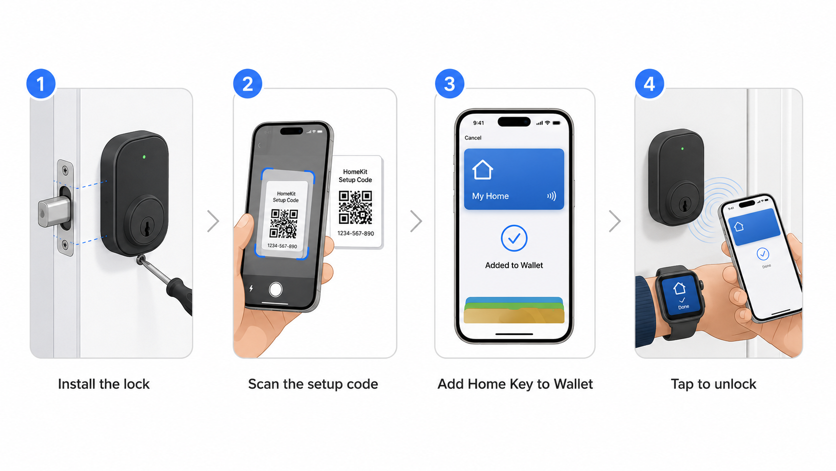
Setting up Apple Home Key happens during the lock’s initial pairing with the Home app. Install the lock following manufacturer instructions. Open the Home app on your iPhone and tap the plus icon to add a new accessory. Scan the HomeKit setup code (usually printed on a card included with the lock or inside the battery compartment).
During setup, the Home app will ask whether you want to add a Home Key to Apple Wallet. Confirm yes, and the key is created automatically. Choose between Express Mode (tap to unlock without authentication) or Require Authentication (Face ID or passcode required before unlock).
Once setup completes, the Home Key appears in Apple Wallet. You don’t need to open Wallet to use it. Just hold your iPhone or Apple Watch near the lock’s NFC reader. If you have a home hub configured, all household members who have access to your Apple Home automatically receive the Home Key in their Wallet. Optional features during setup can include auto-lock, lock when leaving home, and unlock notifications.
What Happens If Your iPhone Battery Dies
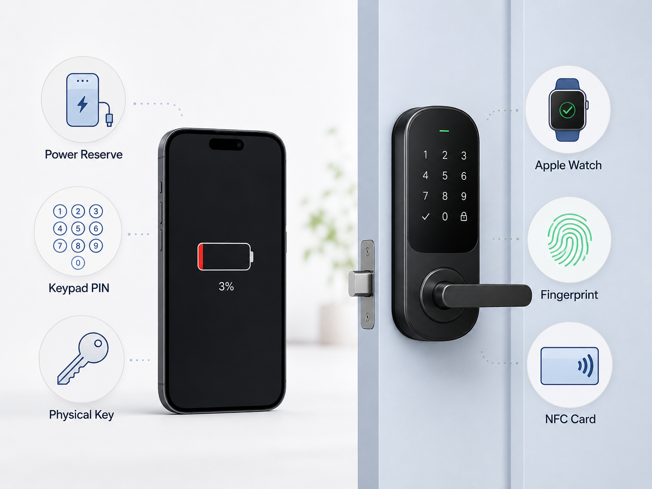
Apple’s Power Reserve feature allows Home Key to continue working for up to five hours after your iPhone displays the “needs charging” alert. When your battery reaches critically low levels, the iPhone automatically enters a low power mode. This reserves just enough charge to power NFC transactions, including Apple Home Key, Apple Pay and compatible transit cards.
Power Reserve does not work if the iPhone shuts down completely or if you manually power it off. This is why every Apple Home Key lock includes at least one alternative entry method. Options include keypad PIN, fingerprint, NFC keycard or physical key. Apple Watch operates independently of iPhone battery status, so Home Key continues working through the watch even if your iPhone dies.
Sharing Access with Apple Home Key
Apple Home Key sharing works through the Home app’s household system. If a compatible lock supports Home Key, residents you invite to your Apple Home receive the Home Key in Apple Wallet after accepting the invitation.
Guest access depends on the lock. Some Home Key locks with keypad or access code support allow guest passcodes through the Home app. Open the lock settings, tap Manage Access, then Add Guest to create an access code for temporary access. This provides Apple Home-native guest management without requiring the guest to use the manufacturer’s app – when the lock supports it.
Apple Home Key as a Wallet credential is primarily designed for residents of the Apple Home rather than casual visitors. For visitor access beyond native Home app access codes, you’ll use the lock manufacturer’s app or keypad codes instead. Schlage, Yale, Level and Aqara offer their own app-based or code-based guest access options, but those permissions are separate from Apple Wallet Home Key.
Should You Choose a Lock Based on Apple Home Key?
Apple Home Key delivers genuine convenience when it fits your household’s patterns and device ecosystem. If everyone uses an iPhone or Apple Watch and you value tap-to-unlock speed over opening an app, Home Key provides noticeable day-to-day improvement.
The feature makes less sense for mixed device households with Android users. It can also be less convenient for households where guests or service providers need regular access. Security-wise, Home Key does not inherently make a lock more or less secure than app-based alternatives. The physical security of the lock is at least as important as the unlock method, including its grade rating, build quality and resistance to forced entry.
What Home Key does offer is integration depth within Apple’s ecosystem. The key lives in Wallet and works with Apple Watch. It can work with Power Reserve on supported iPhone models when the battery is very low. If the lock supports Home Key, residents of the Apple Home receive the key automatically after accepting the home invitation. For households already committed to Apple hardware, that integration feels natural and requires minimal ongoing management.
The Key Takeaway
Apple Home Key is worth choosing when you want the fastest Apple-native way to unlock your door – iPhone or Apple Watch, tap, done. Just make sure the lock explicitly lists Apple Home Key support, not only HomeKit or Matter compatibility.
For most buyers, the best choice comes down to the household. Choose Schlage Encode Plus if security rating matters most, Yale Assure Lock 2 Plus for a strong keypad and Home Key balance, Level Lock Pro for hidden hardware, or Aqara U100 for fingerprint access at a lower price.
The right smart lock should disappear into your routine. When the fit is right, Home Key does exactly that, turning your front door into one more place where your Apple devices quietly get out of the way.
For broader smart lock context including connectivity protocols and ecosystem compatibility, why not have a read of my how smart locks work guide?