
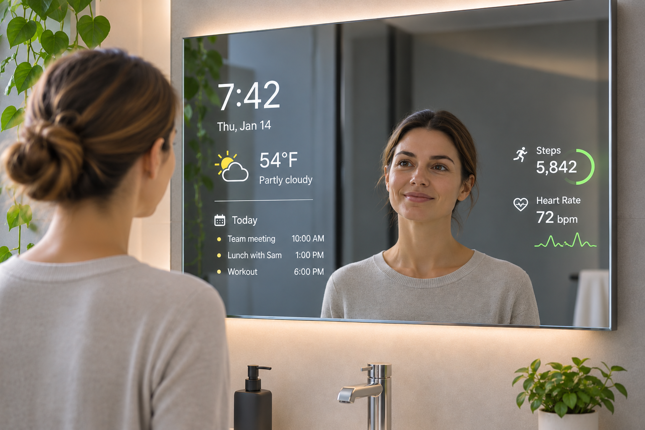
A smart mirror is usually a two-way mirror with a digital display behind it. When the display is off, it looks much like an ordinary mirror. When it’s on, information like the time, weather, calendar events and fitness data shows through the glass alongside your reflection.
In this guide, I cover what smart mirrors are made of, how they developed, who they suit, how they’re used at home and in business, what they cost and the privacy questions they raise.
What Is a Smart Mirror?
At first glance, a smart mirror looks like a conventional mirror. Behind the glass, though, connected models combine a display with Internet of Things (IoT) technology, turning a household fixture into a connected screen.
Types of Smart Mirrors
The term covers several quite different products.
Display mirrors for bathrooms and entryways show everyday information like the time, weather and your calendar.
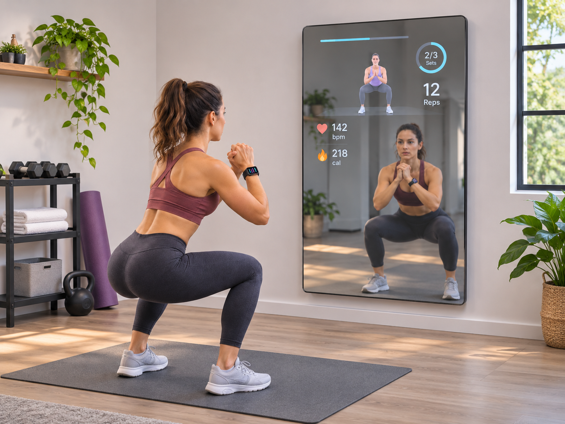
Fitness mirrors are larger units built around workout classes, often with a camera for form feedback.
Commercial mirrors are custom installations for stores, hotels and other businesses.
Some mirrors marketed as smart have no display at all, just lighting, defogging or Bluetooth speakers. This guide focuses on mirrors with a screen behind the glass.
What Are Smart Mirrors Made Of?
Depending on their features, smart mirrors can include the following components:
- A two-way mirror glass or acrylic panel
- An LCD or OLED display screen
- A computing unit (often Raspberry Pi or Android based)
- Sensors (e.g. motion, touch, camera, microphone)
- Connectivity modules (Wi-Fi, Bluetooth)
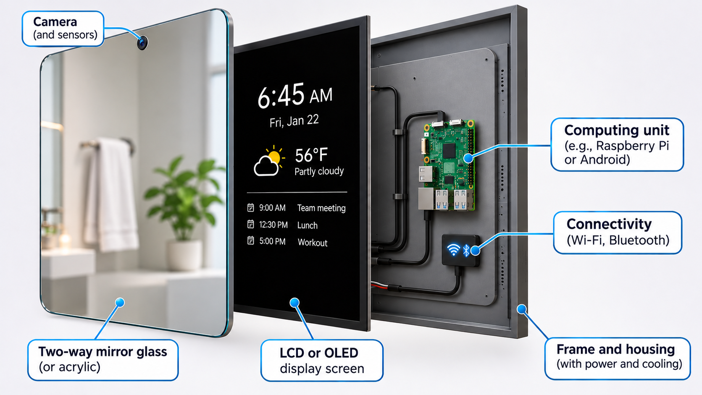
Getting these parts to work together behind glass takes some clever engineering. I explain how smart mirrors work, layer by layer, in a separate guide.
Depending on the model, common features include:
| Functionality | Description |
|---|---|
| Time and Date | Displays current time and date |
| Weather Updates | Shows live weather information and forecasts |
| News Feed | Streams latest news headlines and updates |
| Calendar & Reminders | Syncs with personal calendars for appointments |
| Multimedia | Plays video clips, music and tutorials |
| Voice Control | Responds to voice commands via built-in or connected assistants |
The Evolution of Smart Mirrors
Digital mirror concepts appeared in labs and tech demos in the early 2000s, but few got past that stage.
One early commercial example was the Cybertecture Mirror, introduced in Hong Kong in 2010 by James Law Cybertecture. It displayed apps and information while still working as a regular mirror, at a price in the thousands of dollars.
A well-documented milestone came in 2016, when Google engineer Max Braun published his DIY smart mirror project. His design paired a two-way mirror with a display panel, running Android software to show the time, weather and news headlines. Braun shared his build process on Medium, and the project drew wide attention in tech and maker circles.
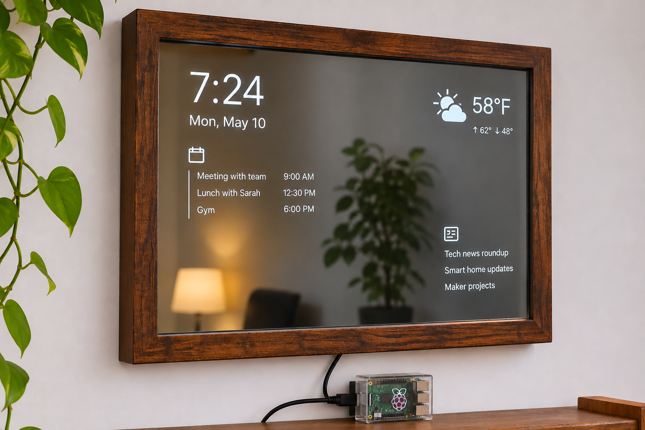
The DIY movement grew alongside commercial development. Open source projects like MagicMirror² made it easier for hobbyists to build their own.
Who Are Smart Mirrors For?
Smart mirrors aren’t equally useful for everyone. Their biggest appeal comes down to three areas – guided fitness, beauty and skincare, and everyday smart home convenience.
Fitness enthusiasts get guided home workouts, form tracking and structured training programs. The MAGIC AI Fitness Smart Mirror, for example, uses its ReflectAI® computer vision to count reps, correct form and guide weight selection.
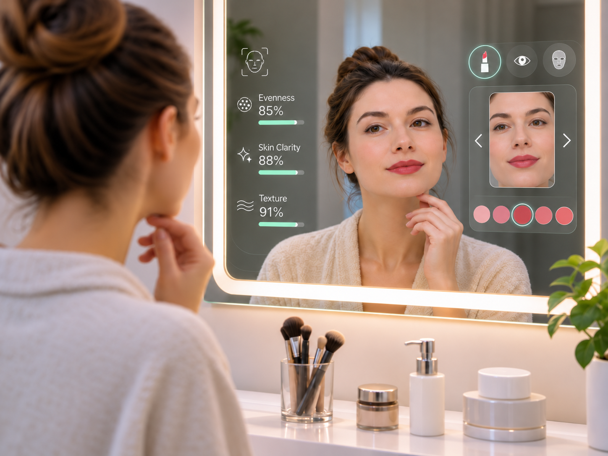
Beauty and skincare users can try on makeup virtually, preview looks under different lighting, and on some models, track skin changes over time.
Smart home users get a central control point for their morning routine, from lights and music to the day’s commute.
How Are Smart Mirrors Used?
At home, smart mirrors are used mainly for grooming and fitness.
Personal Grooming and Beauty Assistance
It’s 7:45 AM and your mirror shows rain forecast for 9:00. You grab an umbrella and rethink your hairstyle before leaving the bathroom.
Makeup previews use augmented reality (AR) to show how products will look on your face before you buy them. Beauty brands like Sephora and L’Oréal already use virtual try-on technology. The same AR technology also powers try-ons on phones and retail displays, so not every virtual makeup preview involves a smart mirror.
Hairstyle previews let you see a new cut or color before committing to it.
Skincare analysis uses built-in cameras to assess things like texture and visible concerns, then offers tips based on what it sees.
Fitness Training and Health Tracking
Fitness mirrors combine guided workouts with progress tracking, while more advanced models use cameras and sensors to monitor your movements and give form feedback.
Guided Workouts and Form Feedback
Depending on the model, fitness mirrors can:
- Demonstrate exercises step-by-step with video instructors
- Check your form in real time (treat this as guidance, since no system catches every mistake)
- Count reps and track workout duration
- Offer on-demand and live classes in various disciplines (yoga, HIIT, boxing and my personal favorite, strength training)
Some smart fitness mirrors can also track health metrics such as:
- Heart rate (typically through connected wearables, with camera-based estimation on some systems)
- Body composition metrics (via paired smart scales)
- Estimated calories burned during workouts
Treat calorie and body composition figures as estimates. They can help you spot trends and adjust your routine, but consumer smart mirrors are never a substitute for medical assessment or professional healthcare advice.
Smart Mirror Uses Around the Home
Smart mirrors can also tie into your wider smart home and help you manage your day.
Smart Home Control
With a touch or voice command, a mirror with smart home integration can:
- Dim the lights for movie night or brighten them gradually in the morning
- Adjust your home’s temperature without leaving the bathroom
- Show who’s at the front door via security camera feeds
Some smart mirrors integrate with Amazon Alexa, Google Home or other smart home systems, letting you control compatible devices by voice or on-screen controls. Others only display information, and support varies considerably between models.
Daily Schedules and Reminders
Smart mirrors can also serve as a morning briefing station. At a glance, you can:
- Review calendar appointments synced from Google, Outlook or Apple
- Check today’s weather forecast and traffic conditions
- See reminders and to-do lists
- Check sleep data from connected devices
Commercial Applications of Smart Mirrors
Beyond fitness, smart mirrors also show up in retail, hospitality, and increasingly, healthcare.
Retail and Fashion Industry
Fashion retailers have experimented with interactive fitting-room mirrors since the early 2000s, with wider pilots following in the mid-2010s. Depending on the retailer and technology, these systems may offer the options below:
Virtual try-ons let shoppers see different sizes and colors without changing clothes.
Style recommendations suggest complementary items based on what you’re trying on.
In-room requests let you ask for another size or color, or add items to your cart, without leaving the fitting room.
Targeted suggestions surface related accessories and beauty products, which may also mean the mirror is collecting data on what you browse.

Hospitality and Travel
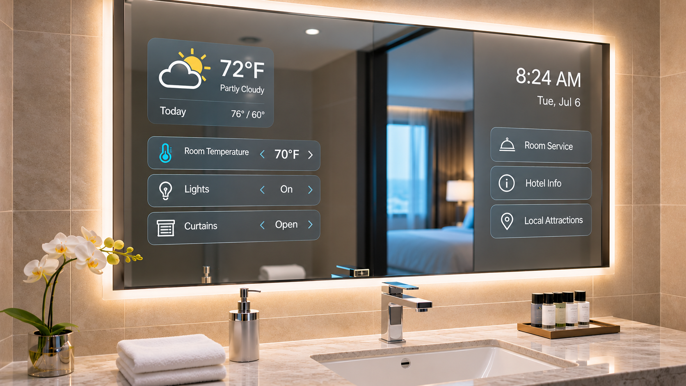
Some hotels use smart mirrors in guest rooms. Picture getting ready for a meeting while the mirror shows the weather, nearby lunch spots and your wake-up call.
What Guests Can Do
Control the room by adjusting lighting, temperature and entertainment with voice or touch.
Make requests such as room service, housekeeping or spa bookings through the mirror instead of calling the front desk.
Some vendors are also piloting mirrors that recognize returning guests. That raises obvious questions about how much a device in a hotel room should see and remember.
Healthcare and Wellness Applications
Healthcare uses are still emerging, with much of the work in research and pilot projects rather than everyday clinical practice.
Rehabilitation guidance is the most developed area. Motion tracking can show patients how to perform prescribed exercises at home and give feedback on form and range of motion.
Patient education and reminders are another possibility, with recovery exercise demos, post-op instructions and medication reminders. None of this replaces clinical devices or a care team’s guidance.
How Much Do Smart Mirrors Cost?
One of the most common questions about smart mirrors is: “Can I actually afford one?” Costs vary mainly by display size, brightness, waterproofing, sensors and cameras, and the software ecosystem.
Smart Mirror Prices by Type
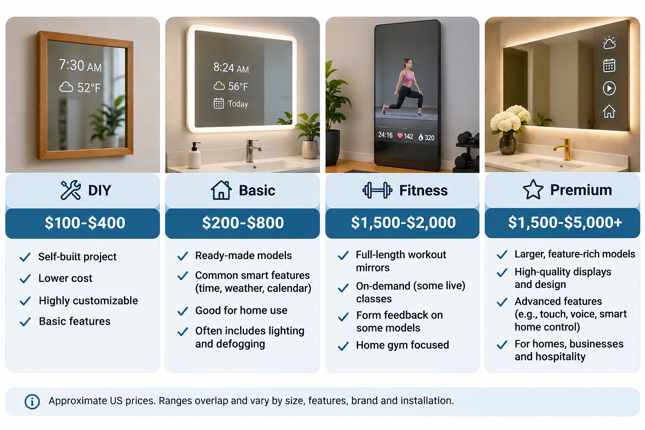
These are approximate US price ranges, not fixed market averages, and they can overlap depending on features, availability and promotions.
DIY Smart Mirrors: $100-$400
- Build your own with a Raspberry Pi, two-way mirror acrylic and a monitor
- Requires technical skills but offers full customization
- Open source software like MagicMirror² is free
Basic Consumer Models: $200-$800
- Simple displays with weather, time, news and calendar
- Limited interactive features
- Suitable for bathrooms or entryways
Smart Fitness Mirrors: $1,500-$2,000
- Dedicated workout mirrors with on-demand (and sometimes live) classes
- Camera-based systems on some models that track form and count reps
- Subscriptions vary by brand and can add a few hundred dollars a year. Some are required for the full workout library, while others are optional add-ons to free basic access
- Note: Hardware availability and pricing in the connected fitness market change frequently, and some brands have stopped selling mirror hardware, so verify current offers and support status before purchasing
Premium Smart Mirrors: $1,500-$5,000+
- High end displays, premium materials and larger sizes
- Customizable smart home integration
- Commercial and retail systems are usually quoted per project
Additional Costs to Consider
- Installation: Budget roughly $100-$500 if you need professional installation, though quotes vary
- Smart home accessories: Compatible devices for full integration
What to Check Before Buying a Smart Mirror
- Display visibility: Check the listed brightness and whether it adjusts to room light, and confirm the return policy in case it’s hard to read in your space
- Bathroom suitability: Whether the model is rated for humidity and splashes
- Installation: Mounting, power and whether you need an electrician
- Compatibility: Which smart home platforms and calendars it supports
- Ongoing costs: Subscriptions and minimum commitments
- Software support: The manufacturer’s track record on updates
- Privacy controls: Camera and microphone switches, and local data options
Is it worth it? If you’d use the features regularly, especially fitness classes in place of a gym membership, and you value an all-in-one device, a smart mirror can offset part of its cost over time. If you mainly want the time and weather, a much cheaper smart display does the same job.
Are Smart Mirrors Safe and Private?
A smart mirror may look like ordinary glass, but many models can see, hear and remember. That’s worth thinking about before you put one in your bathroom.
Understanding the Data Smart Mirrors Collect
Depending on their features, smart mirrors can capture:
- Video footage from built-in cameras
- Voice recordings from microphone interactions
- Usage patterns showing when and how you use features
- Personal health data including fitness metrics and measurements
- Calendar and schedule information synced from your accounts
- Biometric data such as facial recognition profiles
- Smart home control data showing your automation preferences
Privacy and Security Checklist for Smart Mirror Owners
Here are practical steps you can take to keep your data secure.
Physical Privacy Controls
- Use built-in camera and microphone switches whenever you’re not using those features
- Cover the camera manually if no hardware toggle exists
- Check whether the mirror has camera or microphone activity indicators, but don’t assume an unlit indicator means those sensors are inactive
Network and Data Protection
- Secure your Wi-Fi with WPA3 (or WPA2) and a strong password
- Keep software up to date
- Reserve a separate guest or IoT network for cloud-only devices, and keep anything that relies on local integrations on your main network
- Turn off connectivity (Wi-Fi, Bluetooth, voice assistants) when not in use
Account and App Security
- Use strong, unique passwords for your smart mirror and related apps
- Enable multi-factor authentication (MFA), if supported
- Review account activity regularly for unfamiliar logins
- Limit third-party integrations to those you trust
Data and Privacy Settings
- Disable data sharing or tracking features you don’t need
- Prioritize mirrors that store data locally rather than in the cloud
- Read the manufacturer’s privacy policy to understand how long data is kept and how to delete it
- Opt out of data sharing when possible, especially for analytics or advertising purposes
Make Informed Purchase Decisions
Before buying a smart mirror:
- Look for manufacturers that explain their data practices clearly and comply with applicable privacy laws, such as GDPR, CCPA and TDPSA
- Check for transparency about where your data is stored and who can access it
- Prioritize models with physical privacy controls and local processing options
Through the Looking Glass

The humble mirror has come a long way from showing us whether we have spinach in our teeth.
Whether you’re chasing fitness goals, refining your beauty routine, or just want a morning briefing while you brush your teeth, the right smart mirror depends on which features you’d genuinely use and what you’re willing to spend. Check the privacy controls before you buy, too.
We haven’t reached the fairy tale mirror that declares who’s the fairest of them all, but today’s models already do far more than reflect. Take another look in the mirror. The future may already be looking back.