Your parent’s home has a smoke detector running on a battery they’ve never changed, a front door key they’ve fumbled for in the dark for thirty years, and a hallway that becomes a hazard the moment they get up at 2am. None of these are emergencies – until one of them is. The right smart home devices, set up correctly, remove the hazards that turn small risks into serious problems, and help seniors stay independent in their own home for longer.
Read on to discover what genuinely works for elderly users, what to buy first, and how to build a setup that keeps working without anyone needing to intervene.
Note: This guide covers smart home infrastructure. For fall detection and emergency response wearables, check out my dedicated smartwatches for seniors guide.
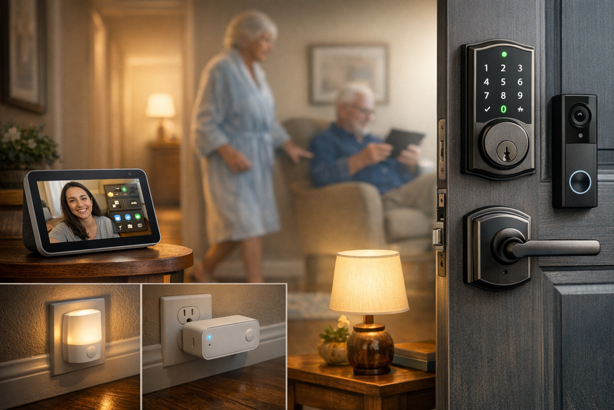
Quick Picks: Best Smart Home Devices for Seniors
🏠 Best Smart Display for Alexa Households: Amazon Echo Show 8 (4th Gen) – $170-$180 | Video calling, smart home dashboard, built-in Zigbee hub, Alexa+
📺 Best Smart Display for Google Households: Google Nest Hub (2nd Gen) – $60-$100 | No camera, sleep sensing, Google ecosystem anchor
💡 Best for Fall Prevention (No App, No Setup): GE Motion Sensor Night Light – $18-$22 for 2-pack | Just plug in and you’re done – automatic hallway and bathroom lighting
🔑 Best Smart Lock (Apple): Schlage Encode Plus – $280-$330 | Keypad, Apple Home Key, Grade 1 security
🔑 Best Smart Lock (Alexa/Google): Yale Assure Lock 2 Touch – $260-$280 | Fingerprint + keypad, built-in Wi-Fi
📹 Best Video Doorbell (Alexa): Ring Battery Doorbell – $90-$100 | No wiring, head-to-toe video, seamless Echo Show integration
📹 Best Video Doorbell (Google): Google Nest Doorbell (Battery) – $170-$180 | Google Home integration, 3 hrs free history, local backup during outages
🔌 Best Smart Plug: Kasa KP125M – $25-$30 for 2-pack | Matter compatible, energy monitoring, works across all ecosystems
30-Second Selector
What’s the primary concern?
- Nighttime falls → GE Night Lights first, then Echo Show 8 for reminders
- Door security and key fumbling → Schlage Smart Lock (Apple) or Yale Smart Lock (Alexa/Google)
- Staying connected → Echo Show 8 or Nest Hub + Ring Video Doorbell
- Voice-controlled automation → Smart display + smart plugs
Which ecosystem?
- iPhone/Apple → Echo Show 8 works well – pair with Schlage Smart Lock for Apple Home Key
- Android/Google → Nest Hub + Nest Doorbell for a cohesive setup
- Alexa household → Echo Show 8 + Ring Video Doorbell + Yale Smart Lock or Schlage Smart Lock
- No ecosystem yet → Start with Alexa (broadest device compatibility)
Quick Comparison
Smart Displays
| Feature | Echo Show 8 (4th Gen) | Echo Show 5 (3rd Gen) | Google Nest Hub (2nd Gen) |
|---|---|---|---|
| Price Range | $170-$180 | $85-$90 | $60-$100 |
| Screen Size | 8.7 inches | 5.5 inches | 7 inches |
| Camera | 13MP auto-framing | 2MP | None (privacy-focused) |
| Smart Home Hub | Zigbee + Matter + Thread | No built-in hub | Matter + Thread |
| Special Features | Alexa+, Omnisense, spatial audio | Compact, physical shutter, Alexa+ | Sleep Sensing, no camera |
| Best For | Primary household display | Bedroom, nightstand | Google households, bedrooms |
Smart Locks
| Feature | Schlage Encode Plus | Yale Assure Lock 2 Touch |
|---|---|---|
| Price Range | $280-$330 | $260-$280 |
| Entry Methods | Keypad, app, Apple Home Key, backup key | Fingerprint, keypad, app, backup key |
| Security Grade | ANSI/BHMA Grade 1 | ANSI/BHMA Grade 2 |
| Apple Home Key | Yes | No |
| Fingerprint | No | Yes (under 0.5 seconds) |
| Works With | Alexa, Google, Apple HomeKit | Alexa, Google, Apple Home |
| Hub Required | No (built-in Wi-Fi) | No (built-in Wi-Fi) |
| Best For | Apple households | Arthritic hands, Alexa/Google households |
Video Doorbells
| Feature | Ring Battery Doorbell | Google Nest Doorbell (Battery) | eufy Video Doorbell E340 |
|---|---|---|---|
| Price Range | $90-$100 | $170-$180 | $140-$150 |
| Power | Battery (USB-C rechargeable) | Battery (rechargeable) | Battery or wired |
| Video | 1440 x 1440 head-to-toe | HDR vertical FOV | 2K dual camera |
| Monthly Fee | Optional | Optional | None required |
| Local Storage | No | 3 hrs free cloud history, up to 1 hr local during outages | 8GB on device |
| Best Pairing | Alexa / Echo Show | Google Home / Nest Hub | Alexa or Google |
Jump To:
- Quick Picks
- Smart Displays – Echo Show 8 | Echo Show 5 | Nest Hub
- Smart Lighting – GE Night Lights | Philips Hue | Sengled
- Smart Locks – Schlage Encode Plus | Yale Assure Lock 2 Touch
- Video Doorbells – Ring | Nest Doorbell | eufy E340
- Smart Plugs – Kasa KP125M | Amazon Smart Plug
- Building It as a System
- FAQ
Why Smart Home Technology Works for Older Adults
The most impactful smart home devices for older adults share one trait. They reduce the number of physical interactions required to stay safe and comfortable. A motion-activated night light doesn’t ask anything of the person using it. A keypad lock removes the need to find and grip a key in the dark. A smart display lets someone check their medication schedule without navigating a phone screen. These features address specific challenges that add up as mobility and dexterity change over time.
For adult children managing care from a distance, the secondary benefit is equally important – remote visibility without feeling intrusive. That could mean checking that a parent made it home from a walk, seeing who rang the doorbell, or receiving an alert when a routine changes. All of this is possible without cameras in every room or constant phone calls. It’s part of a broader shift in adaptive technology for the home, using connected devices to support independence rather than replace it.
A Note on Ecosystem Consistency
Before buying anything, choose one ecosystem, whether that’s Amazon Alexa, Google Home or Apple Home, and stick with it. Mixed ecosystems can create unnecessary complexity in some cases. The recommendations in this guide flag ecosystem requirements clearly throughout. For a deeper look at protocol compatibility and hub requirements, the smart home hub guide here covers the technical details in full.
Smart Displays: The Control Layer
A smart display is the most versatile single purchase in this list, with voice assistant, visual dashboard, video calling terminal, medication reminder system and digital photo frame in one device that sits on a counter and requires minimal interaction. For seniors uncomfortable with smartphones, it provides a fixed, always-available interface that doesn’t get lost, run out of battery or require an app update.
Amazon Echo Show 8 (4th Gen)
Best Smart Display for Elderly Users | $170-$180 | View on Amazon
Rating: 4.6/5
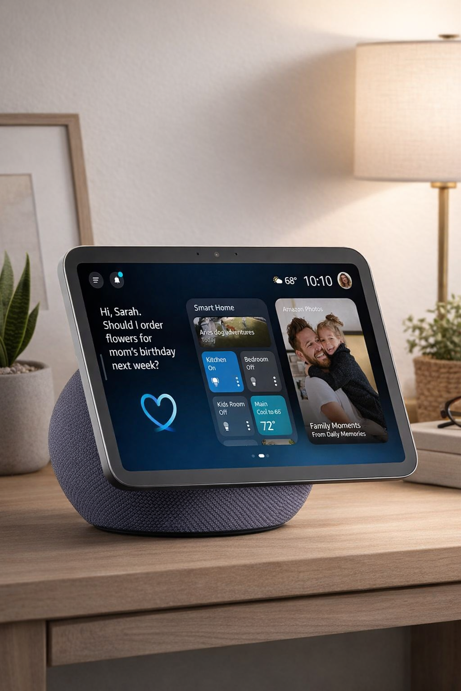
At a Glance: 8.7″ HD display | Zigbee + Matter + Thread hub | 13MP auto-framing camera | AZ3 Pro chip | Alexa+ | Released September 2025
The 4th generation Echo Show 8 is a significant update from its predecessor, sporting a larger screen, completely new spheroid form factor and one of the most capable smart home hubs built into any mainstream display. For older adults, the key advantages are the large touchscreen that responds to both voice and tap, the built-in Zigbee hub that eliminates the need for a separate bridge for Zigbee bulbs and sensors, and the auto-framing camera that keeps the person in frame during video calls without requiring any adjustment. When paired with a Ring doorbell, the visitor’s live feed appears on screen automatically when someone rings, with no action required from whoever is home.
Key Specs
- 8.7-inch HD touchscreen: 15% more viewing area than previous generation
- Built-in Zigbee hub, Matter controller and Thread Border Router
- 13MP auto-framing camera with 3.3x zoom and noise reduction
- AZ3 Pro chip with AI Accelerator, designed for Alexa+
- 2.8-inch woofer and dual full-range drivers (up to 2x bass vs previous generation)
- Omnisense: presence, temperature and Visual ID detection for automated routines
- Wi-Fi 6E, Bluetooth
- Alexa+ included (requires Prime membership or Alexa+ Standard plan, US only)
Worth Knowing
Privacy controls include a hardware mic/camera off button that disables both simultaneously. For households where a camera-free display is a firm requirement, the Google Nest Hub is the right choice instead. Alexa+ requires a US-based Amazon account and is not available in all regions. Initial setup requires a Wi-Fi network, an Amazon account, and a family member present for first time configuration.
Best For
Alexa households wanting a primary kitchen or living room display with built-in hub functionality. Adult children who want to configure video calling, medication reminders and doorbell integration in a single device without buying separate bridge hardware.
Amazon Echo Show 5 (3rd Gen)
Best Bedroom Display | $85-$90 | View on Amazon
Rating: 4.3/5
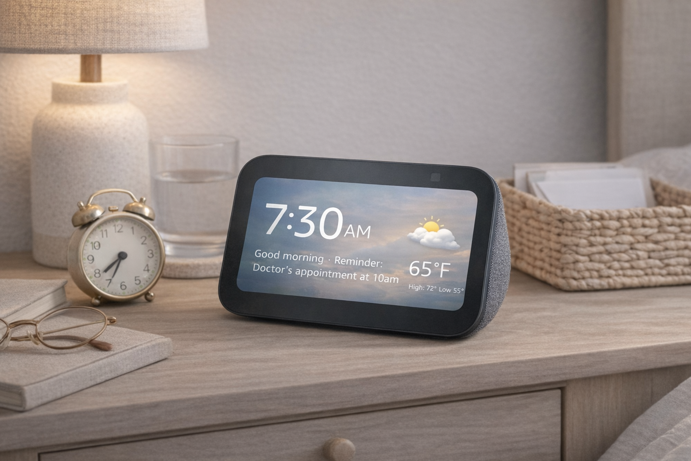
At a Glance: 5.5″ display | 2MP camera with physical shutter | Alexa+ compatible | Compact nightstand footprint
The Echo Show 5 occupies a very specific and useful role – bedroom companion. At roughly half the price of the Show 8, it provides voice-controlled alarms, timers, reminders and weather briefings in a compact form that fits comfortably on a nightstand without dominating it. The built-in physical camera shutter (a mechanical switch that covers the lens) is a genuine advantage over the 4th gen Show 8 in this context, offering hardware-level privacy assurance for a bedroom environment.
Key Specs
- 5.5-inch touchscreen display
- 2MP camera with physical shutter
- Improved audio over previous generation
- MediaTek MT 8169 B processor
- Alexa+ compatible
Worth Knowing
The Echo Show 5 has no built-in Zigbee hub. In a household that already has an Echo Show 8 or Echo Dot Max acting as the hub, this is not a problem. The Show 5 operates as a display and voice interface while the hub device handles device coordination. For a household with only a Show 5, smart devices will need to connect via Wi-Fi or Matter over Wi-Fi rather than Zigbee. Netflix is not currently compatible with the Echo Show 5.
Best For
Bedroom nightstand use alongside a primary Echo Show 8. Anyone who wants voice-controlled alarms and reminders in a compact, privacy-friendly form without a large screen presence in the bedroom.
Google Nest Hub (2nd Gen)
Best for Google Households | $60-$100 | View at Google Store
Rating: 4.2/5
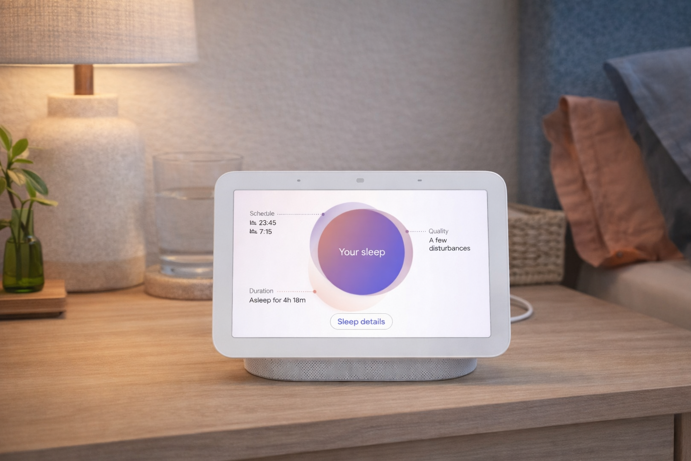
At a Glance: 7″ touchscreen | No camera | Sleep Sensing via Soli radar | Matter + Thread | Google Assistant | Launched 2021
The Nest Hub 2nd Gen is the right choice for Google households, and it has one characteristic that makes it particularly well suited to bedrooms – no camera. For a device sitting on a nightstand in a private space, that matters. There’s no lens to cover, no privacy setting to remember, and no concern about who might be looking in. It simply cannot see you, by design. The Sleep Sensing feature, which uses Soli radar to track sleep patterns without a wearable, is a useful bonus for households managing irregular sleep or nighttime restlessness.
The hardware age is worth being direct about here. The Nest Hub 2nd Gen launched in 2021 and Google has not released a successor. The processor feels slower than current Amazon devices and the 7-inch screen is smaller than the Echo Show 8’s 8.7 inches. Google has committed to Matter support and is rolling out Gemini for Home gradually, so the device remains functionally current. That said, the value case is strongest when it drops to $60-$70 during promotional periods, which it does regularly. For a full 2026 assessment, see my Nest Hub review.
Key Specs
- 7-inch LCD touchscreen (1024 x 600)
- No camera: privacy-first design
- Sleep Sensing via Soli radar (no wearable required)
- Matter controller and Thread Border Router
- Google Assistant with Gemini for Home rollout in progress
- Quick Gestures: wave hand to pause or snooze
- Ambient EQ light sensor: adjusts screen brightness and color temperature to match room lighting
- Google Photos integration
Worth Knowing
No camera means no video calling. Google Meet calls through the Nest Hub are audio only. The other person won’t see you, though you can receive incoming video from their end. For households where two-way video calling with family is a priority, the Echo Show 8 is the better choice. The Nest Hub has no built-in Zigbee hub (Zigbee devices require a separate bridge). Sleep Sensing has been free since launch but Google has indicated it may eventually move to Fitbit Premium. As of early 2026 it remains free, though this could change.
Best For
Google households wanting ecosystem consistency across Google Calendar, Photos and Google Home. Privacy-conscious users who want a camera-free display in a bedroom or living room. Android users who want a smart display that fits naturally into their existing workflow.
Smart Lighting: The Highest Impact, Lowest Effort Install
Not every safety device in this guide needs to be smart. The most effective first purchase here requires no app, no Wi-Fi and no setup at all, just a wall outlet. Falls are a leading cause of injury related deaths among adults 65 and older, according to the CDC. Motion-activated lighting addresses one of the most obvious nighttime hazards – getting up in the dark – without requiring any behavior change. The products below are ordered by installation simplicity, starting with the easiest.
GE Motion Sensor Night Light (2-pack)
Best for Passive Fall Prevention | $18-$22 for 2-pack | View on Amazon
Rating: 4.5/5
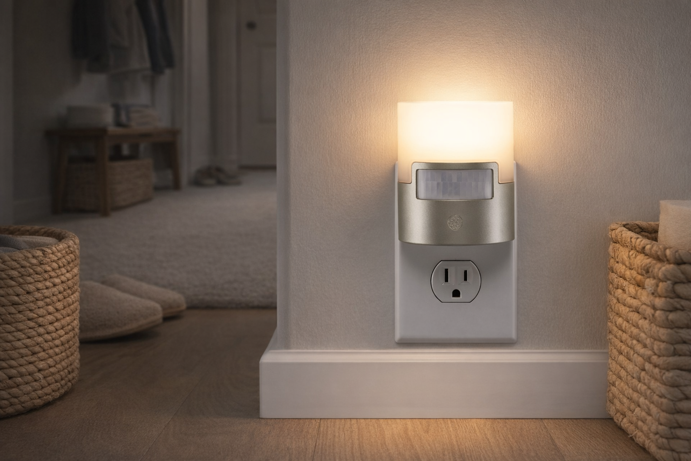
At a Glance: Plug-in | Motion sensor + dusk-to-dawn | 40 lumens | Soft white | No app, no Wi-Fi, no setup | UL certified | 2-pack
This is the most straightforwardly useful product in this guide, and the one to buy first. Plug it into a hallway outlet and another into the bathroom. That is the entire installation. No app, no account, no Wi-Fi. The motion sensor activates the light when someone walks past. The dusk-to-dawn sensor means it only activates when the room is dark. For nighttime trips to the bathroom, this single purchase removes one of the most common fall risk scenarios without requiring anything from the person living there.
Key Specs
- 40-lumen soft white LED: sufficient for safe navigation without disturbing sleep
- Motion sensor activates on movement
- Dusk-to-dawn sensor: off during daylight, standby from dusk
- Plug-in: no batteries, no wiring, no installation
- UL certified, energy efficient LED
Worth Knowing
This device has no smart home integration whatsoever, and that is precisely why it belongs at the top of this list. Nothing can go wrong with the software, nothing needs updating, and no family member needs to troubleshoot it remotely. It simply works. For a household with multiple hallways or staircases, two 2-packs cover the full path from bedroom to bathroom to kitchen for under $45.
Best For
Every home with older adults, regardless of ecosystem or technical comfort level. Hallways, bathrooms and staircases where nighttime navigation is a fall risk.
Philips Hue White Ambiance Starter Kit
Best Connected Lighting System | $125-$135 | View on Amazon
Rating: 4.4/5
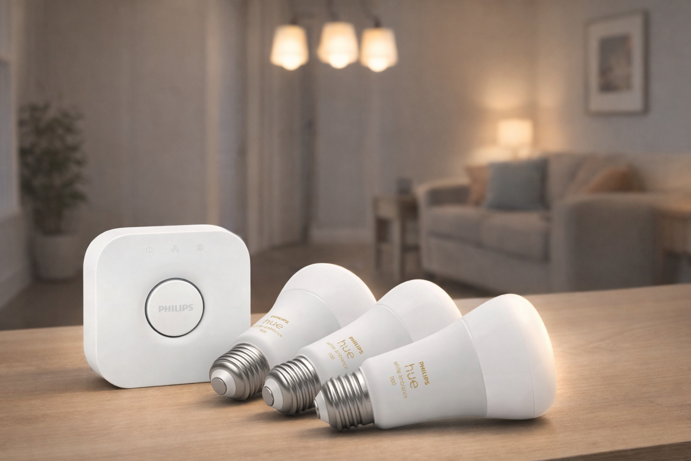
At a Glance: 4 x A19 White Ambiance bulbs + Hue Bridge | Zigbee based | Alexa, Google, Apple HomeKit | Expandable to 50 bulbs
Philips Hue runs on its own Zigbee mesh via the included Bridge rather than adding congestion to household Wi-Fi, a reliability advantage in homes with many connected devices. For an elderly household, the more relevant use case is scheduled lighting – programmed to turn on at sunset, dim gradually in the evening or activate when someone enters a room, all managed remotely through the Hue app. For someone who forgets to turn lights on or off, this removes the task entirely.
Key Specs
- 4 x A19 E26 White Ambiance bulbs (75W equivalent, 1100 lumens)
- Various shades of warm-to-cool white light, fully dimmable
- Hue Bridge included: Ethernet to router, Zigbee to bulbs
- Expandable to 50 bulbs and 12 accessories per bridge
- Works with Alexa, Google, Apple HomeKit, SmartThings
- Matter compatible, remote scheduling via Hue app
Worth Knowing
The Hue Bridge must be connected to the router with an Ethernet cable, which might be awkward if the router is in an inaccessible location. The system costs more than Wi-Fi bulb alternatives, but the reliability difference is meaningful for a household where consistent performance matters more than saving $30. The White Ambiance range does not include color-changing capability.
Best For
Households wanting reliable scheduled and automated lighting managed remotely. Any setup where Wi-Fi congestion is a concern. Those building a longer term smart lighting system.
Sengled Bluetooth Dimmable Bulbs (4-pack)
Budget Bulb Option | ~$20 for 4-pack | View on Amazon
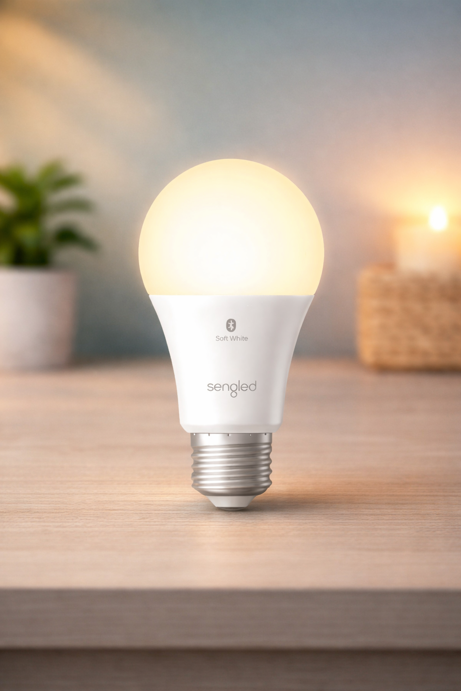
For Alexa households that want voice-controlled lamps without the cost of a Hue system, the Sengled Bluetooth dimmable bulbs connect directly to Echo devices via Bluetooth Mesh, meaning no hub, no bridge, no extra hardware. Screw them in, open the Alexa app, done. Warm white only, functional rather than feature-rich, which suits this use case well. At around $20 for four bulbs, they work well for table lamps and floor lamps a user might want to control from across the room.
Smart Locks: Eliminating the Key Problem
Fumbling for a key in the dark, in the cold, with hands affected by arthritis, tremors or reduced dexterity is a small daily frustration that can become a real problem. Smart locks with keypad or fingerprint entry can help enormously here, removing the need for a physical key altogether. Both options below connect over built-in Wi-Fi without a hub and can be managed remotely by family members. The final choice comes down to one question – which ecosystem does the household use?
Schlage Encode Plus Smart Wi-Fi Lock
Best Smart Lock for Apple Households | $280-$330 | View on Amazon
Rating: 4.5/5
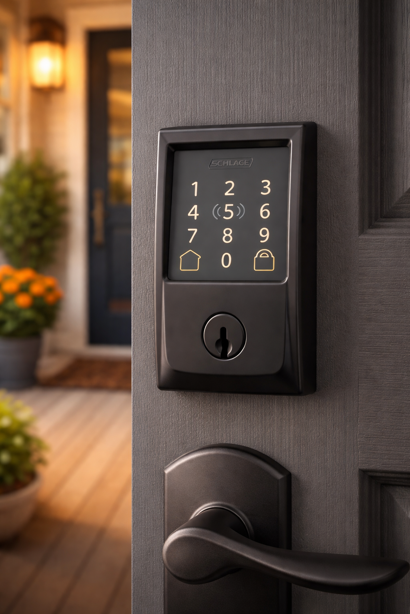
At a Glance: Keypad + Apple Home Key + backup key | Built-in Wi-Fi | ANSI/BHMA Grade 1 | Alexa, Google, Apple HomeKit | 100 access codes
Schlage has been the benchmark for residential lock security for over a century, and the Encode Plus brings that pedigree to a smart lock. The ANSI/BHMA Grade 1 certification means this lock has been tested against forced entry in ways that Grade 2 and Grade 3 alternatives have not. The keypad removes key fumbling entirely. Apple Home Key is the standout feature for iPhone households, allowing a simple NFC tap of iPhone or Apple Watch to open the door in under a second.
Key Specs
- Built-in Wi-Fi (no hub required)
- ANSI/BHMA Grade 1 (highest residential security rating)
- Apple Home Key (NFC tap-to-unlock with iPhone or Apple Watch)
- Up to 100 unique access codes with scheduling
- Built-in alarm detects forced entry attempts
- Auto-lock with configurable time delay
- Works with Alexa, Google Assistant, Apple HomeKit
- Remote lock/unlock and access history via Schlage Home app
- Battery-powered (4 x AA batteries) with low battery app alert
Worth Knowing
Apple Home Key works without a Home Hub. The digital key lives in Apple Wallet and unlocks via NFC tap. A Home Hub (HomePod, HomePod mini or Apple TV) is only required if you want to share access with others or control the lock remotely via the Apple Home app.
Installs with a screwdriver in minutes on a standard US deadbolt hole. The low battery alert via the Schlage Home app is a practical consideration for any household where battery checks aren’t reliable. At the higher end of the smart lock price range, the premium reflects the Grade 1 certification and Apple Home Key, neither of which are typically available on budget alternatives.
Best For
Apple households where iPhone or Apple Watch tap-to-unlock is wanted. Any household where physical security grade is an important consideration. Families managing access codes remotely for caregivers, cleaners or other visiting family members.
Yale Assure Lock 2 Touch
Best Smart Lock for Alexa/Google Households | $260-$280 | View on Amazon
Rating: 4.3/5
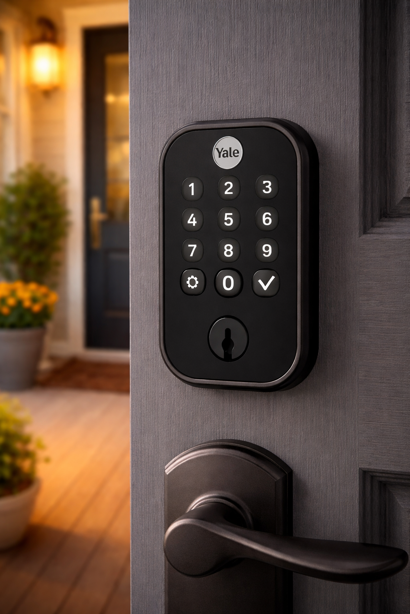
At a Glance: Fingerprint + keypad + app + backup key | Built-in Wi-Fi | ANSI/BHMA Grade 2 | Alexa, Google, Apple Home | Fingerprint recognition under 0.5 seconds
The Yale Assure Lock 2 Touch addresses a particular problem that the Schlage Encode Plus does not – hands that struggle to reliably enter a PIN code. The fingerprint scanner, hidden behind the Yale logo button, recognizes a registered fingerprint in under half a second. This specific model (YRD410-F-WF1-BSP) includes both the fingerprint scanner and the Wi-Fi module out of the box, so remote access requires no additional purchase.
Key Specs
- Fingerprint scanner: under 0.5 second recognition, 99% accuracy
- Touchscreen keypad for PIN code entry
- Built-in Wi-Fi module (no hub required)
- ANSI/BHMA Grade 2 security certification
- Works with Alexa, Google Assistant, Apple Home
- Auto-lock, access scheduling and activity alerts via Yale Access app
- Backup physical key included
- Fingerprint data stored locally on device (never uploaded to the cloud)
Worth Knowing
The Yale Assure Lock 2 Touch does not support Apple Home Key. For that feature, the Schlage Encode Plus is the right choice. Fingerprint users receive 24/7 access by default. You cannot restrict prints to specified hours or days as you can with PIN codes, so for caregivers needing scheduled access, PIN codes with validity windows are the better method.
Best For
Alexa or Google households where fingerprint access is the priority, particularly seniors with arthritis, tremors or limited dexterity where keypad entry might be challenging. Families who want to manage caregiver and visitor access remotely through the Yale Access app.
Video Doorbells: Safety and Connection
A video doorbell serves two distinct purposes in an elderly household. The first is safety – seeing who is at the door before deciding whether to open it, without moving to a window or getting up from a chair. The second is family connection – monitoring deliveries, checking that the person is home, or seeing doorbell activity remotely. All three options below are battery-powered and require no existing doorbell wiring, which is crucial in older homes where wiring may be absent or require an electrician.
Ring Battery Doorbell
Best for Alexa Households | $90-$100 | View on Amazon
Rating: 4.4/5
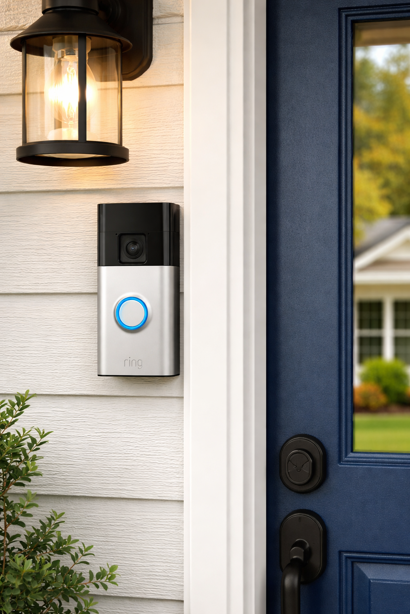
At a Glance: Battery-powered (USB-C rechargeable) | Head-to-Toe video (1440 x 1440) | Two-way talk | Alexa integration | Optional wired power
Ring’s latest battery doorbell brings head-to-toe video (previously confined to higher end models) to a more affordable price point. For Alexa households with an Echo Show 8, the integration is seamless. When someone rings, the visitor’s live feed appears on the Echo Show screen automatically without any action required. The person at home can see and speak to whoever is at the door from wherever they are in the house.
Key Specs
- 1440 x 1440 Head-to-Toe video with color night vision
- Built-in rechargeable battery (USB-C), optional hardwiring
- Two-way talk with noise cancellation
- Motion detection with real-time alerts
- Pre-selected Quick Replies (answering machine for the door)
Worth Knowing
Video history and Smart Alerts require a Ring subscription (plans start at a few dollars per month). Core functionality, including live view, two-way talk and motion alerts, works without a subscription. Battery life depends heavily on activity levels, but in a moderate traffic location, you can expect to recharge it every few months. Installation typically involves drilling, although drill-free mounts are available separately for renters.
Best For
Alexa households, particularly those with an Echo Show 8 for automatic doorbell-to-screen integration. Homes without existing doorbell wiring. Families who want to monitor door activity and deliveries remotely.
Google Nest Doorbell (Battery)
Best for Google Households | $170-$180 | View on Amazon
Rating: 4.3/5
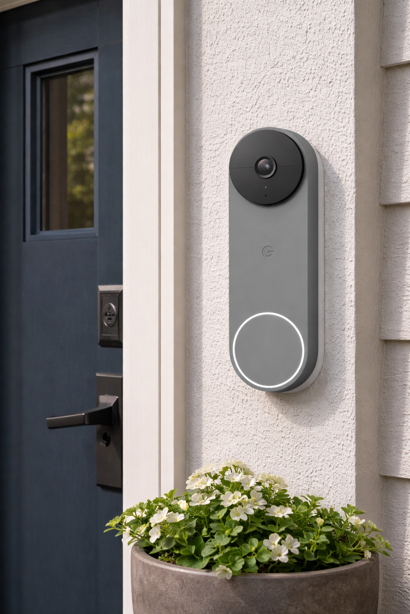
At a Glance: Battery-powered | Vertical HDR video | Two-way audio | Google Home integration | 3 hrs free cloud event history | 1 hr local storage during outages
The natural pairing for Google households with a Nest Hub. The vertical field of view captures head-to-toe coverage including packages left on the step, and when someone rings, the notification routes to the Nest Hub display. Person and package detection works at a basic level without a subscription, with more detailed event history available through Google Home Premium. Three hours of free cloud event history is included out of the box. If the Internet connection drops, the doorbell records locally for up to one hour.
Key Specs
- Rechargeable battery, no wiring required
- Vertical 3:4 HDR video: head-to-toe coverage
- Night vision, two-way audio, pre-recorded quick responses
- 3 hours free cloud event history; 1 hour local storage during outages
- Works with Google Home, Nest Hub, Google Assistant
- Person and package detection (basic without subscription)
Worth Knowing
Extended video history, familiar face recognition and enhanced notifications require a Google Home Premium subscription. At $170-$180, this is the most expensive battery doorbell in this guide. For Google households wanting tight ecosystem integration and local storage backup, the premium is justified. For Alexa or mixed households, the Ring is the better value choice.
Best For
Google households pairing with a Nest Hub. Families who want local storage backup as a failsafe during outages.
eufy Video Doorbell E340
Best No-Subscription Option | $140-$150 | View on Amazon
Rating: 4.3/5
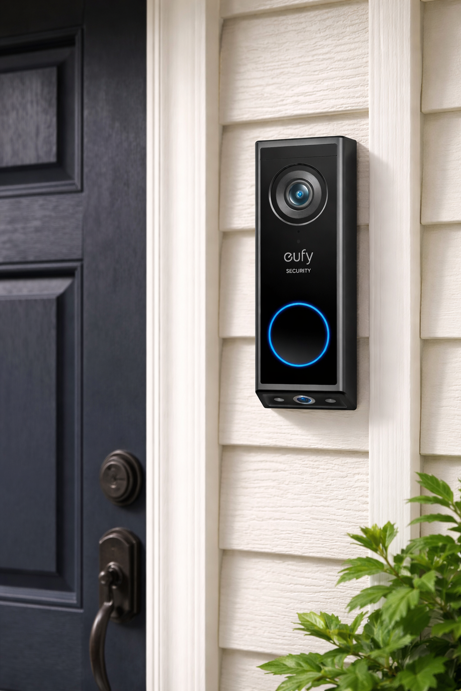
At a Glance: Dual cameras (forward + downward) | 2K full HD | 8GB local storage | No monthly fee | Battery or wired | Alexa and Google compatible
The eufy E340 makes its case with two selling points – dual cameras and no ongoing subscription. The dual-camera design pairs a forward-facing 2K camera for visitors with a downward-facing camera focused on the floor. Packages left on the step are captured in a dedicated feed rather than the edge of a single wide-angle frame. Local storage of 8GB is built into the device itself, recording without a cloud subscription or monthly fee. For families managing costs carefully or those who object to ongoing fees on principle, this is a meaningful practical difference.
Key Specs
- Dual cameras: 2K forward-facing + downward-facing for package detection
- 8GB local storage built-in (no subscription required)
- Color night vision, two-way audio with Quick Replies
- Battery or wired power
- Detachable rechargeable battery
- AI human and package detection
- Works with Alexa and Google Assistant
Worth Knowing
The eufy E340 does not support Apple HomeKit. While it works with Alexa and Google via skills and actions, the experience is less tightly integrated than native options. Features like automatic live view on Echo Show when the doorbell is pressed are more consistent and seamless with Ring devices. For Alexa-first households wanting the smoothest Echo Show integration, Ring remains the better fit.
Best For
Households wanting to avoid monthly subscription fees. Anyone for whom package delivery monitoring is a priority. Alexa or Google households wanting a capable standalone doorbell without ongoing cloud storage costs.
Smart Plugs: Automating Existing Lamps and Appliances
Smart plugs are the most flexible entry point into home automation. Plug an existing lamp into a smart plug and it becomes voice-controlled and schedulable. For someone who uses the same lamp every evening, scheduling it to turn on automatically at 6pm and off at 10pm takes one daily task off the list.
Kasa Smart Plug Mini KP125M (2-pack)
Best Cross-Platform Smart Plug | $25-$30 for 2-pack | View on Amazon
Rating: 4.5/5
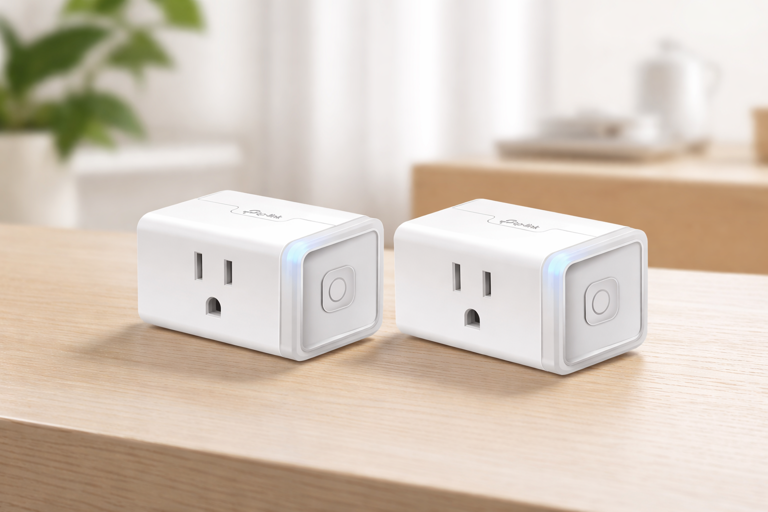
At a Glance: Matter compatible | Energy monitoring | 15A / 1800W | Apple Home, Alexa, Google | Compact | UL certified | 2-pack
The Kasa KP125M is the right choice if there is any chance the household ecosystem might change, or if the current setup spans multiple platforms. Matter compatibility means it works with Apple Home, Alexa and Google without re-pairing. The energy monitoring feature – real-time and historical power consumption in the Kasa app – is useful for families who want to check whether appliances like electric blankets or kettles are being left on. The compact design doesn’t block the adjacent outlet, which helps in older homes with limited sockets.
Key Specs
- Matter compatible: Apple Home, Alexa, Google, SmartThings
- Energy monitoring: real-time and historical in Kasa app
- 15A / 1800W maximum load
- Compact: does not block adjacent outlet
- UL certified
- 2.4GHz Wi-Fi only
Worth Knowing
The KP125M operates on 2.4GHz Wi-Fi only, therefore it will not connect to a 5GHz network. Most modern routers broadcast both bands, so this is rarely a problem, but worth confirming before purchase.
Best For
Any household wanting cross-platform compatibility and appliance energy monitoring. Mixed ecosystem households or those considering a future platform change.
Amazon Smart Plug
Simplest Alexa Option | $22-$25 | View on Amazon
Rating: 4.3/5
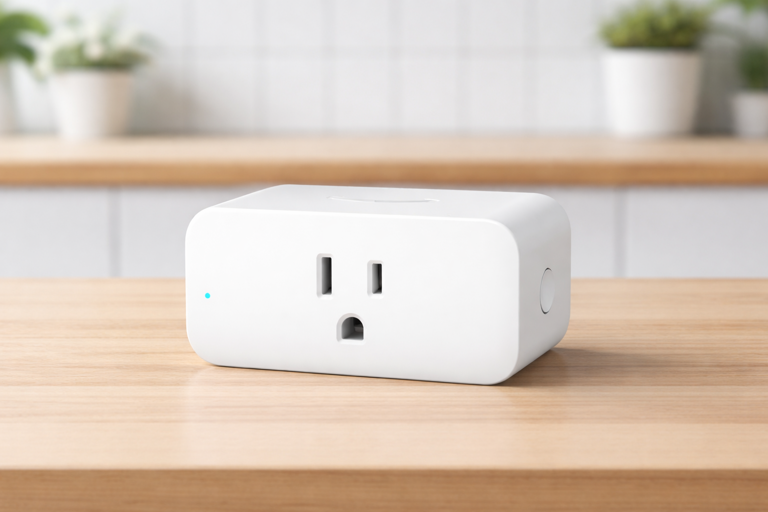
At a Glance: Alexa only | Scheduling via Alexa routines
For a purely Alexa household that needs a lamp or appliance to respond to voice commands and run on a schedule, the Amazon Smart Plug is the fastest path to that outcome. Setup is a single step in the Alexa app. No energy monitoring, no cross-platform compatibility, but for a bedside lamp that should turn off at a set time each night, it does the job without any worries at all.
Worth Knowing
This plug works with Alexa only. It will not function natively with Google Home or Apple HomeKit. If there is any possibility of switching ecosystems, the Kasa KP125M is the better choice in the long run.
Best For
Alexa-only households wanting the simplest possible smart plug setup without managing a separate app or platform.
Building It as a System: What to Buy First
The temptation is to do everything at once. Resist the urge. Devices installed quickly and left without proper setup can become sources of confusion rather than help. A working two device setup beats a half-configured eight device system every time.
Start With the Highest Impact Devices
This is the sequence that will work best in most situations. Start with the GE motion sensor night lights. They address the most immediate safety risk and require zero configuration. Plug them in before anything else. Then add a smart display as the voice-controlled hub and spend time setting up reminders, video calling contacts and any routines before moving on. Once those two things are working reliably, consider a smart lock and video doorbell. Smart plugs can be added at any point to automate existing lamps and appliances.
Simple Setup Principles That Work
Here are a few practical setup principles that make a real difference. First, pick one ecosystem and stay with it. Every device in this guide works with Alexa, most work with Google, some with both. Mixing platforms will likely create unwanted complexity. Second, simplify voice commands by renaming devices in the Alexa or Google app to match what the person actually calls them – “the lamp in the corner”, “the hall light”, “the front door”. Third, set up routines remotely for tasks that happen the same way every day – morning news briefings, medication reminders, goodnight lighting. The person living there shouldn’t have to configure anything themselves.
Finally, for households considering Matter-compatible devices for future-proofing, all of the major smart displays above support Matter, and the Kasa KP125M plugs are Matter certified. This creates a solid foundation if the ecosystem ever changes or expands.
Frequently Asked Questions
Can smart home devices be set up and managed from a distance?
Yes, and remote management is often the way to go with these setups. A family member can configure the initial setup during a visit, then manage everything remotely afterwards. Through the Alexa app, a family member can create new reminders, adjust schedules, add or revoke lock access codes and check doorbell activity from anywhere. The Yale Access app lets you create a time-limited PIN for a caregiver arriving on Tuesday mornings without calling anyone. The Kasa app shows whether the electric blanket has been left on. Alexa Drop In – a two-way audio/video check-in via Echo Show – works with the elderly person’s permission as a low effort way to check in without a formal phone call.
How do you introduce smart home technology to someone resistant to change?
Resistance usually comes from unfamiliarity, pride or a bad experience with technology that didn’t work reliably. The most effective approach is to start with something that asks nothing of them. The GE night lights work without any interaction whatsoever, so there’s nothing to resist. Once passive devices are in place and trusted, introducing a smart display goes better when framed around something the person wants rather than something the family needs – a photo frame that shows grandchildren, a device that plays their favorite radio station, or a way to call family without hunting for a phone. Start there, and the safety features become a secondary benefit they accept rather than a primary pitch they push back on.
Is Alexa Drop In a privacy concern?
Drop In only works when explicitly enabled by the account holder and can be turned off at any time in the Alexa app. When Drop In is active, the Echo Show plays a distinctive chime and shows a green pulsing light before connecting. The person on the receiving end can also end the session immediately or disable Drop In for certain contacts. For families where this level of check-in is useful, it is worth having an honest conversation about when it will be used, and ensuring the account holder understands how to end a session.
Can smart home devices replace regular in-person or phone check-ins?
No, and it’s worth being direct about that. Smart home devices provide passive indicators of routine – the door was locked at the usual time, the light turned on at 7am, the doorbell was answered. They don’t replace the contextual judgement that comes from a conversation, and they definitely can’t catch everything. A fall in a room without a sensor, an unusual silence that isn’t flagged, a gradual decline that no automation notices – these require human contact. The devices in this guide work well as a complement to regular check-ins, not a substitute for them.
What should I prioritize if the budget is limited?
Spend the first $20-$25 on GE motion sensor night lights and put them in the hallway and bathroom. That single purchase addresses the most common physical risk, nighttime falls, at the lowest possible cost and complexity. If there’s budget for one more purchase, a smart plug (around $25) on a frequently used lamp adds voice control and scheduling without requiring any new hardware or ecosystem commitment. A smart display and lock are genuinely valuable, but they’re a second step. The night lights are first.
Smart, Safe and Sound
The best setups don’t feel like technology at all. They handle the situations where things tend to go wrong – a dark hallway, a stubborn key, a missed call at the door – and make daily life easier without asking for attention.
If you’re deciding where to start, prioritize in this order – fall risk first, everyday obstacles second, visibility third. A couple of well chosen devices that quietly solve real problems will always outperform a house full of features.
The right device earns its place by disappearing into the routine. If it needs explaining, adjusting or troubleshooting on a regular basis, it’s probably not the right one.
Fewer hazards. Fewer frustrations. More days where home feels safe and sound.
Back to Quick Picks • View Comparison Tables • Building It as a System