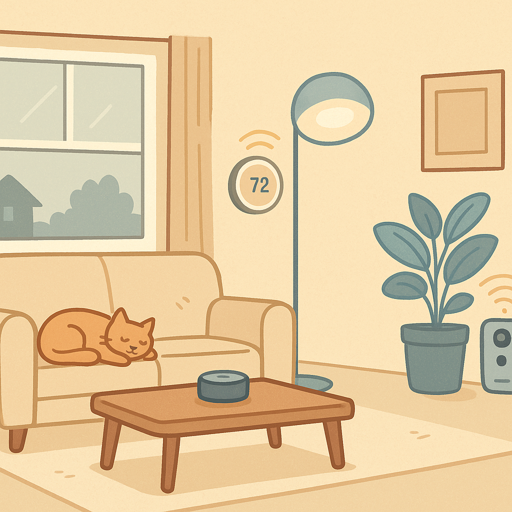
Thinking about making your home smarter but not sure where to start? Smart home technology has moved far beyond expensive novelties into practical everyday tools that genuinely make life easier. Picture checking who’s at your door from anywhere in the world or never wondering if you locked up the house when you left. These connected devices handle the small tasks so you don’t have to.
If you’re looking to save energy, improve security or simply skip the walk to the light switch, smart home technology offers real solutions. Let’s break down what makes a home “smart” and how to get started with confidence.
What Makes a Home “Smart”?
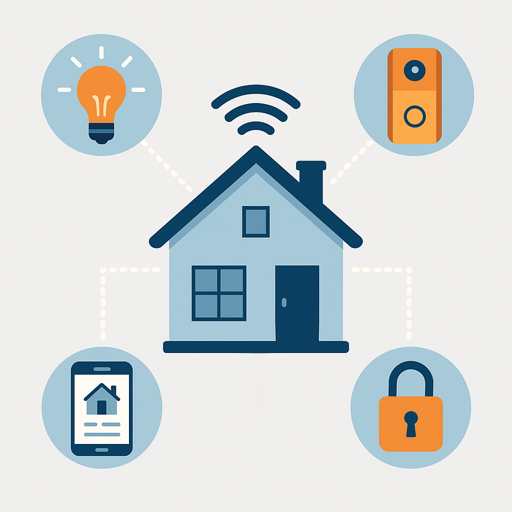
A smart home uses Internet connected devices that communicate with each other and can be controlled remotely through apps, voice commands or automated schedules. Unlike traditional homes where you have to control everything manually, smart homes respond to your preferences and routines with minimal input.
The main difference here is more than just remote control (though that’s convenient). It’s automation and intelligence. Your lights can turn on as soon as you arrive home. The thermostat adjusts based on whether you’re in the house or not. Your security cameras send alerts when they detect unusual activity. These devices all work together to create an ecosystem that adapts to your life.
Smart homes don’t require expensive renovations or technical expertise anymore. Most plug-in devices like bulbs, plugs and many cameras install in minutes and connect through your existing Wi-Fi network. More involved installations like smart thermostats or wired doorbells might take longer or require professional help, but even these have become much more accessible. You start small with one or two devices, see what works for your household, then comfortably expand from there.
Why People Actually Use Smart Homes
Smart home technology solves real problems, not just gadget lover fantasies. Here’s what brings most people into the smart home world.
Convenience That Actually Saves Time
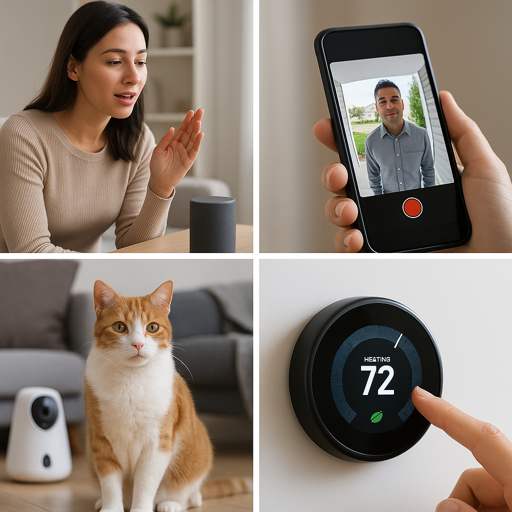
Voice commands replace multiple steps. Instead of walking around turning off lights before bed, you say “goodnight” and they all turn off at once. Your smart garden handles watering while you’re at work. Small time savings add up across dozens of daily tasks.
Home Security and Peace of Mind
Smart doorbells show who’s at your door before you open it. Motion sensors detect unexpected movement. Smart locks let you grant temporary access to visitors. Security systems send instant alerts to your phone, so you always know what’s happening at home.
Pet Care Made Easier
Pet parents use smart home tech extensively nowadays. Automated feeders maintain consistent meal schedules. Pet cameras check in during the day. GPS trackers prevent lost pets. These tools provide genuine value for busy households with animals.
Energy Efficiency and Lower Bills
Smart thermostats can cut heating and cooling costs by around 10-15%, with some households seeing even higher savings depending on their home and habits. Smart plugs prevent phantom power drain. Lighting automation ensures you’re not wasting electricity on empty rooms. The energy savings often offset the initial device costs within a couple of years.
Wellness and Health Tracking
Smart home wellness extends beyond wearable fitness trackers. Smart mirrors can track health metrics during your morning routine. And smart water bottles remind you to stay hydrated. Air quality monitors alert you to pollutants and allergens.
Core Building Blocks of a Smart Home
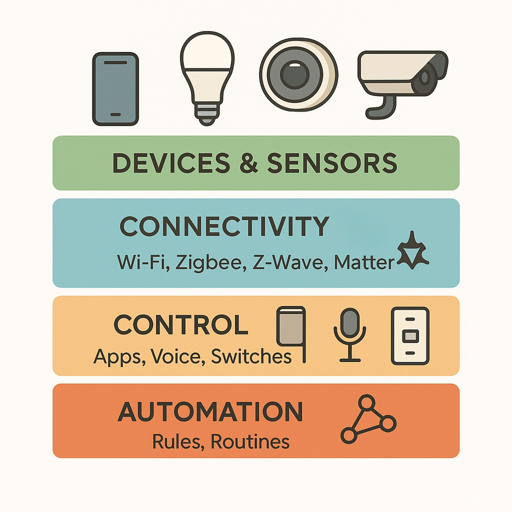
Every smart home combines four basic elements that work together.
Devices and Sensors
These are your smart bulbs, thermostats, locks, cameras, plugs and speakers. Some devices actively do things (turn on lights, adjust temperature), while sensors passively collect information (motion detection, temperature readings, door open/closed status).
Connectivity Protocols
Devices communicate using different wireless protocols (essentially low power, behind-the-scenes radio standards). Wi-Fi connects high bandwidth devices like cameras and speakers. Zigbee and Z-Wave create mesh networks for battery powered sensors. Matter is the newer standard promising better compatibility across brands( for practical examples, see our guide to Matter smart plugs with energy monitoring). Most households use a mix of protocols without realizing it.
Control Layer
This is how you interact with your devices. Smartphone apps, voice assistants (Alexa, Google Assistant, Siri), wall mounted touchscreens or traditional switches upgraded with smart capabilities. The control layer translates your commands into actions that devices understand.
Automation and Rules
This is where smart homes become truly intelligent. Instead of manually controlling everything, you create rules like:
- “If motion detected after sunset, turn on porch light”
- “When I leave home, set thermostat to away mode”
These automated routines simply run in the background without needing constant attention.
Do You Need a Smart Home Hub?
This confuses many beginners. The short answer is: it depends on which devices you choose.
Many modern smart devices connect directly to Wi-Fi and work through manufacturer apps or voice assistants. These don’t need a separate hub. Your Amazon Echo or Google Nest speaker often acts as the hub for compatible devices.
You typically need a dedicated smart home hub when you want to use devices that speak Zigbee or Z-Wave (which don’t connect directly to Wi-Fi), create complex automation tasks across multiple brands, or maintain local control when the Internet goes down.
Popular hubs include Samsung SmartThings, Hubitat and Home Assistant. Start with a single hub and add another one later if your needs outgrow simple setups.
Local Control vs Cloud Based Systems
This technical decision affects reliability and privacy more than you might expect.
Cloud based systems send commands through manufacturer servers on the Internet. When you tell Alexa to turn off your living room lamp, that request goes out to the Internet and back before the bulb responds. These systems are easier to set up and work from anywhere with an Internet connection. So what’s the downside? If the company’s servers go down or they discontinue the product, your devices may stop working. You’re also sending usage data to third parties.
Local control systems process commands within your home network without requiring Internet access. They’re more reliable and private but typically require a more technical setup. Systems like Home Assistant or Hubitat offer local control for users who prioritize independence from cloud services.
Most beginners start with cloud based devices for simplicity. As you get comfortable, you can migrate critical devices (like locks and security) to local control while keeping convenience devices (like voice assistants) cloud connected.
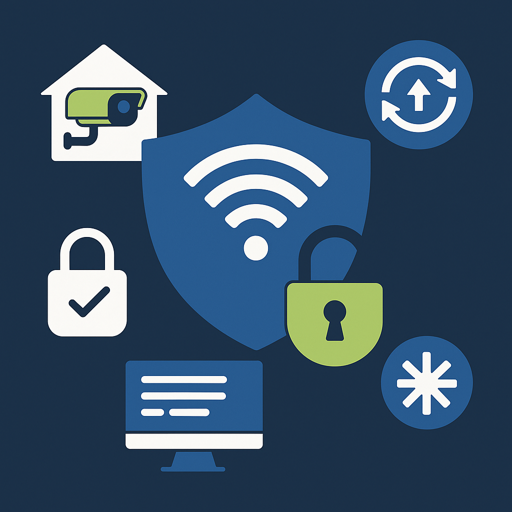
Security and Privacy Basics
Smart home devices collect data about your habits, routines and home environment. Protecting this information is extremely important.
Start with these essential security practices:
- Change default passwords immediately on every device
- Keep firmware updated (enable automatic updates, when available)
- Use strong, unique passwords for device accounts
- Enable two-factor authentication on your smart home accounts
- Create a separate Wi-Fi network for IoT devices (keeps them isolated from computers and phones)
- Review what data each device collects and who can access it
Choose devices from established manufacturers with good security track records. Read privacy policies to understand data collection practices, especially for cameras and microphones.
Getting Started: Choose Your Path
The best entry point depends on what problem you’d like to solve first. Here are some proven starting paths. For detailed installation help with any of these devices, see our smart home installation guide.
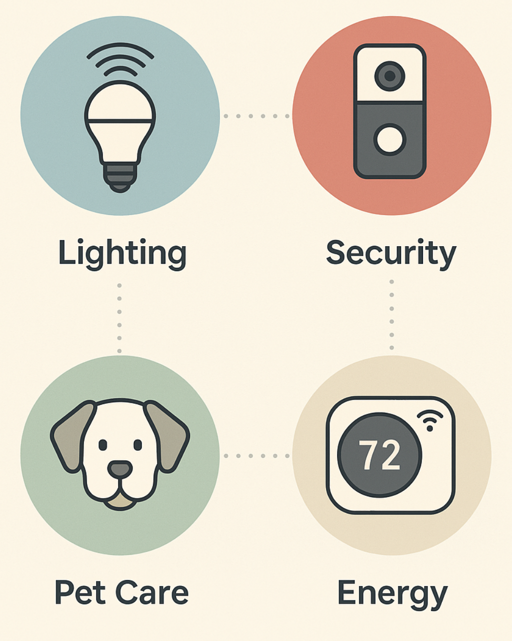
Path 1: Lighting and Convenience
Start with smart bulbs or smart plugs. They’re inexpensive, easy to install and immediately useful. Add a voice assistant for hands-free control. This foundation works for most other devices you’ll add later.
Path 2: Home Security
Begin with a video doorbell or smart lock. Add window/door sensors and indoor cameras as needed. Security focused systems benefit from professional monitoring options if that matters to your household.
Path 3: Pet Monitoring and Care
Pet cameras with treat dispensers let you check in and interact remotely. Automatic feeders maintain consistent schedules. GPS collars prevent lost pets. This path appeals strongly to pet parents who work long hours.
Path 4: Energy Management
Smart thermostats deliver the biggest immediate savings. Add smart plugs to kill phantom power drain. Energy monitoring reveals which appliances consume the most electricity so you can adjust usage patterns.
Common Beginner Mistakes to Avoid
Learning from your own mistakes has its advantages. But learning from others’ mistakes can save you both money and frustration. Here are some simple tips:
- Buying incompatible devices: Check if devices work with your chosen ecosystem (Alexa, Google Home, Apple HomeKit) before purchasing
- Ignoring Wi-Fi quality: Weak Wi-Fi coverage causes device disconnections. Test signal strength where devices will be installed
- Over-automating too quickly: Start simple and add complexity gradually. Complex automation rules become difficult to troubleshoot
- Forgetting about older household members: Choose devices with intuitive physical controls, not just app based operation
- Not planning for device abandonment: Some companies discontinue products. Favor devices that offer local control options or work with multiple platforms
Home Is Where The Smart Is
There’s no rush to transform your entire house overnight. Smart homes work best when you build them thoughtfully, one useful device at a time. Pick something that genuinely improves your day, live with it for a bit, then expand when you’re ready. The good news is modern devices have mostly figured out how to work together without the compatibility nightmares of a few years ago.
Explore these areas as you expand your smart home knowledge:
- Smart home hubs for advanced automation
- Smart pet technology for animal care
- Smart gardens for indoor growing
- Wearable technology and health tracking
- Understanding Zigbee and other protocols
- Matter protocol and the future of smart home compatibility
- IoT fundamentals for deeper technical understanding
Focus on devices that solve actual problems for your household, not ones that just sound impressive. A smart home that demands constant attention is just an expensive hobby. One that disappears into your routine? Well, now that’s the whole point, isn’t it.