Your smart plug stops responding. The door sensor misses alerts. Your bulbs won’t pair with the new hub. Protocol fragmentation creates headaches that shouldn’t exist in a supposedly “smart” home.
Zigbee solves this through standardized mesh networking that works across manufacturers. Devices form self-healing networks with years-long battery life, consistent interoperability, and none of the Wi-Fi congestion that plagues 2.4 GHz networks. In this guide, we cover the Zigbee devices that deliver reliable performance across plugs, sensors, lighting and automation hardware.
Why Zigbee for Smart Home Devices?
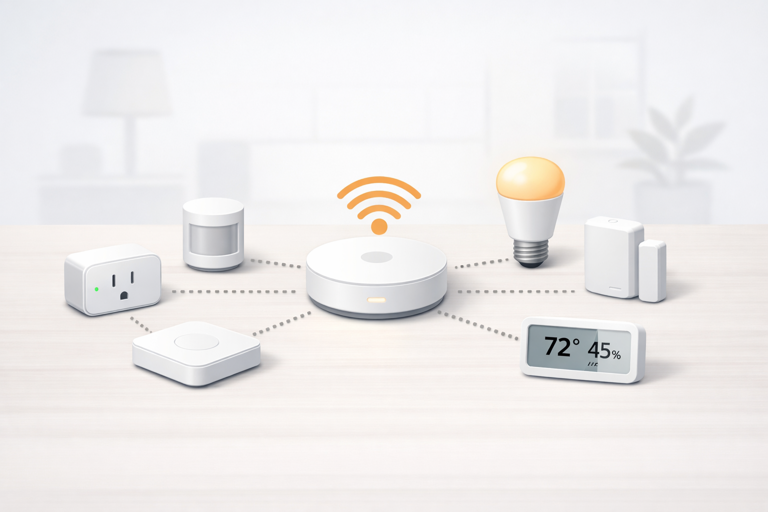
Zigbee operates on the same 2.4 GHz frequency as Wi-Fi but uses different channels and mesh topology to avoid interference. Each powered device acts as a router, extending network range and creating redundant signal paths. When one device fails, the network automatically re-routes around it.
Battery powered sensors can last 1-2 years on a single charge because Zigbee’s low power consumption lets them sleep between transmissions. This makes it practical to scatter dozens of sensors throughout your home without constantly swapping batteries.
The protocol’s standardization means devices from different manufacturers typically work together. Your Aqara sensors communicate with Philips Hue bulbs through the same hub, unlike proprietary systems that lock you into single ecosystems.
For more detail on how Zigbee’s protocol stack enables this reliability, see our complete Zigbee protocol guide.
Hub Requirements
Zigbee devices require a coordinator hub. There are several such hubs available on the market, including:
- Amazon Echo Dot Max – Entry level Echo with built-in Zigbee, Thread and Matter support (~$100)
- Aeotec Smart Home Hub – Runs SmartThings platform, preferred by Samsung/Android users (~$130-150)
- Hubitat Elevation – Local processing hub for advanced users prioritizing privacy (~$185)
- Home Assistant – Free open-source platform requiring Raspberry Pi or dedicated server plus USB Zigbee adapter
If you don’t have a compatible hub yet, the Echo Dot Max offers the most straightforward entry point, offering Zigbee control alongside Alexa voice commands. The Aeotec hub suits users preferring the SmartThings ecosystem. Hubitat and Home Assistant target advanced users wanting local control and complex automation.
Best Zigbee Smart Plugs
Smart plugs serve a dual purpose in Zigbee networks. They provide remote control for any device with an on/off switch while simultaneously acting as mesh routers that strengthen your network. Every powered plug extends your mesh, making them essential infrastructure rather than optional accessories.
Aqara Smart Plug
$30-35 | View on Amazon
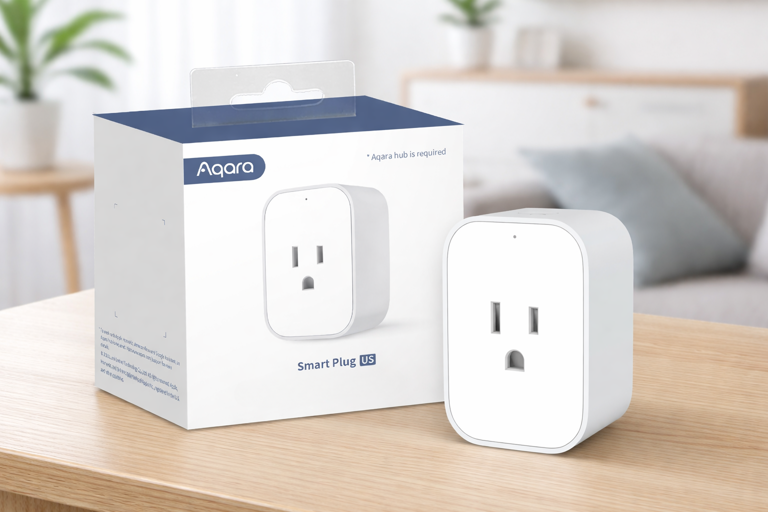
The Aqara plug handles up to 15 amps (1875 watts), making it suitable for window air conditioners, space heaters and other high draw appliances that cheaper plugs can’t support. Energy monitoring tracks consumption to identify power hungry devices, and the compact design doesn’t block adjacent outlets.
Setup through Apple Home, Aqara Home or Alexa is straightforward. The plug maintains local control through your hub’s Zigbee connection even when Wi-Fi drops, a practical advantage over cloud dependent smart plugs.
Best for: Users needing energy monitoring, controlling high power appliances, Apple HomeKit integration.
ThirdReality Smart Plug 4-Pack
$39-45 | View on Amazon
At roughly $10 per plug, this four-pack delivers exceptional value for building out your mesh network. Each plug includes energy monitoring and the compact design fits in tight spaces. The pack approach makes sense for whole home deployments where you need multiple plugs to strengthen mesh coverage.
These work with Home Assistant, SmartThings, and Echo devices with built-in Zigbee hubs. The plugs act as signal repeaters, so placing them strategically throughout your home creates a solid mesh backbone.
Best for: Budget conscious users building mesh networks, whole home automation, users needing multiple plugs.
Best Zigbee Smart Bulbs
Zigbee bulbs offer an alternative to Wi-Fi models that clutter your router’s device list. They join your Zigbee mesh instead, and many act as routers themselves when powered.
Philips Hue Smart Bulbs
Warm White: $30-32 (2-pack) | $56-60 (4-pack)
Color: $50-55 (1-pack) | $95-100 (2-pack)
View Warm White 2-Pack | View Warm White 4-Pack
View Color 1-Pack | View Color 2-Pack
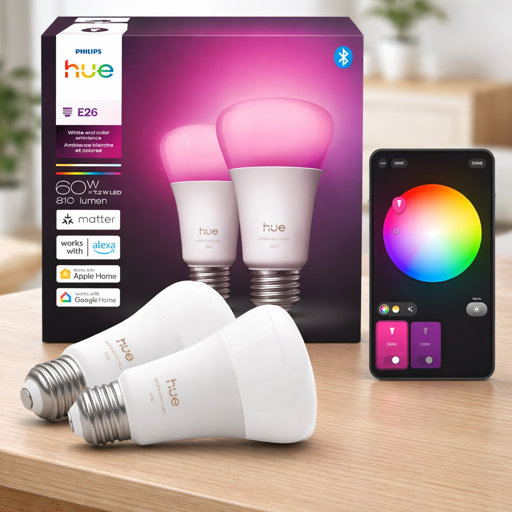
Philips Hue remains the gold standard for Zigbee lighting. The warm white bulbs provide tunable white light (2700K warm to daylight tones) at a reasonable price point. Color bulbs add RGB capability for accent lighting, entertainment sync, and scene creation.
Both options work without the Hue Bridge if you have another Zigbee hub, though some advanced features require Hue’s ecosystem. The bulbs integrate with Apple Home, Alexa, Google Assistant, and most smart home platforms.
Hue’s reliability is its primary selling point. The bulbs pair consistently, respond quickly and maintain stable connections over years of use. For users prioritizing dependability over cutting edge features, Hue delivers.
Warm White Best for: Everyday lighting replacement, users wanting tunable white without color, budget conscious buyers.
Color Best for: Accent lighting, entertainment areas, users wanting full RGB control, premium lighting experiences.
Best Zigbee Motion Sensors
Motion sensors trigger automation based on occupancy. Zigbee versions excel here due to their extended battery life and instant response through mesh networks.
Aqara Motion Sensor P1 (3-Pack)
$60-65 | View on Amazon
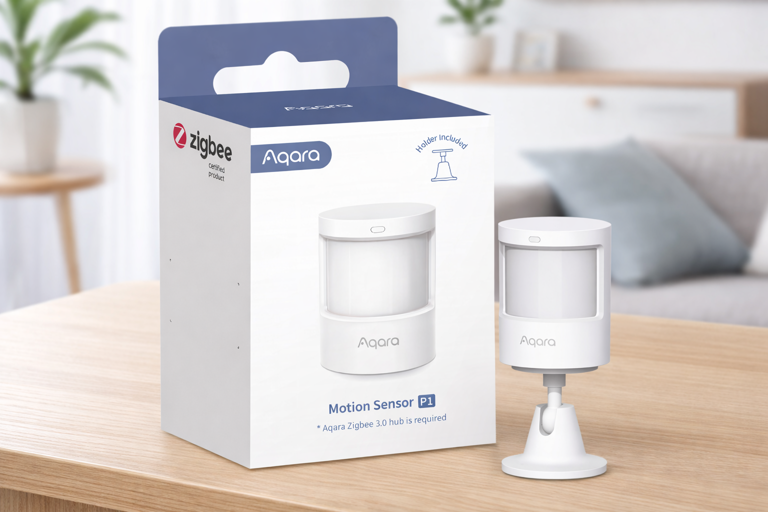
These PIR sensors detect motion up to 7 meters (23 feet) with a 170 degree detection angle. The compact size (roughly 1 inch diameter) makes them unobtrusive on walls or shelves.
The P1 generation adds improved sensitivity and faster response times compared to older Aqara motion sensors. They trigger automations near-instantly when movement is detected, making them practical for lighting control and security alerts.
The three-pack pricing makes sense for whole home coverage. Most users need sensors in multiple rooms to enable comprehensive motion based automation.
Best for: Automated lighting, security monitoring, presence detection for HVAC control, whole home motion sensing.
Best Zigbee Door and Window Sensors
Contact sensors monitor entry points for security and automation. Zigbee versions report status changes immediately while maintaining multi-year battery life.
Aqara Door and Window Sensor (3-Pack)
$55-60 | View on Amazon
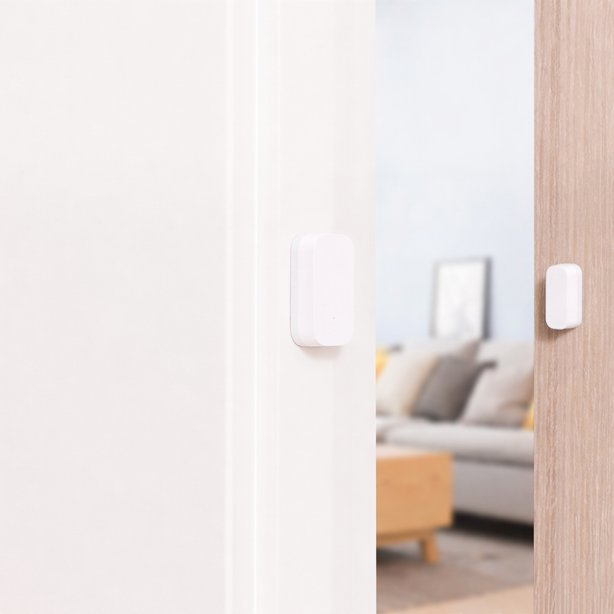
These two-piece magnetic sensors detect when doors or windows open. The compact main unit (roughly 1.6 x 0.9 x 0.4 inches) mounts on the door frame while the smaller magnet attaches to the moving door or window.
Response time is nearly instantaneous. The sensor usually reports state changes within 1-2 seconds, fast enough for security alerts and automation triggers.
Best for: Security monitoring, automated lighting when doors open, HVAC efficiency (alerts when windows left open).
ThirdReality Door and Window Sensor (4-Pack)
$75-80 | View on Amazon
Similar functionality to Aqara but packaged as a four-pack for users needing broader coverage. These sensors work with Home Assistant, SmartThings, and Echo devices with Zigbee hubs.
The additional sensor in the pack makes sense for homes with multiple entry points or for users wanting comprehensive window monitoring across several rooms.
Best for: Larger homes, users needing coverage for 4+ entry points, Home Assistant users.
Best Zigbee Smart Switches
Physical wall switches offer tactile control that some users prefer over app-only interfaces. Zigbee switches integrate with your existing wiring while enabling automation and remote control.
Enbrighten Zigbee Smart Light Switch
$50-55 | View on Amazon
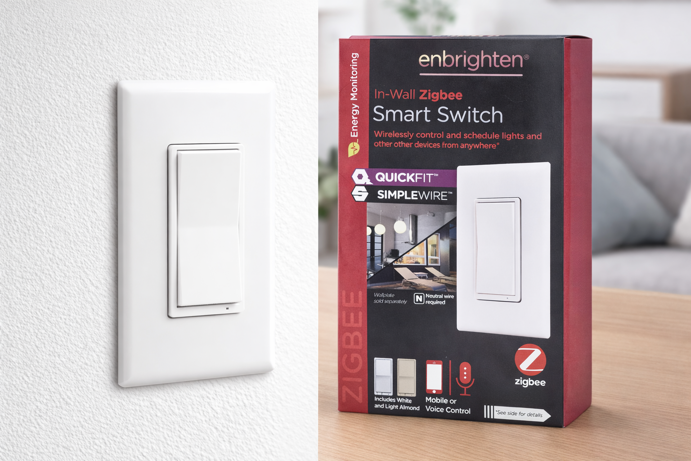
This switch installs in standard single-gang boxes and handles up to ~1800W resistive loads (15A at 120VAC), making it suitable for most household lighting and fan circuits.
QuickFit and SimpleWire installation features reduce wiring complexity. The switch works with SmartThings, Hubitat, Home Assistant, and Echo devices with Zigbee hubs.
As a powered device, the switch acts as a Zigbee router to strengthen your mesh network. This makes switches particularly valuable in extending coverage to distant areas of your home.
Best for: Users wanting physical control alongside automation, mesh network extension.
Best Zigbee Temperature and Humidity Sensors
Environmental sensors enable climate based automation and help identify problem areas before they cause damage. Zigbee versions report frequently enough for responsive automation while maintaining extended battery life.
Sonoff Zigbee Temperature and Humidity Sensor
$18-22 | View on Amazon
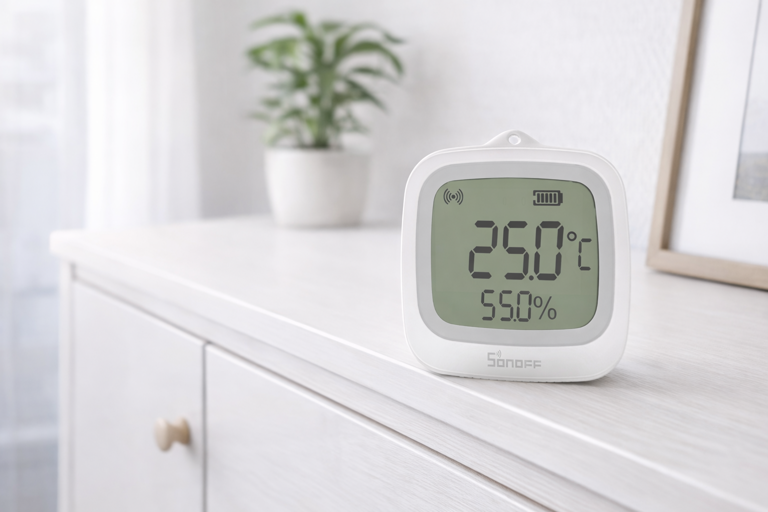
The SNZB-02WD includes a LCD display showing current temperature and humidity, eliminating the need to check an app for quick readings. IP65 water resistance allows outdoor mounting or use in damp locations like basements and bathrooms.
Temperature accuracy falls within ±0.2°C and humidity within ±2% RH, sufficient for most home automation needs.
Battery life depends on reporting frequency but typically exceeds one year. The affordable price makes it practical to place sensors in multiple rooms for comprehensive environmental monitoring.
Best for: Budget buyers, outdoor monitoring, bathrooms and basements, users wanting local display without opening apps.
ThirdReality Temperature and Humidity Sensor
$23-27 (single) | $45-50 (2-pack)
Similar functionality to Sonoff with a slightly larger LCD display that’s easier to read from across the room. The sensor reports temperature and humidity data to Home Assistant, SmartThings, Hubitat, and compatible Echo devices.
Battery life exceeds one year with default reporting intervals. The two-pack provides better value for users monitoring multiple rooms.
Best for: Users wanting larger displays, Home Assistant integration, multi-room monitoring with the 2-pack.
Best Zigbee Wireless Buttons and Remotes
Battery powered buttons trigger scenes and automation without requiring phone access. Zigbee versions pair reliably and respond instantly when pressed.
Aqara Wireless Mini Switch
$17-20 | View on Amazon
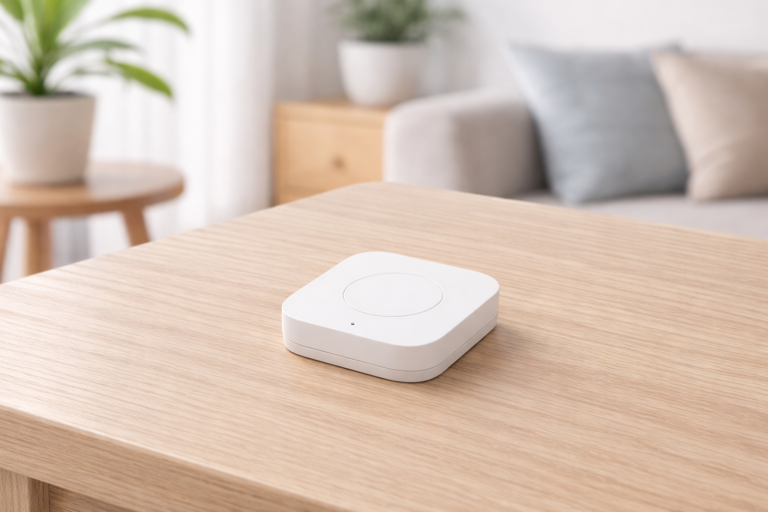
This single-button remote supports three actions – single press, double press and long press. Each action can trigger different automations, effectively giving you three switches in one compact device.
The button mounts via adhesive backing or can be carried as a portable remote. Battery life can reach up to two years under normal use. Response is near-instantaneous when button presses are detected.
Common uses include bedside lamp control, scene activation and emergency alerts. The low price makes it practical to scatter multiple buttons throughout your home for convenient control points.
Best for: Bedside control, portable scene triggers, users wanting affordable button automation, elderly users preferring physical controls.
Philips Hue Smart Wireless Dimmer Switch V2
$28-32 | View on Amazon
The Hue Dimmer includes four buttons (on, dim up, dim down, off) and a magnetic wall plate for flexible mounting. While designed for Philips Hue lighting, it can also be used with some other Zigbee systems when paired through compatible hubs such as Home Assistant or certain advanced platforms.
Dimming functionality requires compatible dimmable bulbs. The switch includes battery and mounts without requiring electrical work. The larger size can make it easier to locate in the dark compared to smaller button remotes.
Best for: Hue ecosystems, users wanting dedicated dimmer control, wall mounted switch replacements without rewiring.
Best Zigbee LED Strip Controllers
LED strip controllers add Zigbee connectivity to standard RGB or RGBW LED strips, enabling automated accent lighting and entertainment sync.
Gledopto Zigbee RGB+CCT LED Strip Controller
$25-28 | View on Amazon
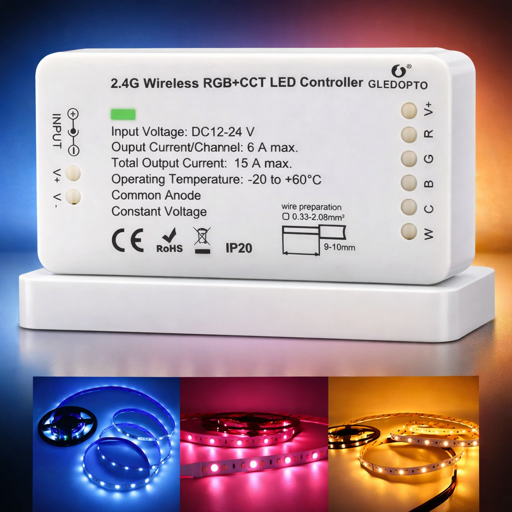
This Zigbee RGB+CCT controller supports compatible 12-24V RGB+CCT LED strips, enabling both color control and adjustable white temperature (2700K-6500K). It provides sufficient output for standard home LED strip installations when paired with an appropriately sized power supply.
The controller works with SmartThings, Echo devices with built-in Zigbee, and most Zigbee 3.0 hubs. Philips Hue compatibility may require additional configuration depending on firmware versions.
Setup involves connecting the LED strip to the output terminals, supplying the correct DC power, and pairing the controller to your Zigbee network like any other smart lighting device.
Best for: Under-cabinet lighting, accent lighting, entertainment areas, users with existing LED strips wanting smart control.
Building Your Zigbee Network
Start with 2-3 always-powered devices (plugs or bulbs) positioned throughout your home. These form your mesh backbone. Then you’ll be in a good position to add battery powered sensors and switches. The powered devices route signals for battery devices, extending your network’s reach.
Avoid placing your hub in a corner or basement. Central positioning improves initial connectivity, though the mesh will eventually extend coverage as you add routers.
If sensors in distant rooms lose connection, add a powered plug or bulb between that area and your hub. The new router will bridge the gap and strengthen the mesh.
Most hubs support 30-50+ Zigbee devices before experiencing performance issues. That said, typical homes rarely exceed these limits.
The Zigbee-ginning of a Smarter Home
Strategic placement beats device count. Position powered devices (plugs, bulbs, switches) throughout your home first. They create the signal paths that battery sensors depend on. That hallway plug bridges your living room to the bedroom motion sensor.
Mesh networks continue optimizing during the first week, but most devices settle within 24-48 hours. Give new additions a day or two before troubleshooting.
Zigbee’s real advantage is enforced interoperability. Your Aqara sensors work with Philips bulbs through ThirdReality plugs because the specification requires it, not because manufacturers decided to cooperate.
Start with one category. Master it. Expand gradually.
Layer it thoughtfully, and your home evolves into something rare in smart tech – a system that works quietly, predictably, and entirely on your own terms.