Most smart home upgrades involve new devices. Smart switches are different. Replace the switch on the wall, and the fixture it controls becomes smart without replacing every bulb. There’s no hub required for most models, and no rewiring beyond what the switch itself needs. Just one device handles scheduling, voice control and remote access for the whole fixture.
This guide covers the best smart light switches available in the US right now, selected for ecosystem breadth, reliability and value. Three of the picks require a neutral wire. The Lutron Caseta does not, and the Philips Hue Dimmer is a wireless remote rather than a hardwired switch. If your home has no neutral wire, the smart switches without neutral wire guide covers several useful options.
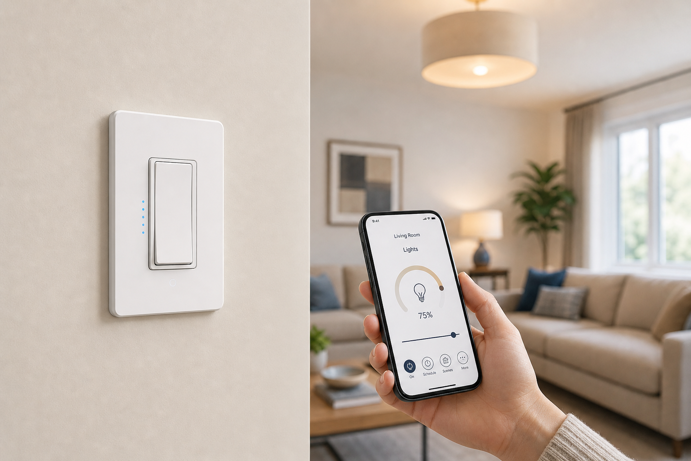
Quick Picks: Best Smart Light Switches
🏆 Best Overall: Lutron Caseta Smart Dimmer (PD-6WCL-WH) – $60-$70
No neutral wire required, Clear Connect RF, works with all major platforms
🔄 Best for Versatility: Leviton Decora Smart Wi-Fi Dimmer (D26HD-1RW) – $50-$55
Matter compatible, all three voice platforms, wired or wire-free 3-way
💰 Best Budget Dimmer: Kasa KS225 Matter Smart Dimmer – $20-$25
Matter-certified, smooth dimming under $25
✅ Best Budget On/Off: Tapo S505 Matter Smart Switch – $12-$16 per switch
Matter compatible, 2-pack value, works with Alexa, Google Home and Apple Home
💡 Best for Hue Users: Philips Hue Smart Dimmer Switch – $28-$32
No wiring required, battery powered, controls Hue scenes and routines
Who This Guide Is For
This guide is for you if: you want voice control and scheduling for overhead lighting, you have multiple bulbs on a single switch and smart bulbs would be expensive, or household members keep turning wall switches off and disrupting smart bulb automations. All picks are rated for standard US 120V wiring.
Consider smart bulbs instead if: you need color control, you’re renting and can’t replace switches, or you want to add smart lighting to a lamp without a wall switch. The smart bulbs guide will help make your decision clearer.
30-Second Selector
Do you need dimming?
- Yes, and budget is a priority → Kasa KS225
- Yes, and want the best overall → Lutron Caseta
- Yes, and want Matter with maximum versatility → Leviton Decora
- On/off only → Tapo S505
What ecosystem are you in?
- Alexa, Google Home and Apple Home → Leviton Decora, Kasa KS225 or Tapo S505
- Philips Hue already installed → Philips Hue Dimmer Switch
- Mixed or future-proofing → Lutron Caseta (broadest compatibility)
What’s your situation?
- No neutral wire → Lutron Caseta
- Want no wiring at all → Philips Hue Dimmer Switch
- Replacing multiple switches cost effectively → Tapo S505
Best Smart Light Switches Compared
| Model | Price Range | Protocol | Dimmer | Neutral Wire | Best For |
|---|---|---|---|---|---|
| Lutron Caseta | $60-$70 | Clear Connect RF | ✅ | Not required | Best overall |
| Leviton D26HD-1RW | $50-$55 | Wi-Fi / Matter | ✅ | Required | Versatility |
| Kasa KS225 | $20-$25 | Wi-Fi / Matter | ✅ | Required | Budget dimmer |
| Tapo S505 | $12-$16 each | Wi-Fi / Matter | ❌ | Required | Budget on/off |
| Hue Dimmer Switch | $28-$32 | Zigbee (via Bridge) | ✅ Hue bulbs only | Not required | Hue users |
Jump To:
- Quick Picks
- Lutron Caseta Smart Dimmer (Best Overall)
- Leviton Decora Smart Dimmer (Best for Versatility)
- Kasa KS225 Matter Smart Dimmer (Best Budget Dimmer)
- Tapo S505 Matter Smart Switch (Best Budget On/Off)
- Philips Hue Smart Dimmer Switch (Best for Hue Users)
- Buying Guide
- FAQ
Best Smart Light Switches for 2026
Each pick below addresses a different need, from the most reliable overall dimmer to the most affordable Matter-compatible on/off switch, and a no-wiring option for existing Hue households.
Lutron Caseta Smart Dimmer (PD-6WCL-WH)
Best Overall | Price range: $60-$70 | View on Amazon
Rating: 4.7/5
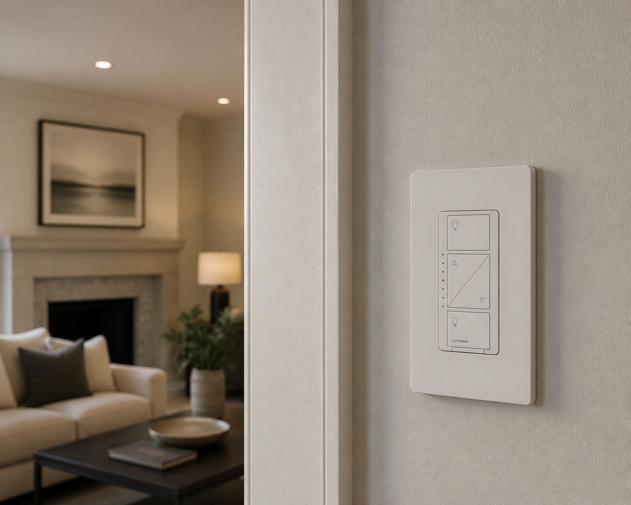
The Lutron Caseta is the benchmark smart dimmer for good reason. Unlike most smart switches, it works without a neutral wire – the wiring limitation that blocks upgrades in many older homes. It also uses Lutron’s proprietary Clear Connect RF protocol instead of Wi-Fi. That’s the primary reason for its reputation for consistent, fast response, especially in busy homes where many devices compete for 2.4GHz bandwidth.
Platform support is as broad as it gets. Alexa, Google Home, Apple HomeKit and SmartThings are all confirmed compatible. In addition, the Caseta handles 3-way switching cleanly – a Pico remote allows wireless 3-way control without running a traveler wire. The Lutron Smart Hub is required for app and voice control and is sold separately. However, the Starter Kit bundles the switch, hub, Pico remote and wall plate at a considerably better price than buying each item individually.
Key Specs
- Protocol: Clear Connect RF (proprietary)
- Neutral wire: not required
- Dimmer: yes, 150W LED / 600W incandescent
- 3-way: yes (with Pico remote, sold separately)
- Works with: Alexa, Google Home, Apple HomeKit, SmartThings
- Hub required: yes (Lutron Smart Hub, sold separately)
Worth Knowing
The Lutron Smart Hub is required and not included with the standalone switch. Budget around $90 for the hub alone, or look for the Starter Kit (P-BDG-PKG1W-A), which bundles the hub, switch, Pico remote and wall plate at around $115. For very low wattage LED installations, a bypass accessory may also be needed – Lutron’s compatibility tool can confirm whether your bulbs require one.
Best For
Homeowners who want the most reliable smart dimmer available. Particularly well suited to homes without a neutral wire, or rooms where consistent response time matters in hallways, living rooms and anywhere with a multi-switch setup.
Leviton Decora Smart Wi-Fi Dimmer (D26HD-1RW)
Best for Versatility | Price range: $50-$55 | View on Amazon
Rating: 4.6/5
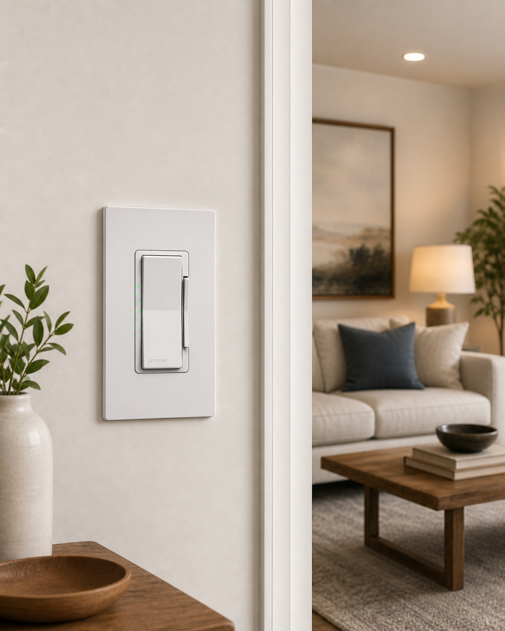
The Leviton Decora Smart 2nd Gen is a strong all-rounder. It’s Matter-certified, requires no hub, and works with Alexa, Google Home and Apple Home out of the box. Where it stands out, however, is 3-way flexibility. It supports both wired and wire-free multi-location setups, so a second control point doesn’t require running a traveler wire. Note that 3-way configuration requires Leviton Decora Smart companion devices (DD00R-DL for wired, DAWDC for wire-free). The D26HD-1RW is not compatible with standard 3-way or 4-way switches.
The D26HD-1RW connects directly over 2.4GHz Wi-Fi and is controlled through the My Leviton app or any of the three major voice platforms. For rooms that don’t need dimming, an on/off equivalent (D215S-1RW, ~$42-$45) is also available. Both share the same ecosystem and pairing process, making multi-room installs straightforward.
Key Specs
- Protocol: Wi-Fi (2.4GHz) / Matter
- Neutral wire: required
- Dimmer: yes, 300W LED/CFL, 600W incandescent
- 3-way: yes (requires Leviton Decora Smart companion devices, sold separately)
- Works with: Alexa, Google Home, Apple Home/Siri, SmartThings
- Hub required: no
Worth Knowing
Neutral wire required. Not compatible with standard 3-way or 4-way switches. Multi-location setups require Leviton Decora Smart companion devices (DD00R-DL wired dimmer companion or DAWDC wire-free Anywhere Dimmer Companion, both sold separately).
Best For
Homeowners who want a solid Matter-compatible dimmer with all three major voice platforms and flexible multi-location support, without committing to a hub or proprietary ecosystem.
Kasa Matter Smart Dimmer Switch (KS225)
Best Budget Dimmer | Price range: $20-$25 | View on Amazon
Rating: 4.5/5
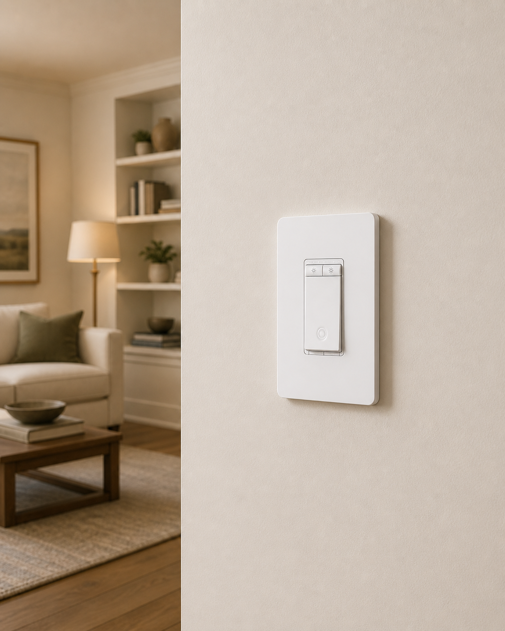
The Kasa KS225 delivers Matter certification and smooth dimming at under $25. That’s a price point that used to buy basic Wi-Fi switches with no dimming and Alexa-only support. In contrast, the KS225 works with all three major platforms (Alexa, Google Home and Apple Home via Matter) and connects directly over 2.4GHz Wi-Fi with no dedicated hub required. The physical brightness buttons are a practical touch, too. You can adjust brightness manually without reaching for your phone, which is handy in households where not everyone uses voice commands.
The KS225 is a single-pole switch only (not compatible with 3-way wiring). For straightforward single-pole rooms, it’s the clearest value in the dimmer category.
Key Specs
- Protocol: Wi-Fi (2.4GHz) / Matter
- Neutral wire: required
- Dimmer: yes (physical buttons)
- 3-way: not compatible
- Works with: Alexa, Google Home, Apple Home/Siri
- Hub required: no
Worth Knowing
Single-pole only. Not compatible with 3-way switch configurations. Neutral wire required. Available in a 3-pack for multi-room installs at a lower per-unit cost. Only supports 2.4GHz Wi-Fi.
Best For
Budget conscious buyers who want a Matter-certified dimmer that works across all three major ecosystems without spending $40+. Ideal for bedrooms, offices and single-switch rooms where 3-way wiring isn’t a factor.
TP-Link Tapo S505 Matter Smart Wi-Fi Light Switch (2-pack)
Best Budget On/Off | Price range: $12-$16 per switch | View on Amazon
Rating: 4.6/5
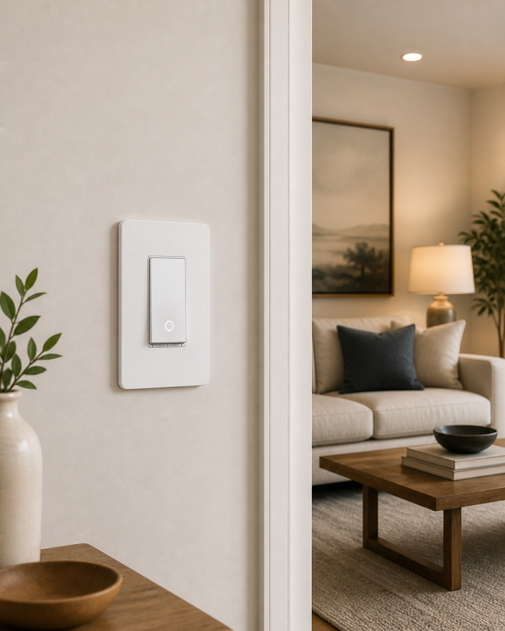
The Tapo S505 makes a compelling case for rooms that don’t need dimming. At around $12-$16 per switch in the 2-pack, it’s the lowest per-unit cost on this list. Crucially, it still delivers Matter certification and full compatibility with Alexa, Google Home and Apple Home.
For hallways, bathrooms, utility rooms and fixtures running non-dimmable LEDs, the Tapo S505 is a viable option. Matter support means it works across ecosystems without app juggling. Furthermore, the 2-pack pricing makes it the most practical option for outfitting multiple rooms at once.
Key Specs
- Protocol: Wi-Fi (2.4GHz) / Matter
- Neutral wire: required
- Dimmer: no (on/off only)
- 3-way: single-pole only
- Works with: Alexa, Google Home, Apple Home/Siri
- Hub required: no
Worth Knowing
On/off only, not a dimmer. Neutral wire required. Single-pole only, not directly compatible with 3-way wiring. The S505D dimmer variant is available if dimming is needed for some rooms. Only supports 2.4GHz Wi-Fi.
Best For
Anyone switching multiple rooms to smart control on a tight budget. Hallways, bathrooms, utility areas and any room where on/off scheduling and voice control are all that’s needed.
Philips Hue Smart Dimmer Switch
Best for Hue Users | Price range: $28-$32 (switch only) | View on Amazon
Rating: 4.7/5
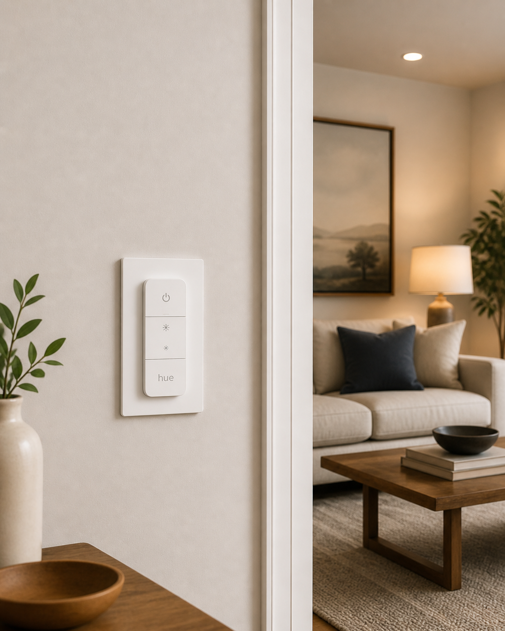
The Philips Hue Dimmer Switch is fundamentally different from the other picks in this guide. It’s not a hardwired in-wall switch. Instead, it’s a battery powered remote that mounts anywhere using the included bracket or sits freely on a surface. There’s no wiring, no neutral wire and no electrician required. It controls Hue lights by sending commands wirelessly via Zigbee to the Hue Bridge, which then adjusts your bulbs.
The four-button layout handles on, off, brightness up and brightness down. Each button can also be mapped to a Hue scene or routine through the Hue app. For Hue households, it solves the wall switch problem elegantly. Family members get a familiar physical button to press, smart automations stay intact, and no bulb ever loses power from someone flipping a switch out of habit. It works with Alexa and Google Home through the Hue ecosystem. Moreover, Hue’s Matter support via the Bridge means Apple Home integration is available too. The Philips Hue vs Govee guide covers the Hue ecosystem and compatible alternatives in more detail.
Key Specs
- Protocol: Zigbee (via Hue Bridge)
- Neutral wire: not required (battery powered)
- Dimmer: yes (brightness control via Hue bulbs)
- Wiring: none required
- Works with: Alexa, Google Home, Apple Home (via Bridge + Matter)
- Hub required: yes (Philips Hue Bridge, sold separately)
Worth Knowing
The Philips Hue Bridge is required and sold separately. Budget $40-$65 for the Bridge, bringing the total cost of entry to around $70-$100 for new Hue users. The switch controls Hue lights only and cannot control non-Hue bulbs or other smart home devices directly. Battery life is rated at a minimum of three years. This switch does not replace a wall switch or control mains power. As a result, the wall switch controlling the light fixture must remain on at all times for Hue bulbs to stay powered.
Best For
Existing Hue users who want a physical switch without touching their wiring. Particularly useful in multi-person households where not everyone uses voice commands, or in rooms where you want a bedside or desk-mounted control point in addition to the wall switch.
Also Considered
Inovelli Blue Series 2-in-1 (VZM31-SN): The most capable Zigbee dimmer switch available, with multi-tap scene control, an LED notification bar, and optional no-neutral installation. It’s a strong pick for Home Assistant and Zigbee enthusiasts. However, it was excluded here due to inconsistent availability.
Enbrighten Zigbee Smart Dimmer (43080): A Zigbee dimmer with QuickFit and SimpleWire installation features at around $39-$45. It pairs directly with select Echo devices and works with SmartThings and Alexa. Even so, it was held back by a 4.0-star rating and the hub dependency that most readers won’t already have in place.
GE Enbrighten Z-Wave Smart Switch (46201): A solid Z-Wave option for SmartThings users. It requires a Z-Wave hub, and Amazon’s own product insights flagged customer reports of functionality issues, which kept it off this list.
Treatlife Smart Light Switch: Strong review volume (9,000+) at a low per-unit price. It’s compatible with Alexa and Google Home, but the lack of Apple HomeKit or Matter support limits long term ecosystem flexibility.
Buying Guide
Neutral Wire: Check Before You Buy
Three of the five picks in this guide require a neutral wire. Before purchasing, turn off the breaker for that switch and check the wall box for a bundle of white wires connected with a wire nut – that bundle is your neutral. If there’s no white bundle and no wire labeled N or Neutral, you likely don’t have one available. In that case, the Lutron Caseta is the only pick here that still works. Alternatively, see the no-neutral switch guide for more options.
Wi-Fi vs Matter: What the Protocol Difference Means
Most budget smart switches connect directly over Wi-Fi and work with one or two voice platforms. Matter-certified switches (the Leviton D26HD-1RW, Kasa KS225 and Tapo S505 all qualify) work across Alexa, Google Home and Apple Home without needing separate integrations or skill linking. If you use Apple Home now or might in the future, Matter support is worth prioritizing. For a deeper look at how certain protocols are shaping smart home compatibility, check out my Matter and Thread guides.
Smart Switch vs Smart Bulb: The Right Tool for the Room
Smart switches make the most sense for overhead fixtures in shared spaces – hallways, kitchens, living rooms – where household members use the physical switch regularly. One switch controls the whole fixture regardless of how many bulbs are in it. Smart bulbs, on the other hand, make more sense for lamps, bedrooms and anywhere color or color temperature control is useful. Many smart home setups use both. The how smart bulbs work guide covers the full switch vs bulb decision.
3-Way Switches
A 3-way switch controls the same light from two locations – common at the top and bottom of a staircase or at either end of a hallway. Not every smart switch handles this, however. The Lutron Caseta manages it with a Pico remote (no traveler wire needed). Similarly, the Leviton D26HD-1RW supports wired and wire-free multi-location setups using Leviton Decora Smart companion devices, though it is not compatible with standard 3-way switches. The Kasa KS225 and Tapo S505 are single-pole only. The Philips Hue Dimmer can be placed anywhere, so a second location is straightforward, but both locations still need Hue bulbs behind them.
Frequently Asked Questions
Do smart light switches work with any bulb?
Yes, with one caveat for dimmers. A smart on/off switch works with any LED, CFL or incandescent bulb. A smart dimmer works with dimmable LED bulbs for full brightness control. Some dimmers, including the Leviton D26HD-1RW, also offer a non-dimmable bulb mode for use with standard LEDs, but this varies by model. Check your switch’s compatibility before purchasing. Non-dimmable LEDs used for dimming can flicker, buzz or fail early.
Can I use a smart switch with smart bulbs?
It depends on the setup. A hardwired smart switch that cuts mains power will drop smart bulbs off the network when switched off. The Philips Hue Dimmer Switch avoids this entirely because it doesn’t cut mains power. Instead, it sends commands to the Bridge. For hardwired smart switches paired with smart bulbs, keep the switch in the on position and control the bulbs through their own app or automations.
Do smart switches work without Wi-Fi?
The physical switch always works. You can still turn the light on and off manually. App control and voice commands, however, require an active network connection. The Lutron Caseta uses its own RF protocol and hub, so local commands may still work during a brief Internet outage. Remote access and voice features usually depend on your network, platform or cloud connection.
Making Your Decision
- “I want the most reliable dimmer and my home may not have a neutral wire” → Lutron Caseta – the only pick here that works without one, and the best long term reliability track record in the category.
- “I want Matter and all three voice platforms without overspending” → Leviton D26HD-1RW – strongest combination of features, flexibility and multi-location support at a mid-range price.
- “I want a Matter dimmer for the lowest possible price” → Kasa KS225 – Proven review base, smooth dimming under $25.
- “I’m upgrading multiple rooms and don’t need dimming” → Tapo S505 2-pack – best per-switch cost with Matter support, strong review base.
- “I already have Hue bulbs and want a physical switch without wiring” → Philips Hue Dimmer Switch – battery powered, mounts anywhere, keeps your Hue automations intact.
Flip the Switch
The best smart switch is the one that disappears into daily life. It should match your wiring, work with your preferred smart home platform, and still feel natural when someone simply walks into the room and presses the wall switch.
Choose well, and your lighting stops feeling like a collection of devices. It becomes part of the house itself – predictable, responsive, and ready whenever the room is.
For the full smart lighting picture – protocols, bulb types, hub options, and how switches and bulbs work together – the how smart bulbs work guide is a natural next read.