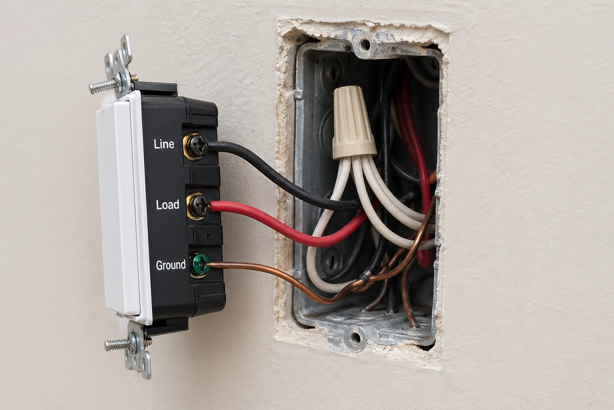
You pull the old switch off the wall, ready to upgrade, and count the wires. There’s a black wire, a red wire, maybe a bare copper ground – but nothing connected to the terminal labeled “Neutral”. The smart switch box sitting on your counter says “Neutral wire required”. Now what?
The good news is that not having a neutral wire doesn’t mean you’re out of options. A handful of smart switches are designed specifically for homes without one, and this guide explains what the neutral wire does, how to check whether you have one, and which switches work without it, along with a few things worth knowing before you buy.
What Is a Neutral Wire and Why Do Smart Switches Need One?
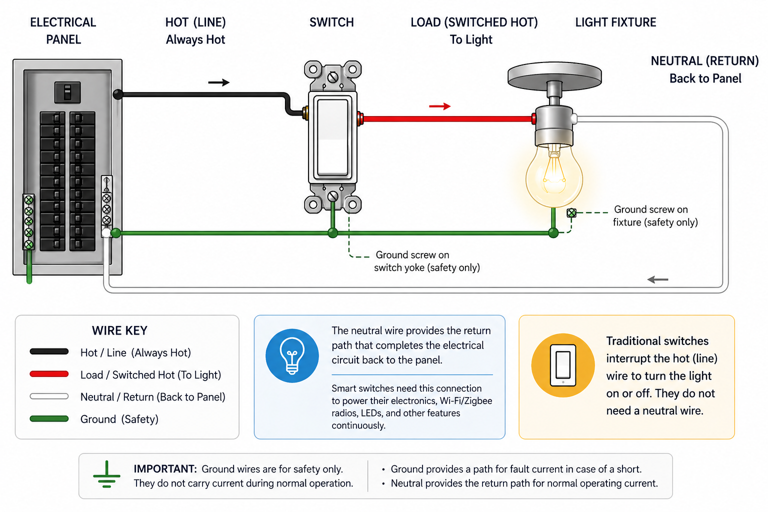
The neutral wire provides the return path that completes the electrical circuit back to the electrical panel. Traditional light switches didn’t need one. They simply interrupted the hot wire to cut power to the light. Smart switches are different. They power wireless radios, status LEDs and the electronics needed for app and voice control around the clock, which requires a continuous power supply. The neutral wire provides that.
Without a neutral wire, a smart switch has to find power somewhere else. Some do this through a technique called power stealing – drawing a small trickle of current through the load (your light bulb) even when the switch is off. It works in many homes, but can cause problems with certain LED bulbs, including flickering, buzzing or the light not fully turning off. The products below are generally more reliable choices than many generic no-neutral switches, particularly with LED lighting.
Do You Have a Neutral Wire? How to Check
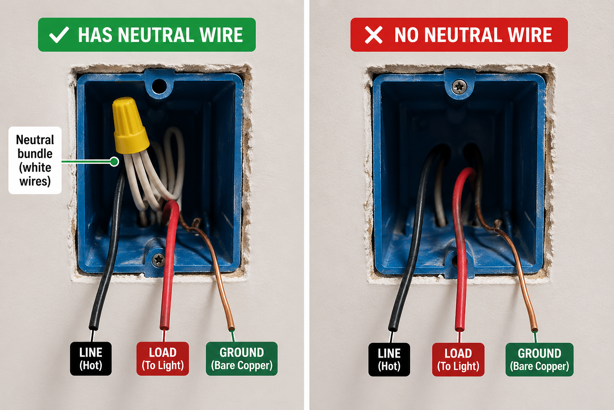
Before assuming you don’t have a neutral wire, it’s worth checking. Many homes have one tucked behind the wall plate that was simply never connected to the old switch.
Turn off the circuit breaker for that switch, then remove the switch from the wall box. Look for a bundle of white wires connected together with a wire nut. If one is present but not connected to the switch, you may have a neutral available. A wire in a terminal labeled N, Neu or Neutral confirms you have one connected.
If there’s definitely no neutral wire and no spare wire in the wall, the options below are your path forward. Homes built before the 2010s are more likely to have switch boxes without a neutral wire, though it depends heavily on how the home was originally wired and whether electrical work has been updated since.
Worth Knowing Before You Buy
No-neutral smart switches use power stealing to stay powered when the circuit is off. This works reliably with incandescent bulbs, but LED compatibility varies by product and by bulb. Each product below includes compatibility details. Check them carefully, particularly if you’re using low wattage LED bulbs. Minimum load requirements are common, and some switches include or recommend a bypass accessory for low load installations.
It’s also worth noting that no-neutral options are more common among smart dimmers than on/off switches. The dimmer market has more established no-neutral solutions, while genuinely reliable no-neutral on/off switches are a shorter list. This guide covers the best of both.
Best Smart Switches Without a Neutral Wire
Three switches stand out for homes without a neutral wire – one premium dimmer, one hub-based on/off switch with broad smart home support, and one budget friendly Wi-Fi option.
| Best For | Pick |
|---|---|
| Best Overall Dimmer | Lutron Caseta |
| Best No-Neutral On/Off | Aqara |
| Best Budget Pick | MoesGo |
Lutron Caseta Smart Dimmer Switch (PD-6WCL-WH)
Price range: $60-$70
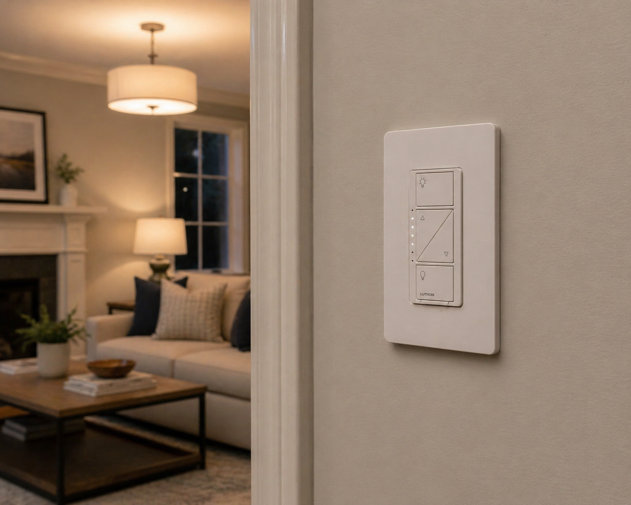
The Lutron Caseta is the benchmark no-neutral smart dimmer, and for good reason. Lutron explicitly confirms that the PD-6WCL-WH works without a neutral wire in single-pole and 3-way configurations, and the 150W LED rating gives it broad compatibility with most common residential LED lighting setups. It uses Lutron’s proprietary Clear Connect RF protocol rather than Wi-Fi, which contributes to its reputation for reliable, consistent response. Smart features require the Lutron Smart Hub (sold separately or included in starter kits).
Once connected, the Caseta works with Alexa, Google Home, Apple HomeKit and SmartThings, making it one of the most broadly compatible smart dimmers available. A Pico remote accessory is available separately, allowing wireless 3-way control without running a traveler wire.
Worth Knowing: The Lutron Smart Hub is required for app and voice control. It’s not included with the standalone switch. If you’re starting from scratch, the Caseta Starter Kit (P-BDG-PKG1W-A) bundles the switch, hub, Pico remote and wall plate bracket at around $115 – particularly good value given the hub alone retails at around $90. A bypass accessory may be needed for very low wattage LED installations – Lutron’s compatibility tool on their website can help confirm whether your specific bulbs and dimmer setup require one.
Aqara Smart Light Switch (No Neutral, Single Rocker)
Price range: $35-$45
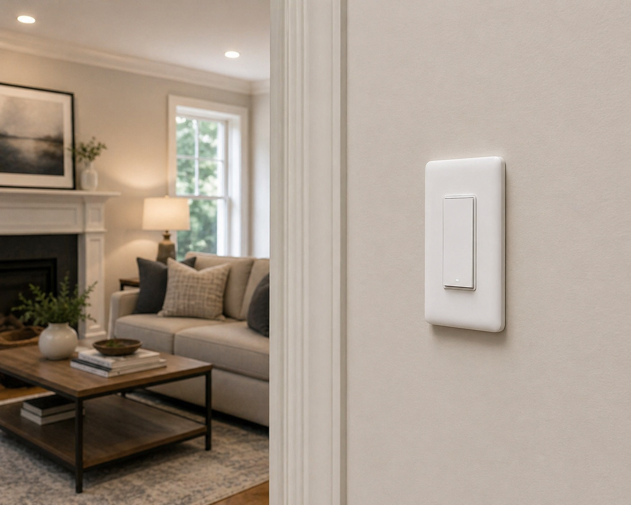
The Aqara no-neutral switch is the strongest on/off option in this category, with a clean rocker design that installs without a neutral wire and connects via Zigbee (instead of Wi-Fi). Zigbee’s lower power consumption makes it a better fit for no-neutral installations than Wi-Fi, since the switch draws less current to stay powered. It works reliably with Apple HomeKit, Alexa and Google Home through an Aqara hub, giving it broad platform coverage for a mid-range switch.
An Aqara hub is required for this switch – it is not compatible with third-party Zigbee hubs. The Aqara Hub M1S Gen 2 is the recommended pairing and is available separately on Amazon.
Worth Knowing: An Aqara hub is required. The switch cannot connect directly to Wi-Fi or to third-party Zigbee hubs. The switch requires a minimum load of 3W, so it may not perform reliably with very low wattage bulbs. This is a single-pole switch only and is not compatible with 3-way wiring configurations. Not suitable for dimming. This is an on/off switch only.
MoesGo 2nd Generation Wi-Fi Smart Switch
Price range: $24-$28
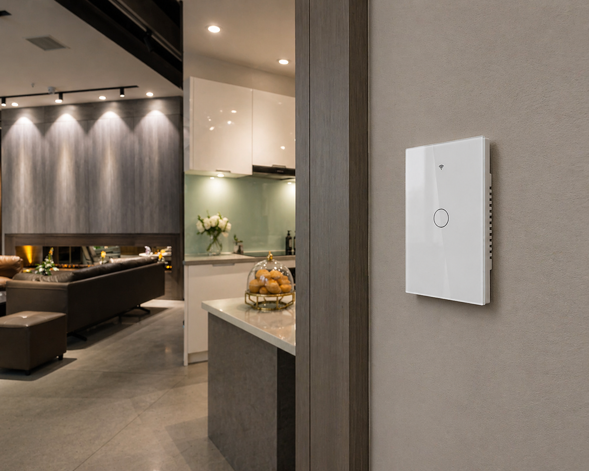
The MoesGo is the budget entry point for no-neutral smart switching, and it remains one of the more commonly chosen options at this price point. It connects directly to 2.4 GHz Wi-Fi without a hub, uses the Smart Life/Tuya app for control and scheduling, and works with both Alexa and Google Home. The touch panel design looks more contemporary than a standard rocker, and is available in 1, 2 and 3-gang configurations.
Setup follows the standard Tuya pairing process – download the Smart Life app, add the device, connect to your Wi-Fi network.
Worth Knowing: The MoesGo requires a minimum load of 5W, making it less suitable for very low wattage LEDs or single-bulb circuits. It only supports 2.4 GHz Wi-Fi (not compatible with 5 GHz-only networks). No Apple HomeKit support. Not suitable for dimming.
Also Considered
GE Cync Wire-Free Smart Dimmer: A battery powered dimmer that mounts anywhere without any wiring at all – no neutral wire, no ground wire, no wall box required. It functions more like a wireless remote than a true wired wall switch replacement, and is better suited to locations where wiring is impractical. Uses a replaceable coin cell battery rated for approximately 2 years. Connects via Bluetooth and Wi-Fi. Worth considering if you need smart dimming in a rental, a finished room where running wire isn’t practical, or as a secondary control point in a multi-switch room.
Which Smart Switch Without a Neutral Wire Should You Choose?
For the most reliable no-neutral dimmer with the broadest smart home compatibility, the Lutron Caseta is the clear choice. Its Clear Connect RF protocol and proven track record make it the benchmark in this category. If you’re starting fresh, the Starter Kit is worth the extra outlay to get the hub, remote and wall plate in one box.
For a no-neutral on/off switch with full HomeKit support, the Aqara is the strongest option. The hub requirement adds cost if you’re starting from scratch, but the platform compatibility and build quality justify it.
For a no-hub, budget friendly on/off switch that works directly with Alexa and Google Home, the MoesGo covers the basics cleanly. Check your bulb wattage against the 5W minimum before purchasing.
Whichever you choose, confirm bulb compatibility before buying, particularly if you’re running low wattage LEDs. A quick check against the manufacturer’s compatibility guidance takes two minutes and prevents the frustration of a flickering light or an underperforming switch.
Already sorted on switches? See how Matter and Thread are shaping the next generation of smart home devices – and what that means for switch compatibility going forward.
Wired for the Right Choice
A missing neutral wire limits your options, but it does not stop the upgrade. The difference between a smooth install and a frustrating one usually comes down to checking the basics first – what wiring is actually in the wall, whether your bulbs meet the switch’s minimum load, and whether your setup needs a hub or bypass accessory.
Spend five minutes confirming those details before you buy, and you avoid the common problems later, like flickering LEDs, unreliable control, or a switch that never worked the way you expected.
Get it right once, and the result feels simple. The light responds, the automation works, and your home behaves the way you wanted all along.
For more on building a connected home, check out my Smart Home 101 guide.