Room temperature tells you whether to grab a blanket or crack a window. A Zigbee temperature sensor can tell your smart home how to act on that information automatically. But with several options on the market at similar price points, the question isn’t just which sensor reads accurately. Which one fits cleanly into your existing setup without requiring yet another bridge or app?
I tested the SONOFF SNZB-02WD with the Echo Dot Max as the Zigbee coordinator for this hands-on review. I ran a three-way temperature comparison against a standalone digital thermometer and the Echo Dot Max’s built-in Omnisense sensor. Here’s what the numbers showed, what surprised me, and how the sensor performed as a real automation trigger.
Tested with: SONOFF SNZB-02WD, Amazon Echo Dot Max (Zigbee hub), ASAKUKI Smart Oil Diffuser.
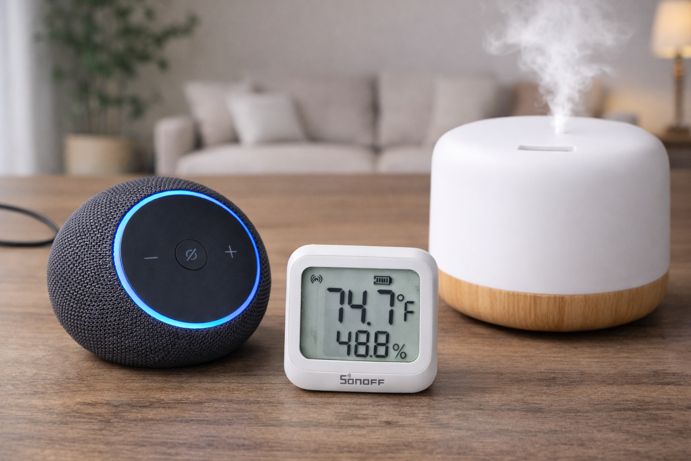
What Is a Zigbee Temperature Sensor?
A Zigbee temperature sensor is a battery powered device that monitors ambient temperature and humidity, and reports that data to a compatible hub over a Zigbee mesh network. Unlike Wi-Fi sensors that connect directly to your router, Zigbee sensors communicate through your hub (in this case, the Echo Dot Max), keeping your router’s device list clean and your sensor’s battery lasting considerably longer. Zigbee sensors transmit in short, infrequent bursts rather than maintaining a continuous connection, which is why many Zigbee sensors can run for months to years on a coin cell, depending on reporting frequency and conditions.
The practical appeal is straightforward. Once paired, the sensor feeds live environmental data into your smart home platform, which can trigger automations based on thresholds you set. Temperature drops below 65°F? Turn on a space heater. Rises above 75°F? Start the diffuser or send an alert. Humidity climbs past 65%? Switch on a dehumidifier. The sensor itself is passive, it just reports. But the automations it enables are where the real value lies.
For a full overview of how Zigbee mesh networking works and why it’s so well suited to battery powered sensors, see the complete Zigbee protocol guide.
Do You Need a Separate Hub?
The simple answer is yes. Zigbee sensors require a Zigbee coordinator to function. What surprises many people is that they may already own one without realizing it. Certain Echo models include a built-in Zigbee hub – for example, the Echo (4th Gen), Echo Dot Max, Echo Hub, and Echo Studio, plus select newer Echo Show models (and some eero devices). Amazon publishes the full supported device list in its developer documentation. Some also support Matter and Thread, but the key requirement for pairing Zigbee sensors is the Zigbee hub.
One important distinction to be aware of is that most standard Echo Dots (including the 5th Gen) do not include a Zigbee hub. The Echo Dot Max is a separate, newer device in the line-up. The Zigbee capability does not carry across all Dot models.
This matters because it removes a common barrier. Historically, adding Zigbee sensors meant purchasing a dedicated hub (a SmartThings, Hubitat or a Hue Bridge) before buying a single device. The Echo Dot Max changes that calculus for Alexa users. If you already own one, your Zigbee coordinator is already plugged in.
Other compatible hubs include the Aeotec Smart Home Hub, Hubitat Elevation C-8 Pro, and Home Assistant with a USB Zigbee dongle. The testing in this post was conducted exclusively with the Echo Dot Max.
SONOFF SNZB-02WD: Hands-On Testing
~$18–22 | View on Amazon
Unboxing and First Impressions
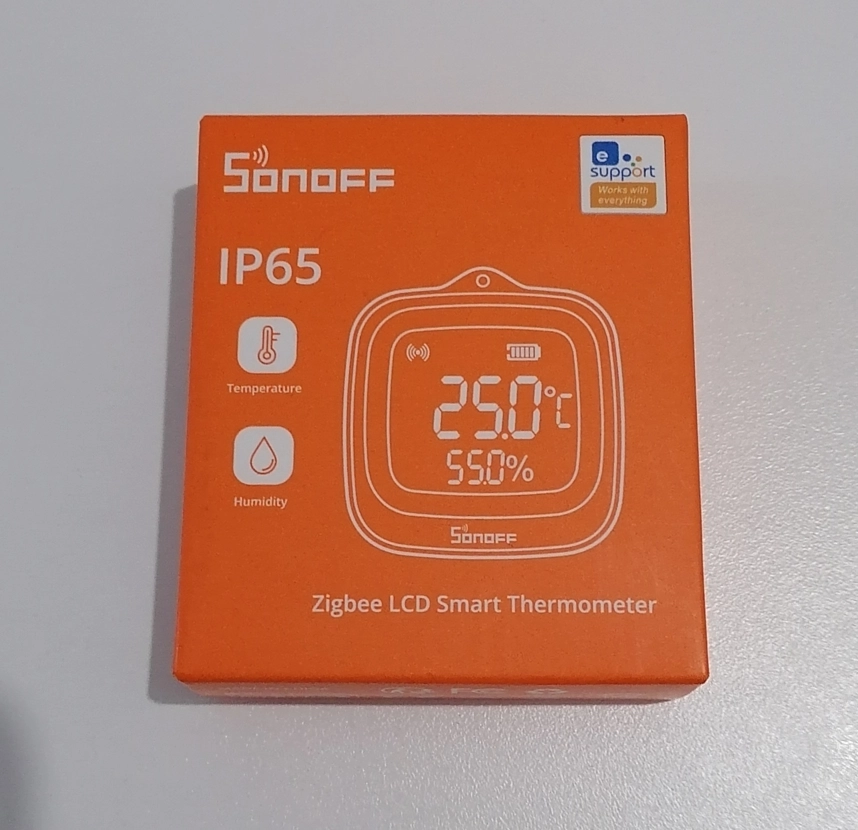
The SNZB-02WD ships in compact retail packaging with the sensor, a lanyard for hanging, and minimal documentation. Build quality is solid for the price. The casing feels sturdy, the LCD screen is crisp, and the overall footprint is small enough to sit unobtrusively on a shelf or windowsill. The included lanyard is a thoughtful addition for users who want to hang the sensor rather than mount it.
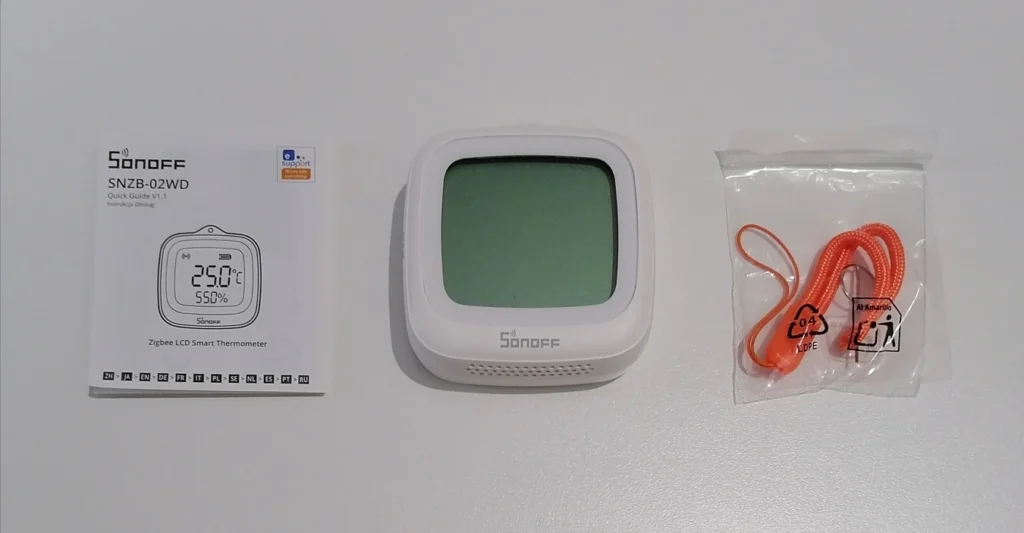
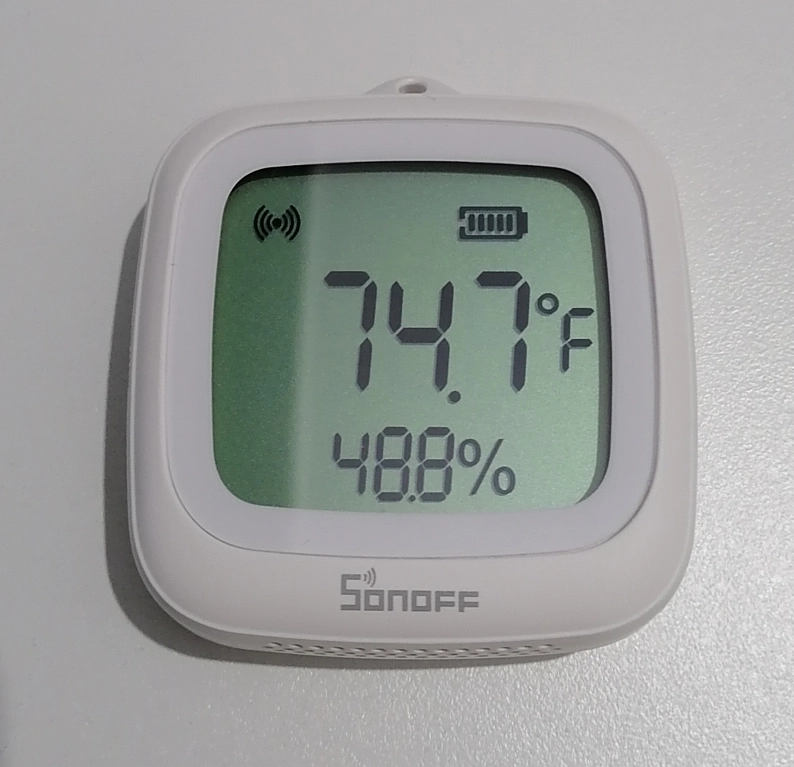
The LCD display is the defining hardware feature. It shows current temperature and humidity simultaneously without needing to open an app – useful in rooms where you want a quick at-a-glance reading. The display switches between Celsius and Fahrenheit, which matters for US based setups, where Fahrenheit is the expected default across app displays and automations.
Pairing with the Echo Dot Max
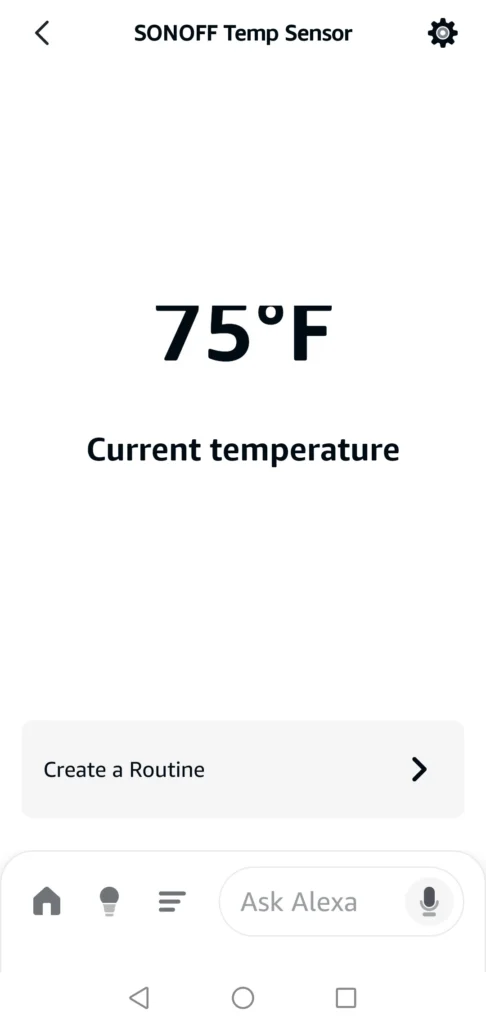
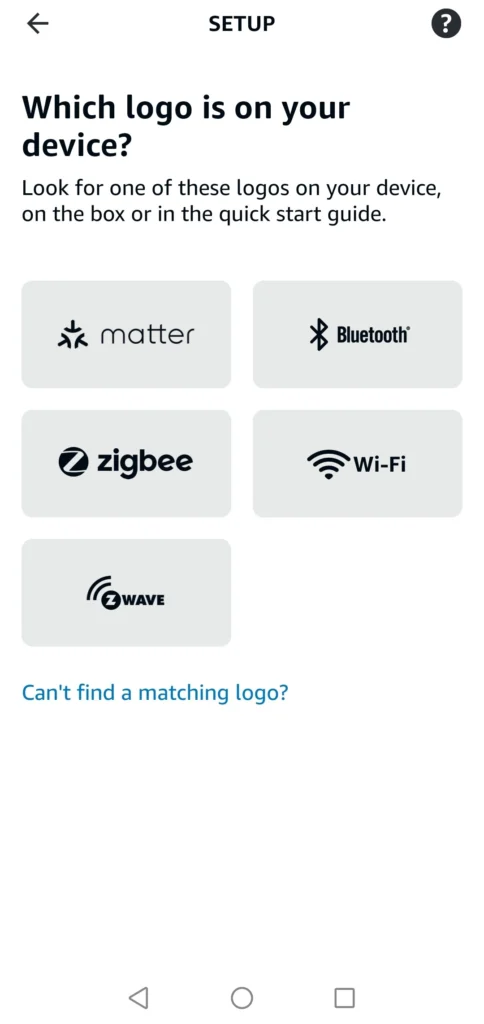
Pairing was straightforward. Opening the Alexa app, navigating to Add Device, and selecting the Zigbee protocol option prompted the Echo Dot Max to enter pairing mode. Holding the button on the SNZB-02WD put it into discovery mode, and the Alexa app found it within about 30 seconds, confirming it as a temperature sensor connected via the Echo Dot Max.
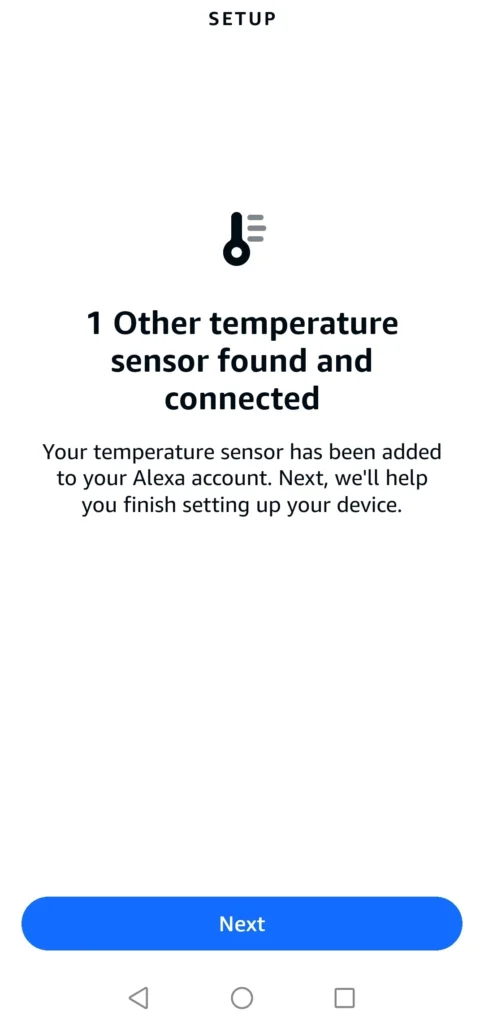
One detail worth noting – the device settings explicitly show “Connected Via Dwayne’s Echo Dot Max,” confirming the Zigbee relationship rather than a Wi-Fi or cloud connection. This is exactly what you want to see. The sensor is routing through the Echo Dot Max’s built-in Zigbee radio, not adding another device to your router.
Is the SONOFF SNZB-02WD Accurate? A Three-Way Comparison
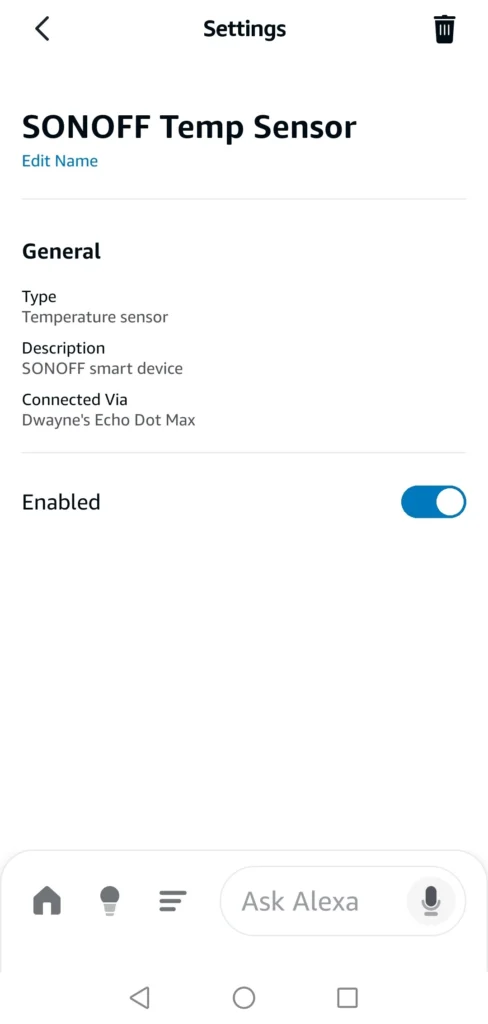
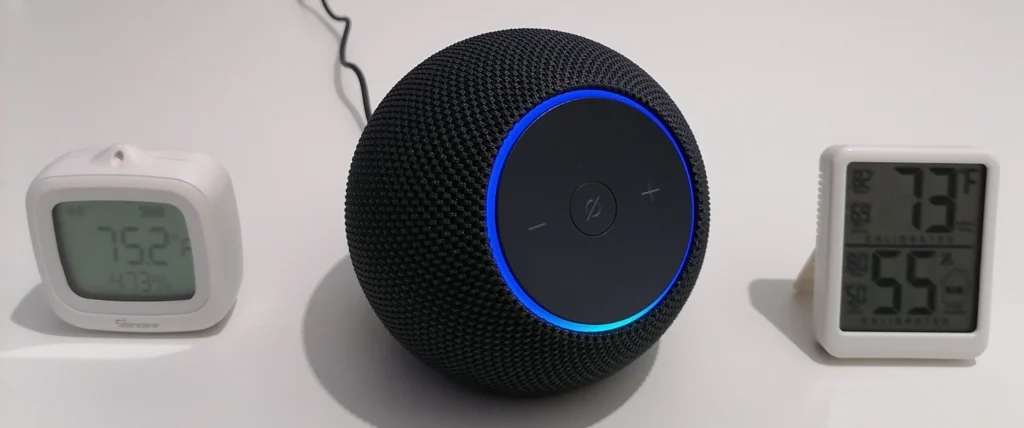
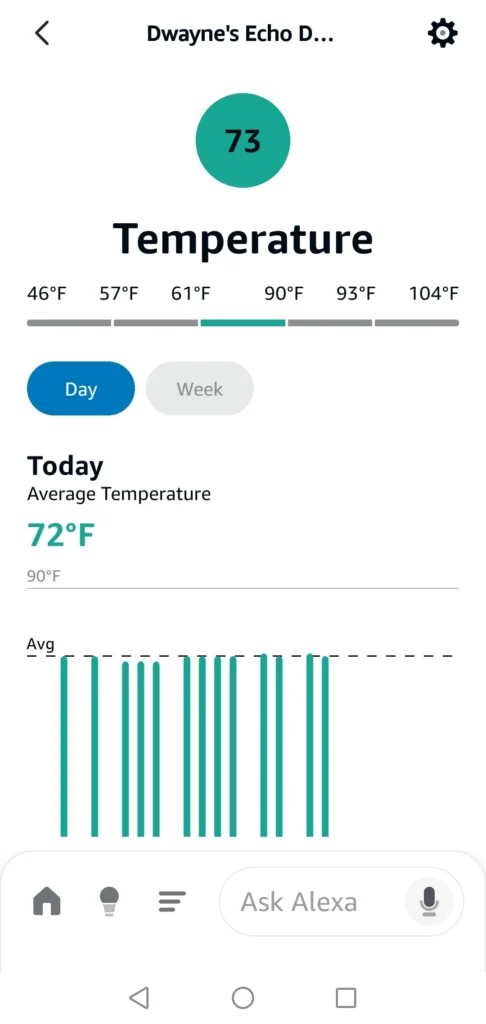
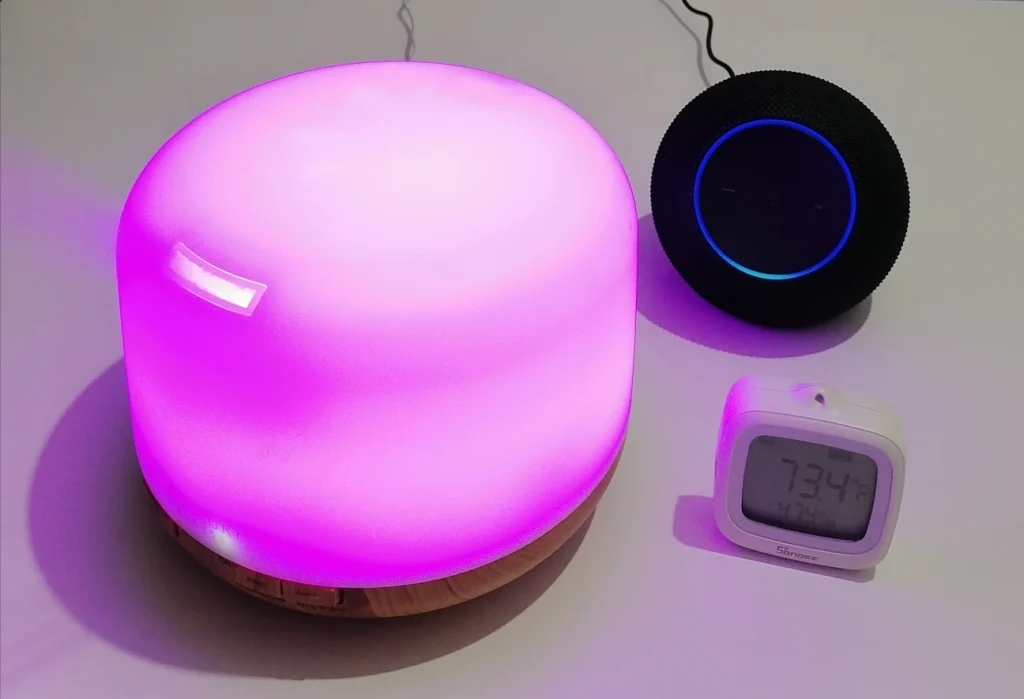
One of the most practical questions about any temperature sensor is how closely it tracks against other readings in the same space. I ran a simultaneous comparison across three devices, including the SONOFF SNZB-02WD LCD display, a standalone digital thermometer, and the Echo Dot Max’s built-in Omnisense sensor as reported in the Alexa app.
The results:
- SONOFF SNZB-02WD: 75.2°F
- Digital thermometer: 73°F
- Echo Dot Max Omnisense (Alexa app): 73°F
The digital thermometer and the Echo Dot Max Omnisense agreed exactly at 73°F. The SONOFF read 2.2°F higher. Manufacturer accuracy specifications are measured under controlled lab conditions and don’t account for real world placement, airflow or proximity to electronics, all of which introduce additional variance beyond the rated ±0.2°C figure.
Takeaway: In my setup, the SNZB-02WD read about 2°F warmer than both reference points.
In other words, the SONOFF consistently reads slightly warmer than the two reference readings in this setup. That’s not a defect, it’s a calibration consideration. For automations, consistency matters more than perfect calibration. You set the offset once and the sensor performs predictably from there. In my setup, a routine set to fire above 73°F on the SONOFF triggered when the room was closer to ~71°F on the reference readings.
Building a Temperature Automation in Alexa
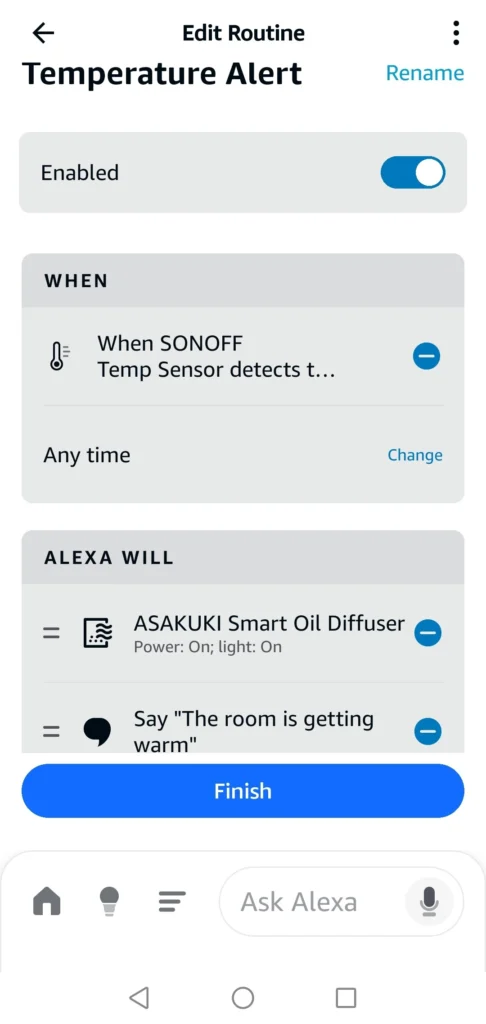
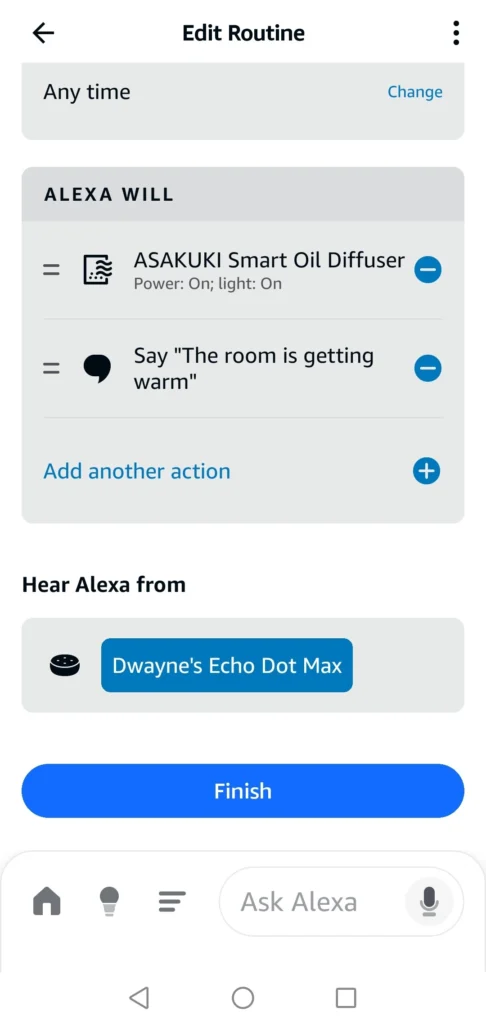
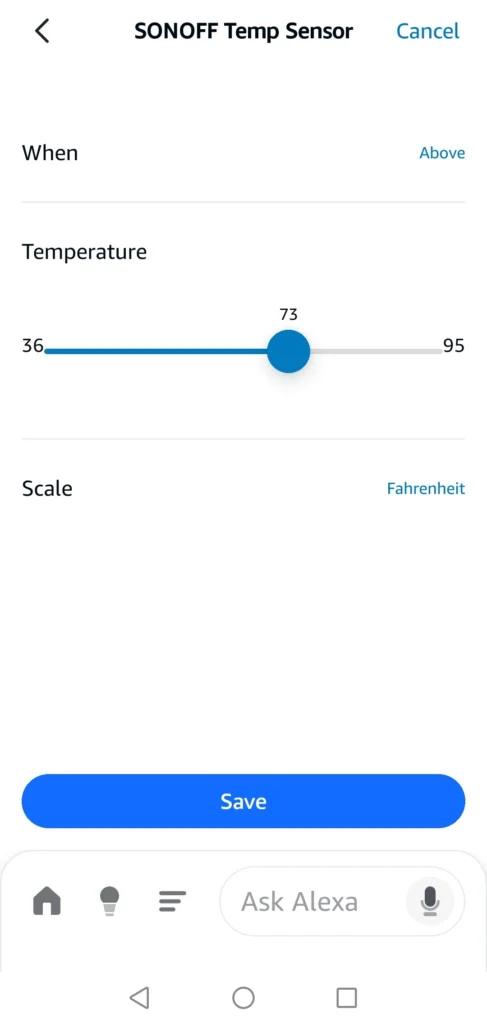
The sensor’s practical value becomes clearer once it’s driving automations. I set up a routine using the SONOFF as the trigger – when the temperature exceeds 73°F, turn on the ASAKUKI Smart Oil Diffuser and have Alexa announce “The room is getting warm” through the Echo Dot Max.
One Troubleshooting Note Worth Knowing
After building the routine, it didn’t fire, even though the SONOFF was already reading above the 73°F threshold. This is a known behaviour in Alexa temperature routines. The trigger requires a threshold crossing event, not just an existing condition. If the sensor was already above 73°F when the routine was created, no crossing event occurs and the routine won’t activate.
The most reliable workaround I found during testing was to remove and re-pair the sensor to the Echo Dot Max. During re-pairing, the Alexa app briefly shows the device as unresponsive and reports a null temperature value. Once the sensor reinitializes and reports its first valid reading, that counts as a fresh threshold crossing, and the routine fires. This is a practical troubleshooting step that isn’t well documented, and it’s worth keeping in mind if your temperature routines appear to be set up correctly but aren’t triggering.
SONOFF SNZB-02WD: Key Specs
- Protocol: Zigbee 3.0
- Temperature range: -4°F to 140°F (-20°C to 60°C)
- Temperature accuracy: ±0.2°C under controlled conditions
- Humidity range: 0-100% RH
- Humidity accuracy: ±2% RH
- Display: LCD showing temperature and humidity simultaneously
- Water resistance: IP65
- Battery: CR2477 (included)
- Battery life: Up to 2 years (varies with reporting frequency)
- Display units: Switchable between Celsius and Fahrenheit
What the SNZB-02WD Does Well
At around $18–22, the SNZB-02WD hits a useful combination of features that aren’t always found together at this price. As mentioned above, the LCD display is the most immediately practical. You can check temperature and humidity easily, without unlocking your phone or opening an app. IP65 water resistance extends placement options meaningfully. Basements, bathrooms and covered outdoor areas are all viable, not just interior shelves. And because it pairs directly to the Echo Dot Max without a separate bridge, the total cost of entry is lower than many alternatives that assume a dedicated hub you may not already own.
The Alexa integration is clean. The sensor shows up clearly in the Alexa app and the routine builder handles threshold based triggers without requiring any technical knowledge beyond knowing what temperature you want to act on.
Honest Limitations
The 2.2°F variance against two independent reference points is the main thing to understand before purchasing. SONOFF’s rated accuracy is ±0.2°C under controlled conditions. Real world readings will differ based on sensor placement, proximity to heat sources, and the sensor’s own minor self-heating. It isn’t a flaw that disqualifies the device, but it does mean you should factor in an offset when setting automation thresholds, and you shouldn’t rely on it for applications where measurement precision is critical.
Alexa’s threshold-crossing trigger behaviour (covered above) is worth understanding before you build routines. It’s not specific to the SONOFF. It applies to all Alexa temperature automations but it can cause confusion if routines appear correctly configured but don’t fire as expected.
Finally, the SNZB-02WD is a Zigbee-only device. If your hub doesn’t include a Zigbee radio, you’ll need a separate coordinator before this sensor will work. For non-Zigbee setups, a Wi-Fi temperature sensor is a better alternative.
How It Compares to Other Zigbee Temperature Sensors
| Feature | SONOFF SNZB-02WD | ThirdReality | Aqara |
|---|---|---|---|
| Display | Yes (LCD) | Yes (LCD, larger) | No |
| IP Rating | IP65 | None | None |
| Battery | CR2477 | AAA | CR2032 |
| Price | ~$18–22 | ~$23–27 | ~$20–25 |
| Native Apple Home (HomeKit) | No | No | Yes |
The SNZB-02WD sits in a competitive price bracket alongside the ThirdReality Temperature and Humidity Sensor (~$23–27) and the Aqara Temperature and Humidity Sensor (~$20–25). The ThirdReality sensor is covered in more detail in the best Zigbee smart home devices guide.
The primary differentiators for the SONOFF at this price point are the IP65 rating and the included LCD display. Neither the base ThirdReality, nor the standard Aqara model offers IP65 water resistance, making the SONOFF the stronger choice for damp or semi-outdoor locations. ThirdReality’s display is slightly larger and easier to read from across a room, which is a genuine advantage if the sensor is wall mounted at distance. Aqara sensors integrate particularly well with Apple HomeKit, which is worth considering if your primary platform is Apple Home rather than Alexa.
For most Alexa ecosystem users with an Echo Dot Max already in the home, the SNZB-02WD is the straightforward recommendation at this price.
Real World Use Cases
The most obvious use is living room or bedroom climate monitoring – trigger a fan, diffuser or smart plug when the room warms past a comfortable threshold. But the IP65 rating opens up placements most sensors can’t handle. In a nursery, a routine could activate a humidifier when humidity drops below 40%. A garage setup could send an Alexa alert before temperatures drop low enough to damage paint, pipes, or stored batteries. Basements prone to dampness are another natural fit – trigger a dehumidifier automatically when humidity climbs past a certain point. The sensor doesn’t care where it lives. It just reports what it measures.
Who This Sensor Is Best For
- Alexa users with a Zigbee-capable Echo: Pairs directly, no extra hardware needed
- Basement, bathroom or covered outdoor monitoring: IP65 rating handles damp environments most sensors avoid
- Budget automation setups: Strong feature set at the lower end of the price range
- Anyone who wants a display without opening an app: The LCD gives you an instant reading from across the room
If your primary platform is Apple Home, the Aqara sensor is the better fit. If you’re running Home Assistant or SmartThings, any of the three comparison options will work. Choose based on whether the IP65 rating or display size matters more for your placement.
Frequently Asked Questions
Does the SONOFF SNZB-02WD work without a hub?
No. Like all Zigbee devices, it requires a Zigbee coordinator hub to function. If you own an Echo Dot Max, Echo Hub, or other Echo with a built-in Zigbee radio, you already have what you need. If not, you’ll need a compatible hub before the sensor will pair.
Can I use it with Home Assistant or SmartThings?
Yes. The SNZB-02WD is Zigbee 3.0 certified and compatible with any general purpose Zigbee hub, including Home Assistant with a Zigbee dongle, the Aeotec Smart Home Hub (SmartThings), and Hubitat. The hands-on testing in this post used the Echo Dot Max specifically.
How accurate is it compared to other sensors?
SONOFF rates it at ±0.2°C under controlled conditions. In real world testing against a digital thermometer and the Echo Dot Max Omnisense (both of which agreed at 73°F), the SNZB-02WD read 75.2°F, a 2.2°F variance. This is within the expected range for consumer grade sensors in real environments. Set your automation thresholds with this offset in mind.
Can it be used outdoors?
The IP65 rating means it’s protected against dust ingress and low pressure water jets, making it suitable for covered outdoor locations, such as a covered porch, garden shed or carport. Direct rain exposure or full submersion is outside its rating.
My Alexa temperature routine isn’t firing – what’s wrong?
Alexa temperature routines trigger on threshold crossings, not existing conditions. If the sensor was already above your set threshold when the routine was created, it won’t fire until the temperature drops below and rises above the threshold again. The most reliable workaround found during testing was to remove and re-pair the sensor. The initialization reading after re-pairing counts as a crossing event and will trigger the routine.
Degrees of Automation
Absolute perfection matters in a laboratory. In a smart home, consistency matters more.
In testing, the SONOFF SNZB-02WD read about 2°F warmer than two independent reference points. The offset was stable and predictable. Once accounted for in automation thresholds, the sensor behaved reliably and triggered routines exactly when expected.
Where this device earns its place is in simplicity. If you already run a Zigbee-capable Echo like the Echo Dot Max, pairing takes minutes and requires no additional bridge, no extra app, and no ecosystem shift. Environmental awareness becomes part of your existing setup rather than another layer of complexity.
The IP65 rating broadens placement options. The LCD provides instant visibility. The cost stays firmly in budget territory. Taken together, those factors make it a practical addition to an Alexa-centric smart home.
Automation starts with awareness. Once your home knows the temperature, every response becomes a choice you no longer have to make.