Smart devices are everywhere now. Your thermostat learns your schedule, your doorbell recognizes faces, your fitness tracker monitors your health. These connected devices make life a lot more convenient. But they also create new security risks that many people don’t think about until something goes wrong.
The reality is that most IoT devices weren’t designed with security as a top priority. Many ship with weak default passwords, send data without encryption, or lack basic security updates. Without proper protection, attackers could spy on your cameras, unlock your doors, steal personal data or turn your devices into weapons for attacking others.
The good news is you don’t need to be a cybersecurity expert to protect your smart home. This guide covers the three main security principles that work across all connected devices – authentication (proving devices are legitimate), authorization (controlling what they can access) and encryption (protecting your data). Whether you’re setting up a smart home, using wearables or working with industrial systems, these fundamentals will help keep your digital world secure.
🔒 5 Security Fixes You Can Do Today
- Change default passwords on every connected device
- Enable encryption wherever available (TLS, HTTPS, WPA3)
- Update firmware on routers and smart devices
- Separate smart devices onto a guest network
- Disable unused features and services
Understanding IoT Security Challenges
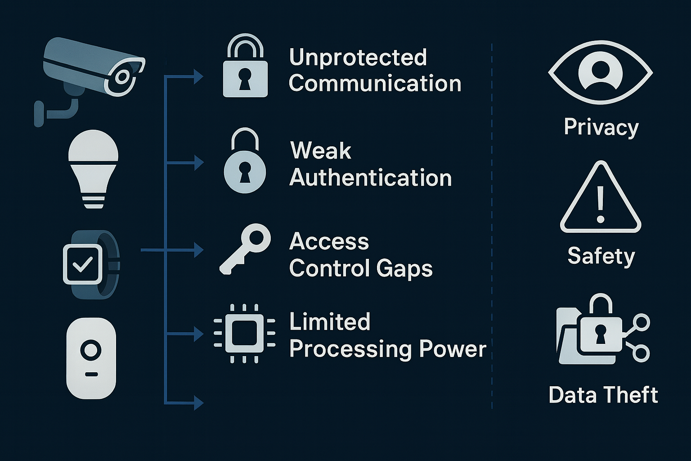
Smart devices face unique security challenges that traditional computers don’t deal with.
- Unprotected Communication: Many devices transmit data without encryption, exposing sensitive information like security codes, daily routines or health data to anyone monitoring your network.
- Weak Authentication: Basic username/password systems often send credentials in plain text or use easily guessed defaults like “admin/admin” that never get changed.
- Access Control Gaps: Managing permissions across dozens of devices gets complicated quickly. You need clear rules about which devices can access what information and perform which actions.
- Limited Processing Power: Unlike phones or computers, many IoT devices have minimal computing resources, making it harder to implement strong security measures without impacting performance.
Effective IoT security requires a layered approach. No single measure provides complete protection, but combining multiple security practices creates defense in depth. When one layer fails, others remain to protect your devices and data.
Authentication: Proving Devices Are Legitimate
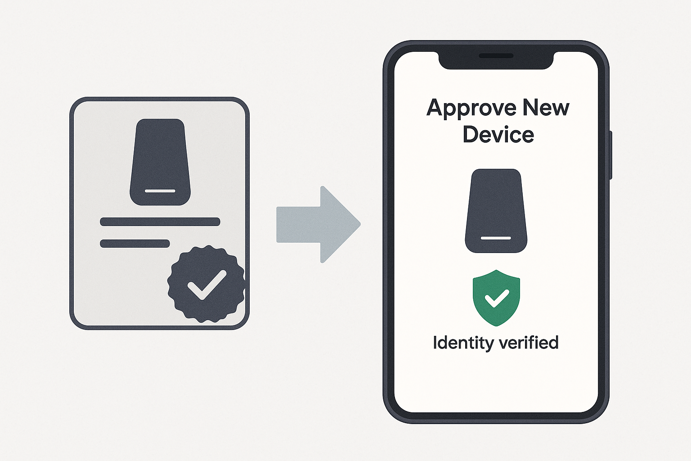
Authentication is your first line of defense. It ensures only authorized devices can join your network and communicate with your systems. Just like you might show ID to prove who you are, smart devices need reliable ways to verify their identity.
Common Authentication Methods
Different authentication approaches offer varying levels of security and complexity. Choose based on your security needs and technical comfort level.
| Method | How It Works | Security Level | Best For |
|---|---|---|---|
| Username/Password | Device enters credentials to connect | Basic | Simple home setups, testing environments |
| API Keys/Tokens | Special temporary keys that rotate regularly | Medium | Cloud connected devices, business systems |
| Digital Certificates | Cryptographic ID cards that are very hard to fake | High | Critical systems, professional installations |
| Multi-Factor Authentication | Combines multiple verification methods | Highest | User access to dashboards, admin consoles |
Certificate Based Authentication
Digital certificates provide the strongest authentication available. Think of them as high-tech ID cards that are nearly impossible to counterfeit. Each device gets a unique certificate from a trusted Certificate Authority (CA). When connecting, the device presents its certificate and your system verifies it’s valid and hasn’t been revoked.
This method requires more setup than simple passwords, but it’s worth the effort for critical systems. Certificates prevent impersonation attacks and provide strong proof of identity that can’t be easily stolen or guessed.
Authorization: Controlling Device Permissions
Once devices prove they’re legitimate, you need to control what they can access. Authorization works like giving different people different access levels in your home. Family members get full access, babysitters can enter certain rooms, delivery drivers can only access the front porch.
Access Control Lists (ACLs)
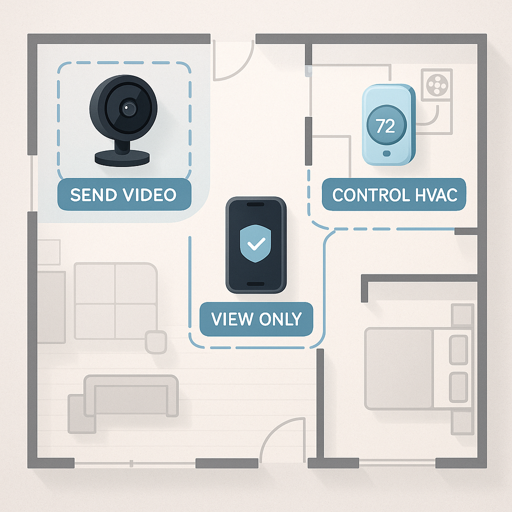
ACLs are straightforward rules specifying exactly what each device can do. For example:
- Temperature sensors can only send readings
- Your phone app can only receive data, not control devices
- Smart thermostats can read temperatures and control heating/cooling
This ensures that even if an unauthorized device gets onto your network, it can’t access or control systems beyond its permission level.
Role Based Access Control (RBAC)
RBAC simplifies permission management by grouping similar devices together. Instead of configuring every device individually, create roles and assign permissions to each role.
| Role | Permissions | Example Devices |
|---|---|---|
| Sensors | Send data only | Temperature sensors, motion detectors, door sensors |
| Controllers | Send and receive, make changes | Thermostats, lighting controls, smart locks |
| Monitors | Receive data only | Phone apps, dashboards, alert systems |
| Administrators | Full system access | Primary control apps, security systems |
When you add a new temperature sensor, just assign it to the “sensors” role and it automatically gets the right permissions. This scales much better as your device count grows.
Encryption: Protecting Your Data
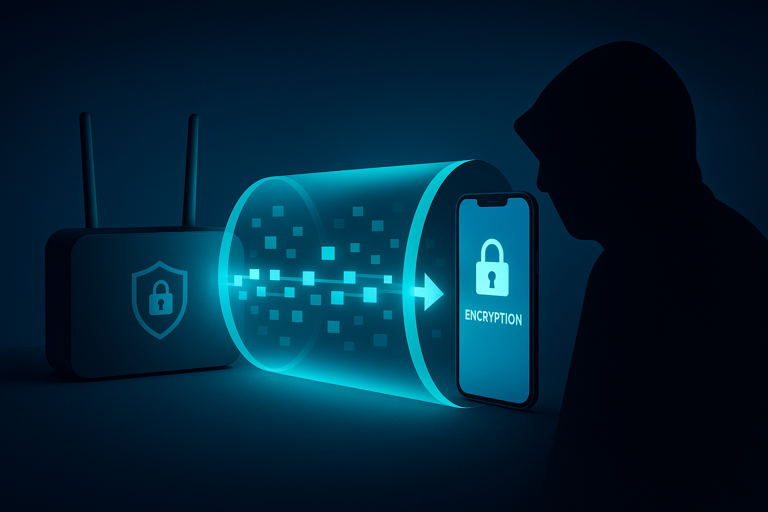
Encryption scrambles your data so interceptors can’t understand it. This protection is crucial for all smart device communications, whether they use MQTT, Zigbee, Wi-Fi or other protocols.
Transport Layer Security
Transport encryption protects data as it travels between devices. TLS (Transport Layer Security) is the industry standard, creating secure “tunnels” for your data that prevent:
- Eavesdropping: Outsiders can’t read your private data
- Tampering: Attackers can’t modify messages in transit
- Impersonation: Confirms you’re communicating with real devices, not imposters
Most protocols support encrypted versions. For example, MQTT runs on port 1883 without encryption but uses port 8883 with TLS. Always use encrypted connections in production environments.
End-to-End Encryption
For extra security, encrypt message content itself, not just the connection. This provides defense in depth, as if connection security fails, your actual data remains protected. End-to-end encryption ensures messages stay secure when passing through multiple systems and provides backup protection if other security measures fail.
Note that true end-to-end encryption is still uncommon in consumer IoT devices. Most systems use hop-by-hop TLS encryption, which protects data between individual connection points but not across the entire communication chain. As IoT security matures, more manufacturers are implementing genuine end-to-end protection.
Common Security Vulnerabilities
Understanding common weaknesses helps you protect devices more effectively. These vulnerabilities affect many types of connected devices across different manufacturers and protocols.
Dangerous Default Settings
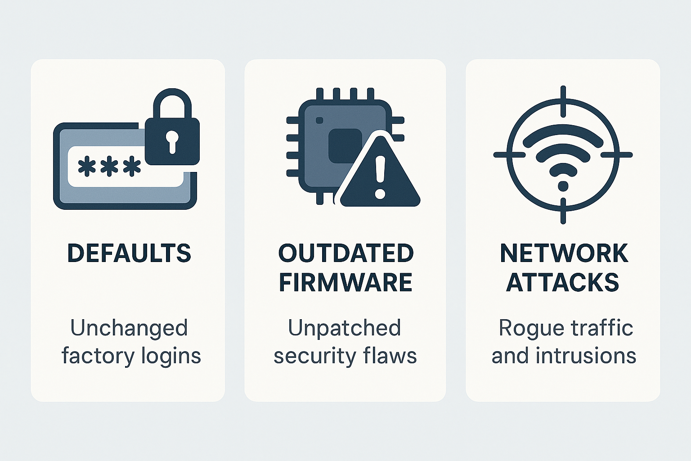
The biggest security risk comes from using factory default settings. Many devices ship with security features disabled to simplify initial setup.
Common risky defaults
- Easy to guess passwords like “admin” or “12345”
- Encryption disabled by default
- Open access until you set restrictions
- Unnecessary services running
Essential first steps
- Change default passwords immediately
- Enable all available security features
- Disable unused services and features
- Check for and install security updates
Software Vulnerabilities
Even well designed devices can have security flaws discovered over time. Outdated firmware may contain vulnerabilities such as buffer overflows that allow attackers to take control of or steal information.
Stay protected
- Enable automatic updates when available
- Check manufacturer sites regularly for security announcements
- Replace devices that no longer receive security updates
- Consider manufacturer’s security track record before buying
Network Based Attacks
Attackers can target devices through network connections by flooding them with requests, setting up fake services or intercepting traffic.
Protection strategies
- Use strong network passwords and modern security protocols
- Separate smart devices from computers with sensitive data
- Monitor network traffic for unusual patterns
- Keep routers and access points updated
Real World Security Failures
These examples show how security problems can seriously affect large systems, demonstrating why good security practices matter for everyone.
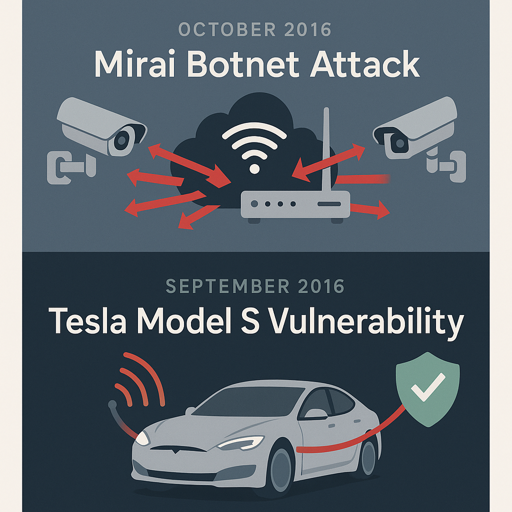
Mirai Botnet Attack (2016)
In 2016, hackers compromised millions of smart devices (cameras, routers, DVRs) using default passwords that owners never changed. These devices formed the Mirai botnet, which overwhelmed major Internet services, causing Twitter, Netflix and Reddit to go offline for hours.
Each infected device contributed to flooding Internet infrastructure with fake traffic. The attack succeeded because most device owners never changed simple default passwords like “admin” or “12345”.
Key lessons
- Always change default passwords on any connected device
- One unsecured device can contribute to problems affecting millions
- Good security practices protect everyone, not just yourself
Tesla Model S Vulnerability (2016)
Security researchers from Keen Security Lab discovered vulnerabilities that allowed remote control of a Tesla Model S. In a controlled research demonstration, they showed they could apply brakes, manipulate displays and access critical functions from miles away by exploiting weaknesses in the vehicle’s internal communication systems. Tesla responded quickly with security patches, but the demonstration highlighted how connected vehicle systems require very robust security measures.
Key lessons
- Multiple security layers provide backup when one measure fails
- Security problems can have real physical consequences
- Strong encryption and device verification prevent remote attacks
- Regular security audits are crucial for connected systems
The Future of IoT Security
As smart devices become more common, security measures continue evolving to meet new challenges.
Emerging Technologies
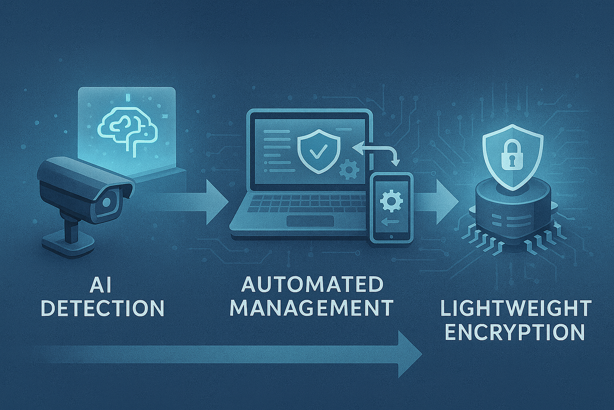
- AI-Powered Security: Machine learning systems detect unusual device behavior and identify threats before they cause damage, learning what’s normal and alerting you to anomalies
- Automated Security Management: Future systems will automatically update security settings, manage credentials and respond to threats without constant human oversight
- Lightweight Encryption: New encryption methods offer strong security while using less processing power, making advanced protection available even on resource constrained devices
Industry Collaboration
- Universal Standards: Technology companies are creating common security standards that work across different brands and device types
- Security by Design: Manufacturers increasingly build security into devices from the ground up rather than adding it as an afterthought
- Simplified User Experience: Security tools are becoming easier to use, making strong protection accessible regardless of technical expertise
Protecting Your Connected World
IoT security matters for everyone, from homeowners with a few smart devices to businesses managing thousands of sensors. By implementing strong authentication, appropriate authorization controls and reliable encryption, you can dramatically reduce risks and protect your data.
Start with the basics: change default passwords, enable encryption, keep firmware updated and segment your network. These fundamental practices create a solid security foundation that protects your entire connected ecosystem. As you add more devices, maintain these core principles and they’ll serve you well for years to come.