Your Zigbee motion sensor pairs in seconds. Your Philips Hue bulbs respond instantly. The door sensor fires automations without delay. This is Zigbee working as intended – but only when it’s paired with the right hub. Choose the wrong one and you’ll hit device limits, lose local control during Wi-Fi outages, or find that half your devices won’t pair at all. This guide covers the best Zigbee hubs available in 2026, from plug-and-play entry points to advanced local control options, so you can build a Zigbee network that runs smoothly from day one.
Updated for 2026: Includes Philips Hue Bridge Pro, Echo Dot Max Zigbee hub testing, Aeotec Smart Home Hub 2 (V4), and Home Assistant Green as a purpose-built local control option.
Who this guide is for: If you want reliable lights and sensors with minimal setup, start with the Echo Dot Max. If offline-first reliability matters most, jump to Hubitat or Home Assistant. All-in on Philips Hue lighting? The Bridge is all you need. If you’re unsure which category you fall into, the comparison table below will help make the decision obvious.
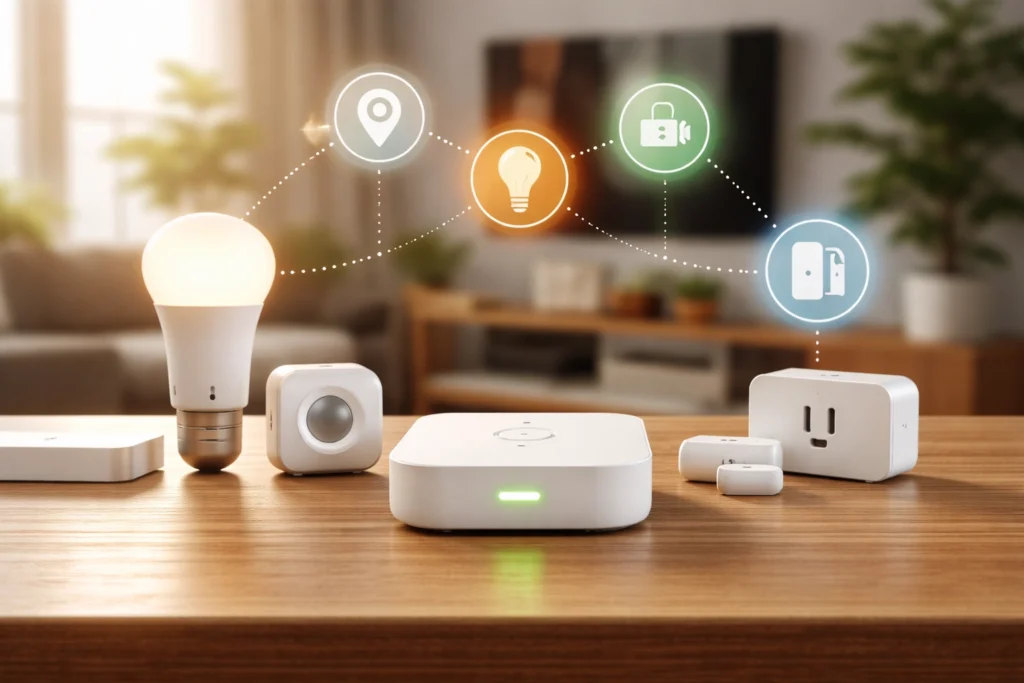
Quick Picks: Best Zigbee Hubs at a Glance
🏆 Best Overall: Amazon Echo Dot Max — ~$80–$100 | Zigbee + Matter + Thread, hands-on tested, excellent value
📺 Best with Touchscreen: Amazon Echo Hub — ~$150–$180 | Zigbee + Matter + Thread via built-in hub, dedicated 8″ smart home display
💡 Best for Hue Users: Philips Hue Bridge / Bridge Pro — ~$35–$65 / ~$99 | Purpose-built for Hue ecosystems, Matter support built-in
📱 Best for SmartThings Users: Aeotec Smart Home Hub 2 — ~$130 | Matter + Thread Border Router + Zigbee
🎛️ Best for Power Users: Hubitat Elevation C-8 Pro — ~$200 | Zigbee + Z-Wave, 100% local processing, advanced automation
Zigbee Hub Comparison Overview
| Hub | Zigbee | Z-Wave | Matter/Thread BR | Local Control | Price |
|---|---|---|---|---|---|
| Echo Dot Max | ✓ | ✗ | ✓ / ✓ | Partial * | ~$80–$100 |
| Echo Hub | ✓ | ✗ | ✓ / ✓ | Partial * | ~$150–$180 |
| Hue Bridge | ✓ (Hue only) | ✗ | ✓ / ✗ | Partial * | ~$35–$65 |
| Hue Bridge Pro | ✓ (Hue only) | ✗ | ✓ / ✗ | Partial * | ~$99 |
| Aeotec Hub 2 (V4) | ✓ | ✗ | ✓ / ✓ | Partial * | ~$130 |
| Hubitat C-8 Pro | ✓ | ✓ | ✓ / ✗ | Full | ~$200 |
* “Partial” local control means direct device communication may continue during an outage, but voice features, remote access, and some automations rely on cloud services.
What Is a Zigbee Hub?
A Zigbee hub (also called a Zigbee coordinator) is the central device that manages your Zigbee network. It pairs with Zigbee sensors, bulbs, plugs and switches, coordinates communication between them, and connects that network to your smart home app or voice assistant. Without a coordinator, Zigbee devices cannot form a network or be controlled remotely.
What Makes a Good Zigbee Hub?
Not all Zigbee hubs are created equal. The best Zigbee hub for you depends on device compatibility, local control needs, and how many devices you plan to add. Before spending money, four things are worth checking.
- Device capacity: Most consumer hubs handle 50-100 Zigbee devices comfortably, but some cap out earlier
- Antenna quality: Hubs with external antennas (like the Hubitat C-8 Pro) offer meaningfully better range than those with internal antennas
- Local processing: Hubs that execute automations locally keep working during Internet outages, while cloud-dependent hubs don’t
- App and ecosystem fit: The best Zigbee radio in the world won’t help if the hub’s app doesn’t work well with your existing devices
For a deeper look at how Zigbee’s mesh networking and protocol stack work, check out my complete Zigbee guide.
How I Evaluated These Hubs
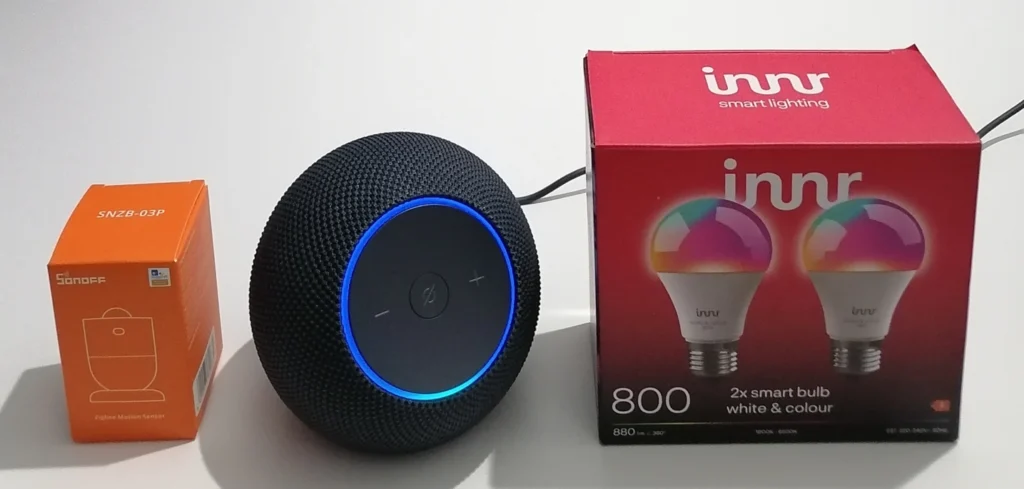
The Echo Dot Max was tested hands-on using an Innr color bulb and a SONOFF SNZB-03P motion sensor. All other hubs were evaluated through verified manufacturer specifications, official documentation and real world user feedback from major retailer reviews and community forums.
Jump To:
- Quick Picks
- Amazon Echo Dot Max (Best Overall)
- Amazon Echo Hub (Best with Touchscreen)
- Philips Hue Bridge / Bridge Pro (Best for Hue Users)
- Aeotec Smart Home Hub 2 (Best for SmartThings Users)
- Hubitat Elevation C-8 Pro (Best for Local Control)
- FAQ
Best Zigbee Hubs for 2026
Amazon Echo Dot Max
Best Overall | ~$80–$100 | View on Amazon (Hands-On Tested)
Rating: 4.7/5
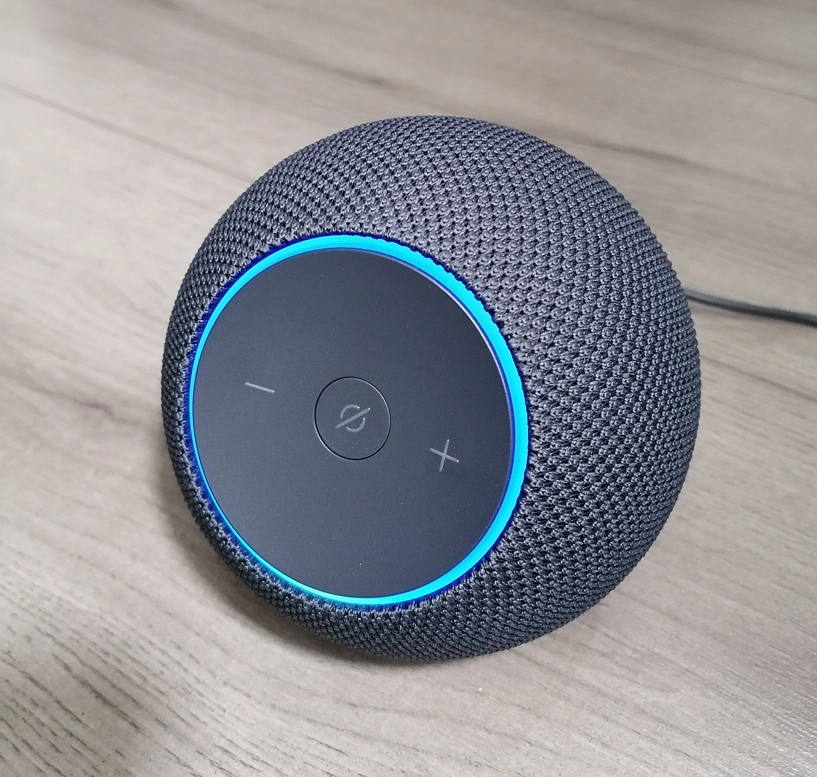
At a Glance: Built-in Zigbee hub | Thread Border Router | Matter controller | Alexa | Wi-Fi 6E
Real life scenario: You want a ~$80–$100 smart speaker that also pairs Zigbee motion sensors and bulbs in minutes. No separate bridge, no technical setup.
The Echo Dot Max is one of the most practical entry points for Zigbee in 2026. At around $100, it bundles a capable Zigbee coordinator, Thread Border Router and Matter controller into a compact speaker that most households will find useful beyond its hub duties. I tested the Zigbee functionality using an Innr color bulb and a SONOFF SNZB-03P motion sensor. Both paired directly through the Alexa app without any bridge hardware (under two minutes each).
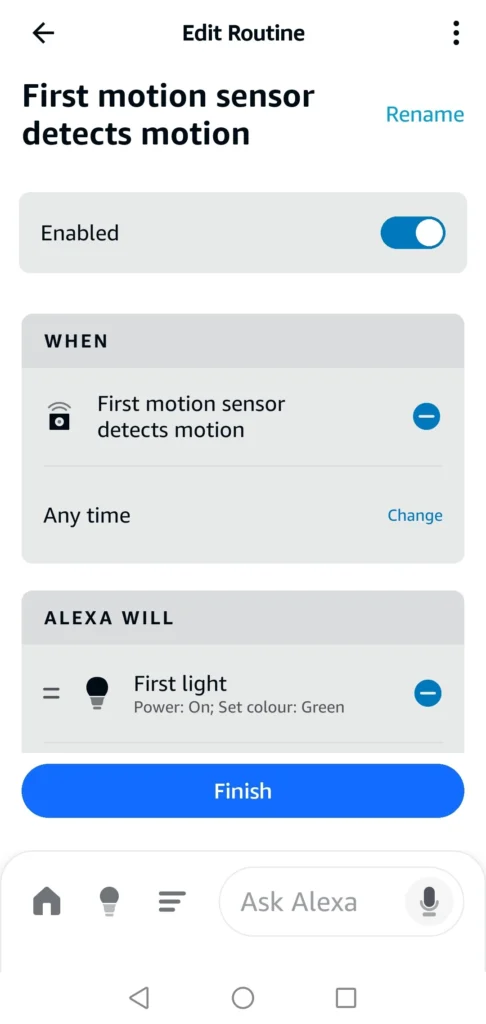
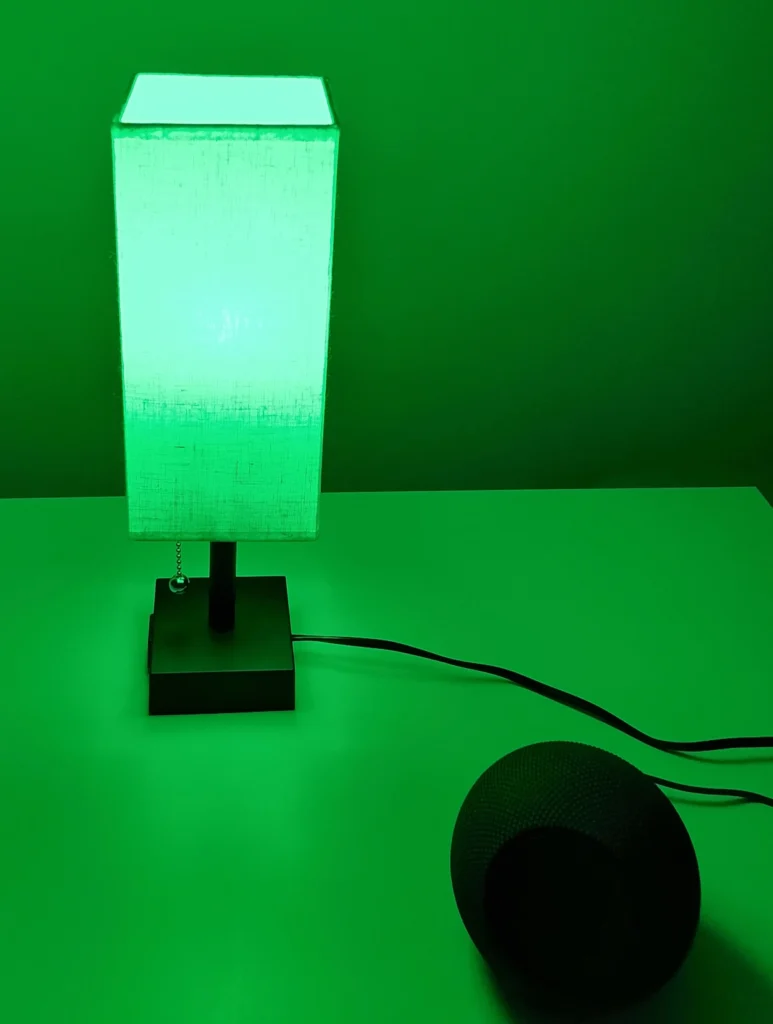
The Alexa app usually discovers compatible Zigbee devices during setup and adds them without a separate bridge, routing them through the Echo Dot Max rather than over Wi-Fi, keeping your router’s device list clean. With both devices paired, I built a routine linking the motion sensor to the bulb – motion detected, triggers the light to switch on in green. The Echo Dot Max coordinated both Zigbee devices simultaneously without hesitation.
Key Specs
- Built-in Zigbee hub
- Thread Border Router for Matter over Thread devices
- Matter controller support
- Wi-Fi 6E (2.4 / 5 / 6 GHz)
- Alexa voice assistant
- Omnisense presence and temperature sensing
- Amazon Sidewalk support
Why Buy This?
- Broadest mainstream compatibility – supports Zigbee, Thread/Matter and Wi-Fi devices from many popular brands (compatibility varies, check your specific devices if they’re from niche manufacturers)
- Eliminates separate bridges for many Zigbee bulbs and sensors
- Thread Border Router future-proofs for Matter device expansion
- Alexa Routines handle multi-condition automation without technical knowledge
- Omnisense enables presence-triggered automations using built-in sensing
Worth Knowing
- No Z-Wave support – a separate hub is needed for Z-Wave locks and sensors
- Voice features, remote access and most routines require cloud connectivity – direct Zigbee device control on the local network may keep working in some outage scenarios
- Always-listening device – a privacy consideration for some households
Best For
Most households starting with Zigbee, Alexa ecosystem users, homes using Zigbee bulbs and sensors alongside Wi-Fi devices, anyone wanting hands-off setup without technical complexity.
Amazon Echo Hub — Best Zigbee Hub with Touchscreen
Best with Touchscreen | ~$150–$180 | View on Amazon (Research Based Evaluation)
Rating: 4.6/5
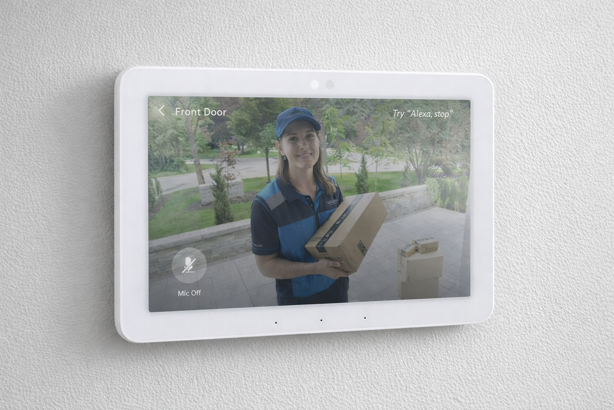
At a Glance: Built-in Zigbee hub | Thread Border Router | Matter controller | 8″ touchscreen | Alexa
Real life scenario: You have 20+ Zigbee devices across several rooms and want a wall mounted panel that shows everything at a glance, without reaching for your phone.
The Echo Hub supports Zigbee, Matter and Thread via its built-in smart home hub – the same protocol coverage as the Echo Dot Max – but replaces the speaker with a dedicated 8-inch touchscreen smart home control panel. If you’re managing a larger Zigbee network and want at-a-glance room control, it earns the $80 premium. For smaller setups, the Echo Dot Max delivers the same hub capability at lower cost.
Key Specs
- 8″ touchscreen dedicated smart home control panel
- Built-in Zigbee hub
- Thread Border Router for Matter devices
- Matter controller support
- Alexa voice assistant
- Multi-camera view support
- Wall or countertop mountable
Why Buy This?
- Dedicated smart home dashboard groups Zigbee devices by room without opening an app
- Multi-camera view displays several feeds simultaneously alongside device controls
- Full Zigbee, Matter and Thread hub capability – same protocol support as the Echo Dot Max
- Flexible mounting – wall-mount or countertop placement
Worth Knowing
- Same protocol limitations as Echo Dot Max – no Z-Wave
- $80 premium over Echo Dot Max is hard to justify for smaller Zigbee setups
- Not a music-first device, speaker handles prompts but little else
Best For
Larger Zigbee networks of 20+ devices, homes with multiple security cameras, users wanting a dedicated wall mounted control panel.
Philips Hue Bridge / Bridge Pro
Best for Hue Ecosystems | Bridge: ~$35–$65 | Bridge Pro: ~$99 | View Bridge on Amazon | View Bridge Pro on Amazon (Research Based Evaluation)
Bridge Rating: 4.4/5 | Bridge Pro Rating: 4.5/5
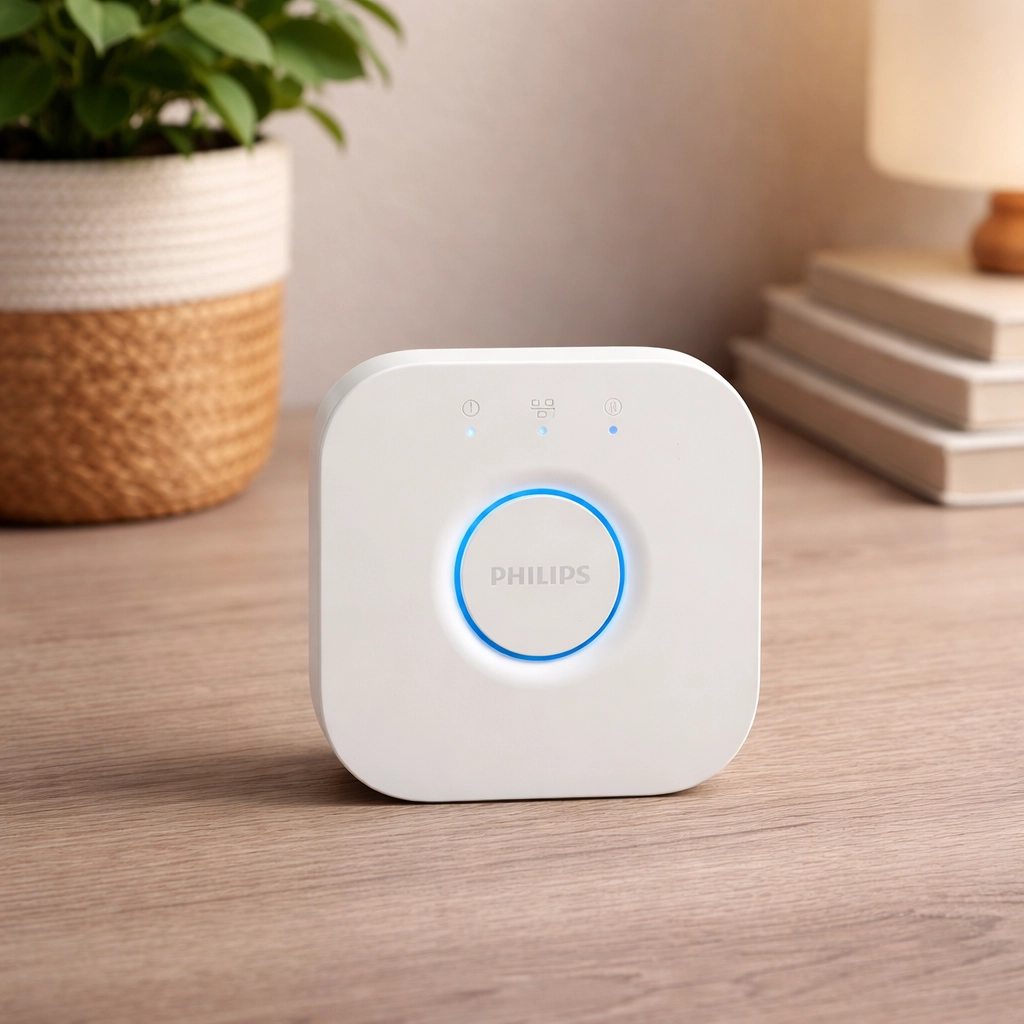
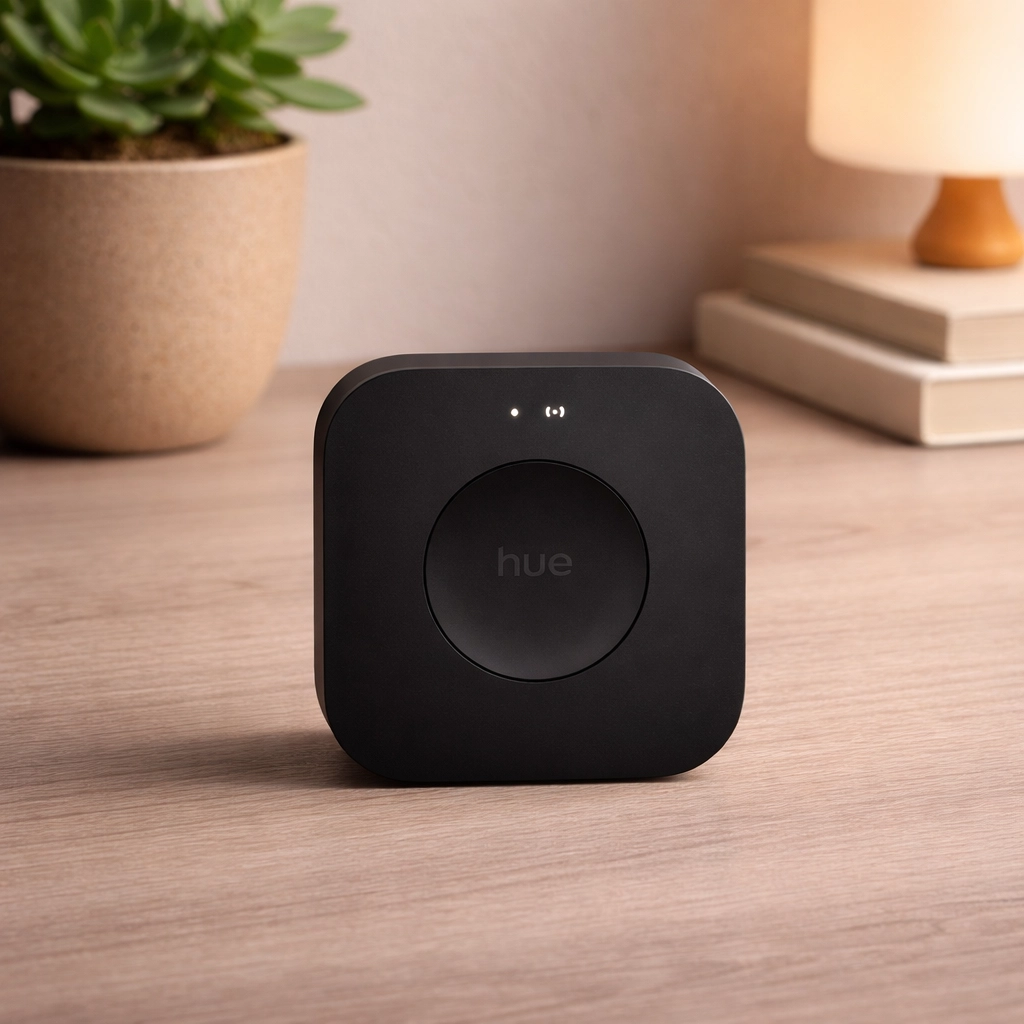
At a Glance: Zigbee coordinator (Hue ecosystem) | Matter support | Standard Bridge: Ethernet only | Bridge Pro: Ethernet or Wi-Fi
⚠️ Important: The Hue Bridge and Bridge Pro are not general Zigbee hubs. They are designed specifically for Philips Hue ecosystem devices and will not pair SONOFF sensors, Aqara devices or other third-party Zigbee products.
Real life scenario: Your home is built around Philips Hue lighting and you want the fastest, most polished control experience, with the flexibility to expose those lights to Apple Home, Alexa or Google via Matter.
Within the Hue ecosystem, both bridges deliver exceptionally reliable control. Both support Matter via firmware, meaning your Hue lights are exposed to Apple Home, Google Home, Alexa and other Matter platforms. Note that neither bridge is a Thread Border Router. Hue’s Matter implementation works through its own Zigbee infrastructure rather than Thread.
The standard Bridge handles up to 50 lights and 12 accessories, and requires an Ethernet connection to your router, which covers most households comfortably at around $35+. The Bridge Pro adds considerable headroom, handling up to 150+ lights and 50+ accessories, and gains Wi-Fi connectivity, meaning it can be placed anywhere in the home rather than adjacent to the router. It also introduces MotionAware, which uses Hue lights themselves as presence detectors without requiring separate motion sensors.
Key Specs (Bridge)
- Zigbee coordinator (Hue ecosystem devices)
- Up to 50 lights and 12 accessories
- Matter support (exposes Hue devices to Matter compatible platforms)
- Ethernet only, so must be placed near router
- Lights continue working locally during Internet outages
Key Specs (Bridge Pro)
- Zigbee coordinator (Hue ecosystem devices)
- 150+ lights, 50+ accessories, 500 scenes
- Hue Chip Pro – significantly faster processing for complex scenes and automations
- Ethernet or Wi-Fi connectivity – can be placed anywhere in the home
- MotionAware – uses Hue lights as indoor motion detectors (works in supported areas, see Hue app for setup requirements)
- USB-C power (vs legacy DC connector on standard Bridge)
Bridge vs Bridge Pro: Which Should You Buy?
For most Hue users, the standard Bridge at around $35 is the right choice. It handles up to 50 lights, supports Matter, and covers everything a typical household needs. The Bridge Pro is worth the premium if you’re running 50+ Hue lights, want MotionAware without additional sensors, or are migrating from multiple older bridges into a single hub. The Wi-Fi flexibility is also a genuine benefit if a wired router connection is less than convenient.
Worth Knowing
- Neither bridge works as a general Zigbee hub (Hue ecosystem devices only)
- Neither bridge is a Thread Border Router
- Standard Bridge requires Ethernet, whereas Bridge Pro can use Ethernet or Wi-Fi
Best For
Existing Philips Hue users wanting reliable ecosystem-native control, lighting-focused smart homes, users who want Matter compatibility without replacing their Hue investment.
Aeotec Smart Home Hub
Best for SmartThings Users | ~$130 (V4) | View on Amazon | ~$150 (V3) | View on Amazon (Research Based Evaluation)
Rating: 4.3/5
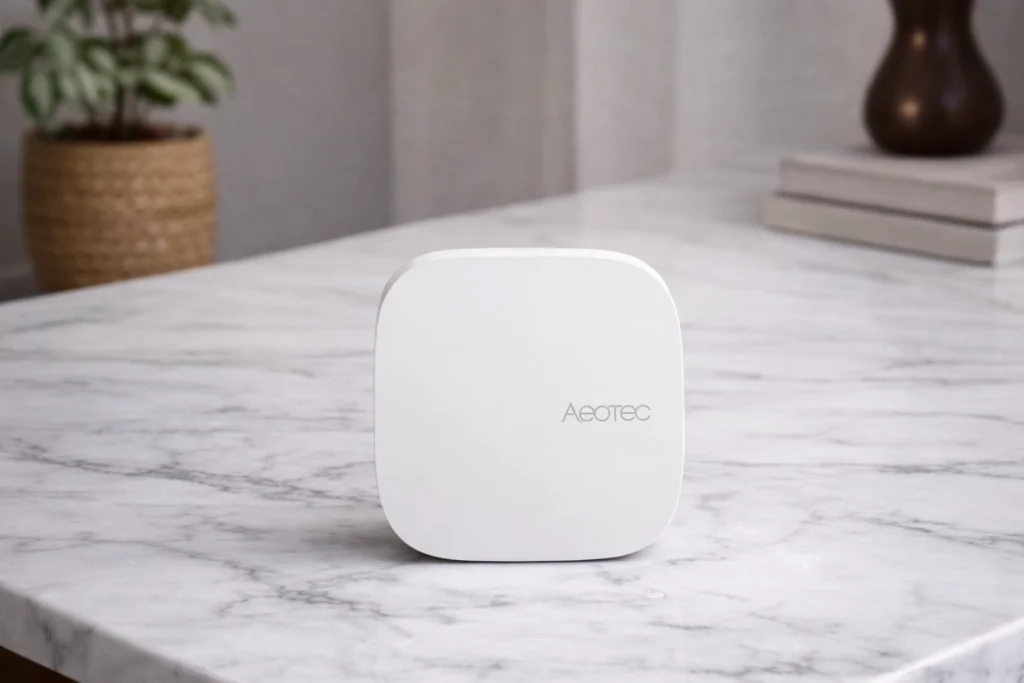
At a Glance – Aeotec Smart Home Hub 2 (V4): Zigbee + Matter + Thread Border Router | SmartThings platform | No Z-Wave | ~$130
⚠️ Model note: Two versions are currently available on Amazon. The V4 / Smart Home Hub 2 (2025) adds Thread Border Router capability but drops Z-Wave. The older V3 retains Z-Wave but has no Thread. Check which model you are purchasing. If you have Z-Wave locks or sensors, the V3 or Hubitat are your best options.
Real life scenario: You’re on Android or in the Samsung ecosystem, want SmartThings as your platform, and are building a new Zigbee setup without legacy Z-Wave devices to worry about.
The Aeotec Smart Home Hub 2 runs Samsung’s SmartThings platform with considerably higher spec hardware than the original – faster processor, more RAM, Thread Border Router capability and Matter support. SmartThings has one of the broadest third-party Zigbee device compatibility lists of any consumer hub, and the local-first processing design means many automations will continue running even during Internet outages. The Z-Wave removal is a meaningful trade-off for anyone with an existing Z-Wave device investment.
Key Specs – Hub 2 (V4, 2025 current model)
- Zigbee 3.0 hub
- Thread Border Router
- Matter controller support
- Wi-Fi and Ethernet connectivity
- SmartThings platform (Samsung ecosystem)
- Local-first automation processing (cloud dependence varies by device and automation type)
- Works with Alexa and Google Assistant
Why Buy This?
- Thread Border Router adds full Matter over Thread coverage alongside Zigbee
- SmartThings platform has excellent Samsung device integration and broad third-party Zigbee compatibility
- Local-first processing – SmartThings supports more local execution than it used to, and Hub 2 is designed for better offline reliability (cloud dependence can still apply depending on device type and automation)
- Strong community with extensive device handlers and automation recipes
Worth Knowing
- Current V4 model has no Z-Wave, therefore if you have Z-Wave locks or sensors, look at the V3 or Hubitat instead
- Samsung’s platform direction has shifted over the years, so worth checking current community sentiment before committing
- Some cloud dependency remains for app access and remote control
Best For
Samsung and Android ecosystem users building new Zigbee setups, homes that don’t rely on Z-Wave, users who want Thread Border Router capability at a lower price point than Hubitat.
Hubitat Elevation C-8 Pro — Best Zigbee Hub for Local Control
Best for Power Users | ~$200 | View on Amazon (Research Based Evaluation)
Rating: 4.4/5
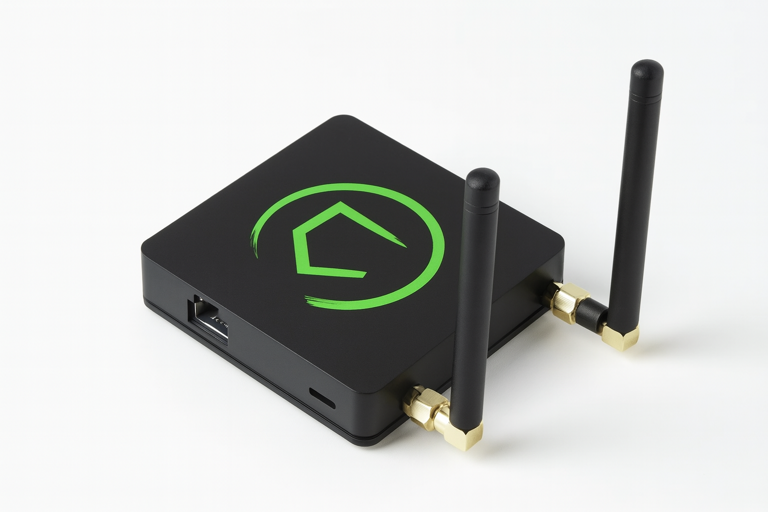
At a Glance: Zigbee 3.0 + Z-Wave 800 + Long Range | External antennas | 100% local processing | Matter controller | No subscription | ~$200
Real-life scenario: Your smart home automations need to work reliably even when your broadband goes down, and you have Z-Wave locks alongside Zigbee sensors.
The Hubitat C-8 Pro is the strongest Zigbee hub available for users who prioritize local control, privacy and automation depth. Every routine executes locally. No Internet required, no cloud dependency, no latency. The external Zigbee antenna delivers much better range than internal antenna hubs, which is important for larger homes or properties with challenging layouts. Z-Wave 800 Long Range support extends wireless reach for detached structures like garages or outbuildings.
Key Specs
- Zigbee 3.0 with external antenna
- Z-Wave 800 with Long Range and external antenna
- Matter controller support
- Ethernet and Wi-Fi connectivity
- 100% local processing, all automations run without Internet
- Compatible with Alexa, Google Assistant and Siri via integration
Why Buy This?
- Full local processing – automations run instantly and reliably regardless of Internet status
- External antennas provide superior Zigbee and Z-Wave range compared to internal antenna hubs
- No subscription for any core functionality including remote access
- Advanced Rule Machine handles virtually any automation scenario with precision
- Complete privacy – data never leaves your local network
Worth Knowing
- Setup requires a web interface and comfort with technical configuration (not plug-and-play)
- No Thread Border Router – Thread-only Matter devices won’t connect directly
- Double the price of the Echo Dot Max for comparable Zigbee coverage
Best For
Tech-savvy users wanting maximum Zigbee control, privacy-focused households requiring zero cloud dependency, homes with Z-Wave locks or sensors, larger properties needing extended wireless range.
For Advanced Users: Home Assistant with a Zigbee Dongle
If you’re comfortable with self-hosted software and want the most granular possible Zigbee control, Home Assistant paired with the SONOFF Zigbee 3.0 USB Dongle Plus (ZBDongle-P) is the strongest option available. The dongle uses the Texas Instruments CC2652P chip, the community favorite for Home Assistant and Zigbee2MQTT, with the broadest firmware support and the longest track record of the available options. SONOFF also makes a Dongle Plus-E (ZBDongle-E) using a Silicon Labs EFR32MG21 chip. It now works reliably, but the P variant remains the safer first choice due to its more mature community documentation.
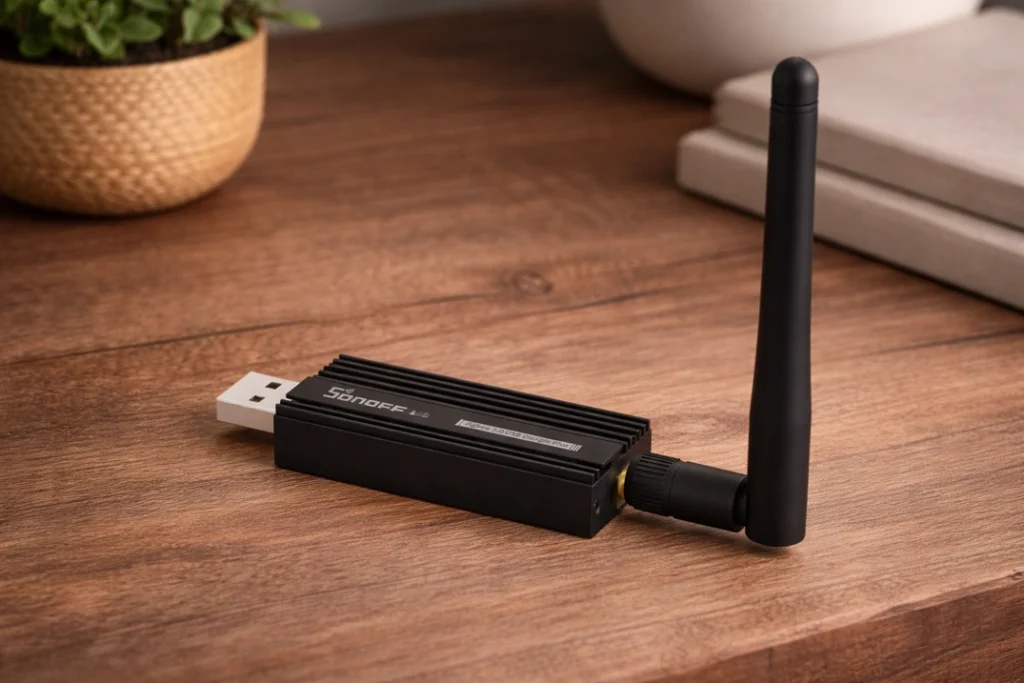
The Home Assistant Green (priced around $179) is the cleanest host device for this setup. It is a purpose-built appliance running Home Assistant OS on solid eMMC storage, avoiding the SD card reliability issues that affected earlier Raspberry Pi setups. Home Assistant is open source and free, with the hardware being the only upfront cost. The trade-off is a steeper learning curve than any hub on this list. For readers who want local control without that complexity, Hubitat is the more accessible path.
Zigbee Hub Device Limits and Real World Capacity
Published device limits only tell part of the story. The Philips Hue Bridge caps at 50 lights and 12 accessories by design. The Bridge Pro raises this to 150+ lights and 50+ accessories. The Echo Dot Max, Hubitat and Aeotec hubs don’t publish hard limits but can normally handle well over 100 devices before performance degrades. What actually determines how well your Zigbee network performs at scale is mesh health – specifically, the number and placement of hardwired or plug-in router devices (smart plugs, bulbs, in-wall switches) throughout your home. Every powered Zigbee device typically acts as a router, extending the mesh and reducing the load on the coordinator. A hub with excellent hardware will still underperform with a sparse or unbalanced mesh. See my best Zigbee smart home devices guide for product recommendations that will help you build a strong mesh.
Frequently Asked Questions
Can I use any Zigbee hub with any Zigbee device?
Generally, yes for Zigbee 3.0 certified devices. The standard was designed for cross-manufacturer compatibility. In practice, most mainstream Zigbee devices (Aqara, SONOFF, ThirdReality, Innr, Sengled) pair with general purpose hubs like the Echo Dot Max, Hubitat and SmartThings. The Philips Hue Bridge is the notable exception, as it is designed for Hue ecosystem devices and will not pair third-party Zigbee products. Always check compatibility lists for less common devices before purchasing.
Do I need a Zigbee hub if my devices support Matter?
It depends on how your Matter devices connect. Matter over Wi-Fi devices connect directly to your router without any hub. Matter over Thread devices require a Thread Border Router, which is built into hubs like the Echo Dot Max, Echo Hub and Aeotec Hub 2. Zigbee devices are entirely separate from Matter and always require a Zigbee coordinator hub. For a full breakdown of how these protocols relate to each other, see my Matter protocol guide and Thread protocol guide.
Which Zigbee hub works without the Internet?
Hubitat and Home Assistant both execute automations entirely locally with no Internet dependency. The Aeotec Hub 2 also prioritizes local automation processing. The Echo Dot Max and Hue Bridge maintain basic local device control during outages, but voice commands, remote access and most cloud-dependent routines require connectivity. For users where offline reliability is a priority, like rural properties, security systems and critical automations, Hubitat or Home Assistant are the only fully reliable choices.
Bee the Boss of Your Smart Home
A Zigbee hub sets the ceiling for how reliable your smart home can become. Pick one that matches how you live, whether that’s simplicity, offline resilience or deep automation – and everything else falls into place more easily.
From there, success comes down to building a healthy mesh and letting the system do its job. With the right hub and a few well placed powered devices, Zigbee fades into the background. Lights respond instantly, sensors feel dependable, and automations just happen.
That’s when the hive hums along on its own, and you get to enjoy the calm that comes from knowing everything’s taken care of.