Standing in the smart home aisle, staring at Amazon Echo devices on one shelf and Google Nest speakers on the other, you’re facing one of the most consequential decisions in home automation. Choose Alexa and you’re committing to Amazon’s ecosystem. Pick Google Home and you’re building around Google’s platform. Get this wrong and you might find yourself replacing devices or living with frustrating limitations down the road.
Both ecosystems have matured significantly, and honestly, either one can run a capable smart home. But they approach things differently enough that the right choice depends on your specific scenario, existing tech and how you actually use voice assistants.
Quick Comparison: Alexa vs Google Home
| Category | Amazon Alexa | Google Home |
|---|---|---|
| Best for | Maximum device compatibility, Amazon services integration | Conversational intelligence, Google services integration |
| Voice Recognition | Strong voice profiles for household personalization | Superior contextual understanding and follow-up questions |
| Smart Home Devices | Broader third-party device support, especially niche products | Strong mainstream support, improving Matter compatibility |
| Protocol Support | Native Zigbee (on select Echo devices) | No native Zigbee, relies on cloud integrations and Matter |
| Automation | More trigger types (sound detection, device states) | Clean interface, fewer trigger options |
| Media Integration | Amazon Music, Prime Video, Audible | YouTube Music, YouTube, Chromecast |
| Privacy | Similar controls and concerns to Google | Similar controls and concerns to Amazon |
| Best for families | FreeTime features, kid-specific devices | Good parental controls, less kid-focused |
The Core Difference: Philosophy and Approach
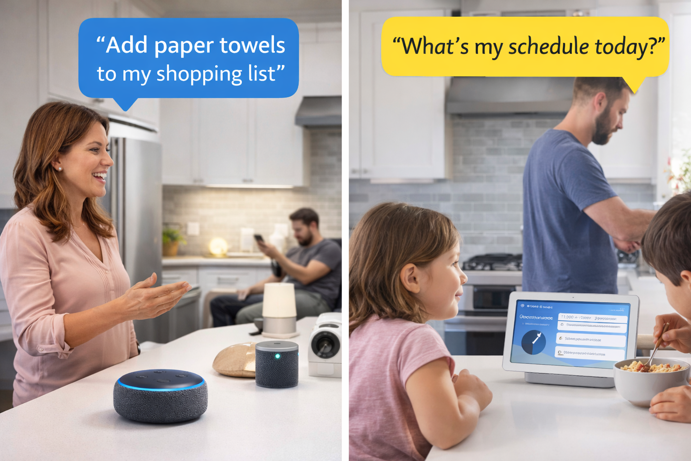
Amazon built Alexa around shopping convenience and device integration. Google designed Assistant around search intelligence and personalized responses. This fundamental difference shows up everywhere once you start using these systems daily.
Alexa excels at straightforward commands and works with an enormous range of third-party devices through “Skills.” You’ll find Alexa support on everything from obscure smart home gadgets to major appliances. Voice recognition handles multiple household members well, and routines let you chain actions together with simple trigger phrases.
Google Home leverages Google’s search expertise to understand context and follow-up questions better than any competitor. Ask “What’s the weather?” then immediately ask “Will I need an umbrella?” and Google understands you’re still talking about weather. Integration with Google services (Gmail, Calendar, Photos, Maps) runs deeper than Alexa’s equivalent connections.
Smart Speaker Hardware
Amazon’s Echo line-up includes the compact Echo Dot, the standard Echo, and the Echo Studio for impressive sound quality. The Echo Show series adds screens in various sizes, with the Show 10 featuring a motorized display that rotates to follow you. The Echo Hub serves as a dedicated smart home control panel.
Google’s Nest Audio handles mid-tier needs with surprisingly good sound. The Nest Mini covers basic tasks in smaller spaces. The Nest Hub and Nest Hub Max bring screens, with the Max adding a camera for video calls.
Sound quality varies considerably, but Amazon’s higher end speakers generally edge out Google’s equivalents for pure audio performance. Both support multi-room audio. Price points overlap significantly, with budget options around $30-50, mid-range at $80-120, and premium devices at $200-400. Amazon discounts more aggressively during sales.
Device Compatibility and Smart Home Integration
Alexa historically claimed broader device support, particularly with smaller manufacturers and niche products. You’ll find Alexa support on most smart pet feeders, pet cameras, air purifiers and specialty devices.
Google Home has closed the gap. Most mainstream smart home products now support both platforms. Gaps appear with lesser-known brands or very specific product categories. Some smart garden systems or specialized IoT sensors might work with one platform but not the other.
The Matter protocol changed this dynamic considerably. Matter creates a universal standard that works across Alexa, Google Home, Apple HomeKit and other platforms. Devices with Matter support work with whichever ecosystem you choose, though adoption is still rolling out across different device categories.
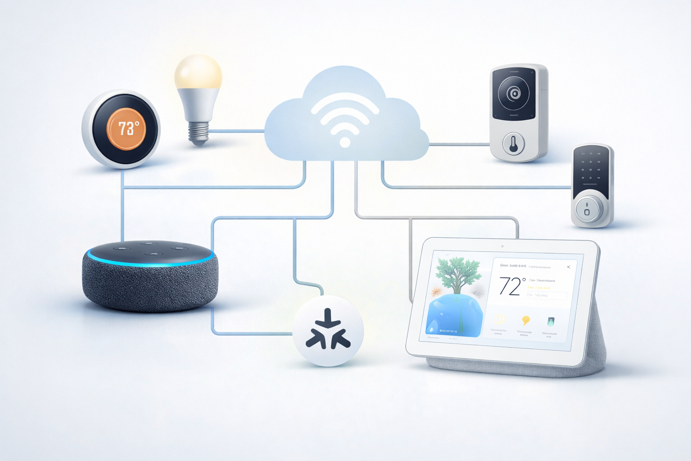
Select Amazon Echo models (Echo 4th gen, Echo Studio, Echo Hub) can control Zigbee devices directly without needing a separate hub. Google Home doesn’t offer native Zigbee support, relying instead on cloud integrations or Matter compatible devices.
Voice Recognition and Natural Language Processing
Google Assistant handles conversational context better than Alexa in most situations. Ask Alexa “What’s the capital of France?” then “What’s the population?” and you’ll likely get an answer about general global population. Google understands you’re still asking about Paris. This extends to commands like “Turn off the lights” followed by “Actually, just dim them to 50%” where Google grasps that “them” refers to the lights you just mentioned.
Alexa compensates with better household member recognition through voice profiles. Multiple people can set up profiles, and Alexa distinguishes between speakers to provide personalized responses, shopping lists and music preferences. Google offers similar voice matching, though Amazon’s implementation often feels more reliable in multi-user households.
Routines and Automation
Alexa routines support more trigger types including voice commands, schedules, device states, alarms, location and sounds detected by Echo devices. You can create a routine that turns on lights when Alexa hears your alarm going off. The routine builder is straightforward, though it can feel limiting for complex scenarios.
Google Home routines work with fewer trigger options. Mainly voice commands, schedules, sunrise/sunset timing and dismissed alarms. The interface is clean and beginner friendly. Both platforms support “Household Routines” that any family member can trigger.
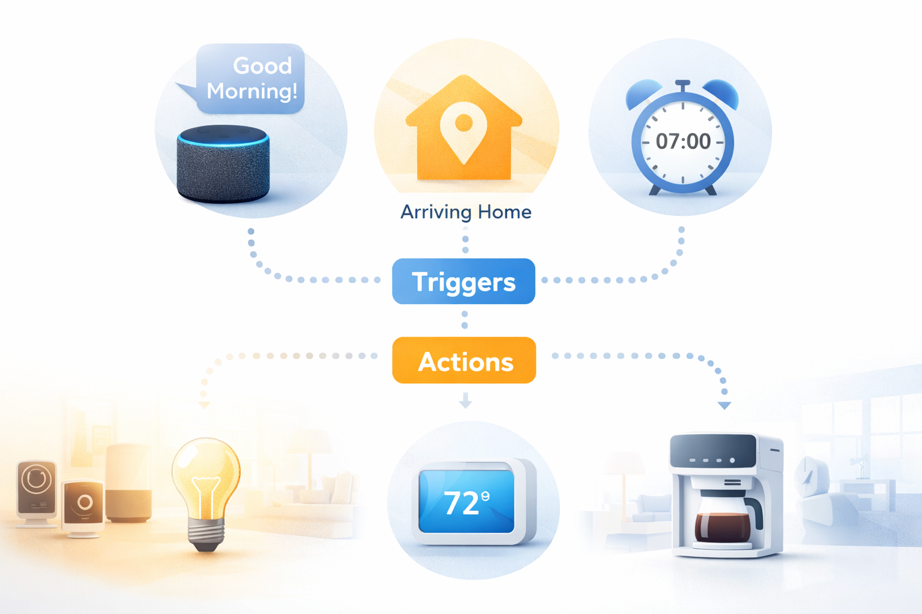
For genuinely advanced automation, both platforms have limitations. Serious enthusiasts often pair either Alexa or Google with a dedicated smart home hub running more sophisticated automation software.
Media and Entertainment
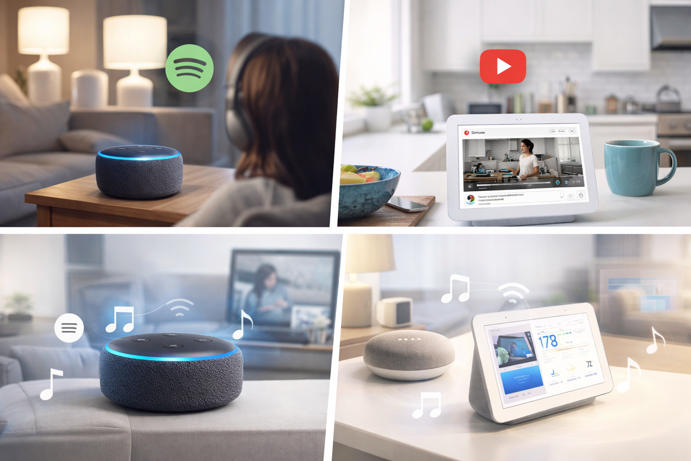
Both support Spotify, Pandora, Apple Music and other major services, but default preferences matter. Amazon Music works most seamlessly with Alexa devices. YouTube Music naturally integrates better with Google Home, and YouTube video playback on Google’s smart displays works more smoothly than on Echo Shows.
For video streaming, Echo Show devices support Prime Video natively, while Netflix and Hulu work on both platforms. Google’s integration with YouTube and Chromecast enabled TVs is genuinely useful if you’re already in that ecosystem.
Privacy and Data Collection
Both companies collect voice data, and both have faced privacy concerns. Amazon records voice commands by default and uses them to improve Alexa’s performance. You can review and delete recordings through the Alexa app. Amazon employees and contractors have historically reviewed some recordings to improve the system, though you can opt out of human review in privacy settings.
Google also records voice interactions by default for service improvement. Their privacy dashboard lets you review, delete or automatically expire voice recordings after a set period. Like Amazon, they now allow you to opt out of human review.
Neither company can claim a meaningful privacy advantage. Both platforms offer similar controls. Camera equipped models include physical camera covers. Both require Internet connectivity since audio processing happens primarily in the cloud.
Shopping and Services Integration
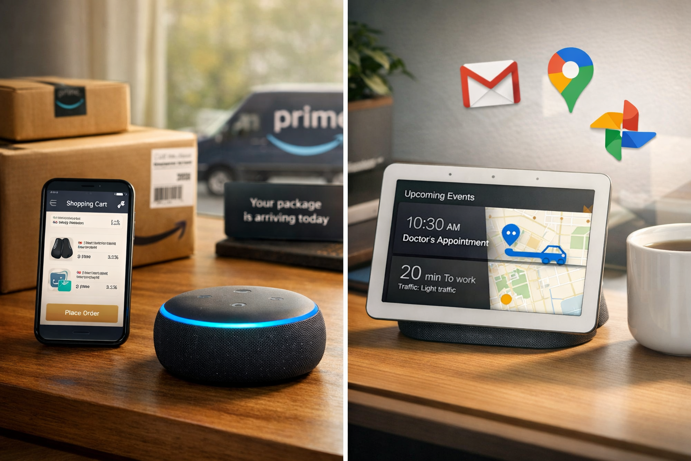
Amazon pushes shopping through Alexa. Voice ordering is enabled by default, though you can set it to require a confirmation code. Google’s shopping integration is less aggressive – you can search for products and compare prices, but the overall emphasis on commerce is noticeably lower.
Google Assistant connects more naturally with Google Calendar, Gmail, Google Photos and Maps. Ask about your schedule, traffic to your next appointment or display specific photos, and Google’s integration shines. Alexa can access Google services, but it requires explicit setup and doesn’t feel as seamless.
Amazon’s advantage comes with services like Prime delivery tracking, Kindle book reading and Audible audiobook playback. If you’re already embedded in Amazon’s services, Alexa ties everything together nicely.
Real World Use Cases: Which Ecosystem Wins?
You’re already deep in Amazon’s ecosystem: If you subscribe to Amazon Prime, use Kindle extensively, listen to Audible or shop on Amazon regularly, Alexa integrates all of these services more smoothly. Choose Alexa.
You rely heavily on Google services: Gmail, Google Calendar, Google Photos and YouTube are central to your digital life. You probably use Android phones. Google Assistant connects these services together naturally. Choose Google Home.
You prioritize conversational intelligence: You want an assistant that understands follow-up questions, remembers context and gives nuanced answers to factual questions. Choose Google Home.
You want maximum smart home device compatibility: You’re planning to integrate lots of different smart home products, including some from smaller manufacturers. Alexa’s broader device support gives you more options. Choose Alexa.
You have young children: Both platforms offer parental controls, but Alexa’s FreeTime features and kid-specific Echo Dot models are purpose built for households with children. Choose Alexa.
A Smarter Choice, Not a Hard One
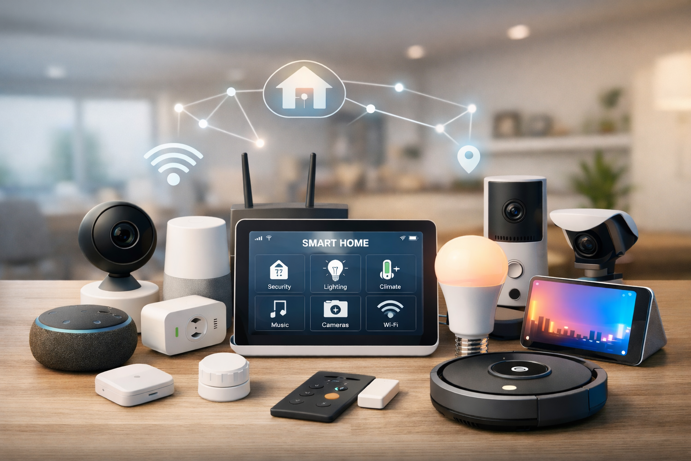
Standing in that smart home aisle, the choice between Alexa and Google Home feels bigger than it really is. Both platforms are mature, reliable and capable of running a modern smart home without friction.
What you’re really choosing isn’t a “better” assistant – it’s a philosophy. Amazon prioritizes services and device breadth. Google prioritizes intelligence and context. Once you understand that, the decision becomes far simpler.
Thanks to Matter, you’re no longer gambling on compatibility. Start small. Buy one speaker. Live with it for a few weeks. The right choice reveals itself quickly once it’s part of your daily routine.
Smart homes aren’t built in a day, and they’re never truly finished. Pick the ecosystem that fits your life right now, start building – and let the smart home work quietly in the background, doing what it’s meant to do.