Your ceiling fans work fine. Your fireplace turns on with a remote. Your motorized shades open and close exactly as designed. The only problem? You’re hunting for remotes in the dark, walking across rooms to adjust fan speeds, or simply accepting that these perfectly functional devices can’t talk to your smart home. Replacing them all with native smart versions would cost hundreds or thousands of dollars. Bond Bridge promises to add app control and voice commands to your existing RF devices for $129. But does it actually work for your equipment, and when does retrofitting make more sense than replacing?
What Bond Bridge Actually Does
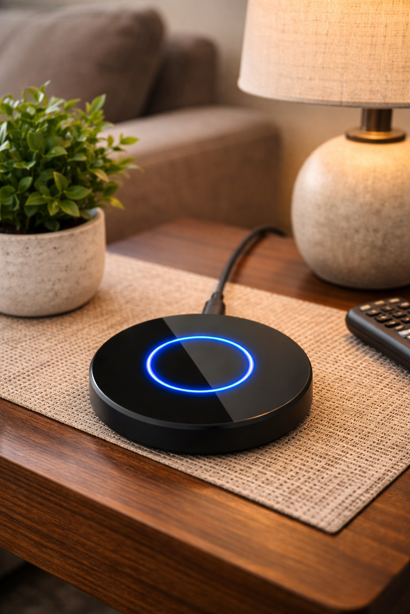
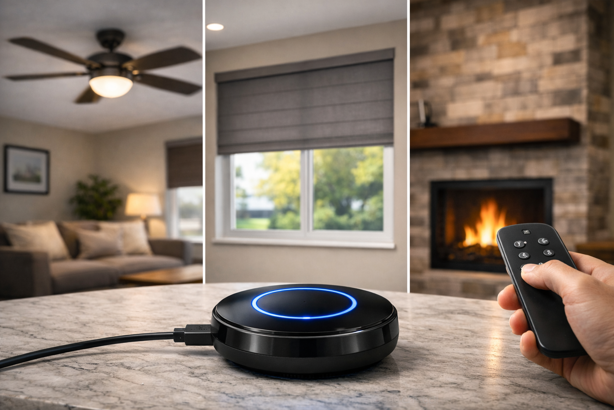
Bond Bridge is an RF-to-Wi-Fi translator. It learns the signals your existing remotes send to ceiling fans, fireplaces or motorized shades, then replicates those signals when you control devices through the Bond Home app or voice commands. No rewiring. No replacing equipment. You’re essentially giving your existing remotes an app interface and smart home integration.
The small hockey puck shaped device connects to your 2.4GHz Wi-Fi network and communicates with devices using radio frequency signals in the 300-450 MHz range (and infrared for some line-of-sight remotes). Once setup is complete, you control everything through the Bond Home app on iOS or Android, or via Alexa, Google Assistant, or SmartThings integration.
Key Specifications
- Price: $129 (standard Bond Bridge)
- Device capacity: Up to 30 devices
- Coverage range: 2,500 sq ft
- RF frequency support: 300-450 MHz
- IR support: Infrared (line-of-sight, best for simple remotes)
- Wi-Fi connectivity: 2.4GHz only (not 5GHz)
- Smart home integrations: Alexa, Google Assistant, SmartThings
- Dimensions: 3.8″ diameter x 1.1″ height
- Weight: 7.2 oz
Why Trust This Review?
Our assessment combines verified manufacturer specifications, analysis of customer reviews across multiple platforms, and technical documentation to evaluate whether Bond Bridge delivers on its promises. We prioritize answering the compatibility question honestly since this determines whether the product works for your specific devices. Where connectivity issues or setup frustrations exist in real customer experiences, we make them known. Our recommendations account for when Bond makes sense versus when alternatives like replacing with smart ceiling fans or installing hardwired smart switches provide better solutions.
Who This Guide Is For
Bond Bridge makes sense if:
- You have multiple remote controlled ceiling fans, a fireplace, or motorized shades that work fine mechanically
- You want app control and voice integration without rewiring
- Your devices use RF remotes operating between 300-450 MHz
- You’re comfortable with cloud dependent smart home devices
- You’re renting and can’t modify electrical systems
- Your existing equipment is quality gear worth keeping rather than replacing
Skip Bond Bridge if:
- Your devices use IR-only remotes (Bond supports IR but performance is inconsistent)
- You need garage door control (Bond doesn’t support garage doors despite some outdated claims)
- You have only one or two devices to control (hardwired smart switches may be more cost effective)
- Your existing equipment is old and due for replacement anyway
- You require guaranteed reliability without Internet dependency
- Your remotes operate on frequencies outside the 300-450 MHz range
The Compatibility Question: Will It Work With Your Devices?
Compatibility determines whether Bond Bridge works for you or becomes an expensive paperweight.
What Bond Bridge Handles Well
Ceiling fans: Bond works with most major brands including Hunter, Harbor Breeze, Hampton Bay, Home Decorators Collection, Minka Aire, Quorum, Monte Carlo, Hinkley, Westinghouse and Craftmade. These brands typically use RF remotes in the supported frequency range. Customer reports confirm successful integration across multiple fan models, with users controlling 3-16 fans from a single Bond Bridge unit.
Motorized shades: Somfy RTS compatibility receives consistent positive feedback, with users reporting smooth integration for multiple shade circuits. Bond also works with Rollease Acmeda, NICE, Gaposa, Dooya, A.OK, Bofu and Allen + Roth shade motors. The compatibility list for shades is more selective than ceiling fans, so verify against your shade brand before purchasing.
Fireplaces: RF-controlled gas fireplaces work when using compatible remote frequencies. Customer feedback shows successful fireplace integration, though some users report random on/off behavior with uncertified models that Bond hasn’t officially tested.
The Frequency Limitation Reality
Although Bond Bridge supports RF frequencies from 300-450 MHz, some sub-ranges are restricted in North America due to FCC regulations. Most consumer ceiling fan remotes operate at common frequencies like 303 MHz, 315 MHz or 433 MHz, which fall within supported ranges. However, some Hampton Bay fans use 303.85 MHz, which sits at the edge of compatibility and may require multiple pairing attempts.
Devices using 2.4 GHz remotes are not supported by current Bond Bridge hardware. If Bond adds support in the future, it would likely require new hardware rather than a firmware update to existing units.
What Doesn’t Work
IR-only devices: While Bond Bridge supports infrared (IR) remotes, IR is generally less reliable than RF in real homes. IR requires line-of-sight between Bond and the device, limiting placement flexibility compared to RF’s ability to work through walls.
Garage door openers: Bond Bridge does not support garage doors. Some older product descriptions mentioned possible future support, but it isn’t a supported feature today.
Proprietary protocols: Some manufacturers use custom RF protocols that Bond can’t learn. The device operates best with standard OOK (on-off keying) modulation. More sophisticated protocols may partially work or fail entirely.
Verifying Compatibility Before Purchase
Before buying Bond Bridge, confirm:
- Your remote uses RF (not IR-only)
- Frequency is between 300-450 MHz
- Your device appears in Bond’s compatibility database or uses standard OOK modulation
- You’re comfortable with cloud based control
Check your remote’s FCC ID, usually printed on the back of the remote. It’s often inside the battery compartment. Bond maintains a compatibility database (which you can find here), where you can search by FCC ID or device brand. If your device appears in the database, Bond lists it as tested and supported. If it doesn’t appear, that doesn’t guarantee incompatibility, but it will mean you’re taking more of a risk if you decide to purchase.
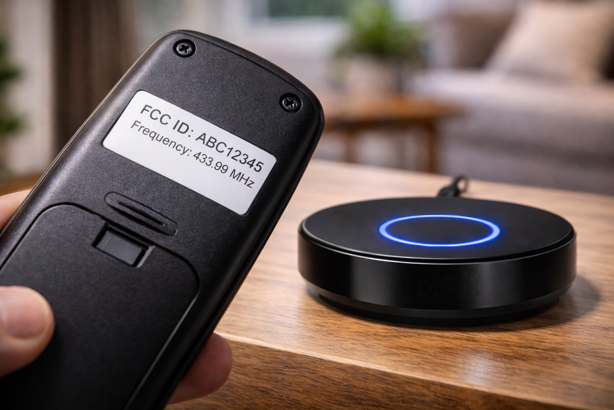
For RF remotes without FCC IDs, you can search the FCC database (fccid.io) using your remote’s model number to determine its operating frequency. If it falls between 300-450 MHz and uses standard OOK modulation, Bond will likely work.
Setup: Marketing Claims vs. Reality
Bond markets setup as “quick and easy” with devices working “in minutes”. For straightforward installations with recognized remotes, this holds true. For devices Bond hasn’t certified or remotes using less common frequencies, expect more time investment.
The Actual Setup Process
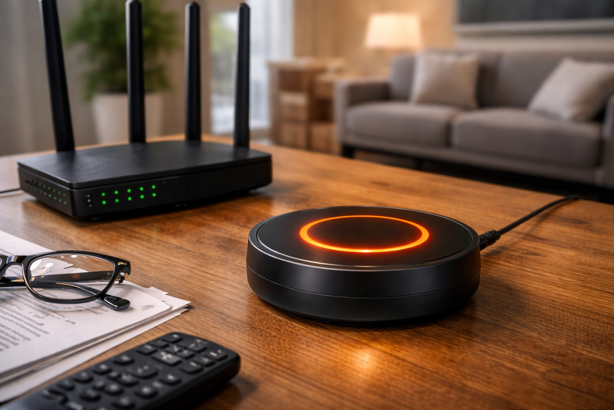
Initial Bond Bridge setup usually takes about 5-10 minutes. Download the Bond Home app (iOS or Android), create an account, plug in the Bond Bridge and follow prompts to connect to your 2.4GHz Wi-Fi network. The center LED ring glows white during boot, flashes green when ready for Wi-Fi connection, and turns solid blue once connected. If the ring turns orange, the Wi-Fi connection failed and you need to retry with the correct Wi-Fi password.
Adding devices varies by device type. For ceiling fans and shades recognized in Bond’s database, setup takes 30 seconds to a few minutes per device. Point your existing remote at the Bond Bridge (within 1-4 feet), select the device type in the app, and let Bond identify the remote automatically. Once identified, Bond configures all functions automatically.
For devices not in Bond’s database, you manually program each button. Select the button function (power, speed up, speed down, light etc.), press START in the app, then press and hold the corresponding button on your physical remote until the Bond Bridge ring flashes green. Repeat for every function you want to control. This process takes around 3-5 minutes per device with multiple functions.
Common Setup Frustrations
Wi-Fi connection issues: Bond Bridge only supports 2.4GHz networks. If your router broadcasts combined 2.4GHz and 5GHz networks under the same SSID, Bond may struggle to connect. Some users have needed to temporarily disable 5GHz, complete setup, then re-enable it. Others report Bond can still connect to hidden SSID networks when the SSID is entered manually, though results vary by router.
Remote learning failures: When Bond can’t detect your remote signal, troubleshooting involves replacing remote batteries (weak signals fail detection), adjusting distance between remote and Bond (try 1 inch, then 4 feet if closer doesn’t work), changing angles (point directly at the Bond’s USB port as reference for “back”), or pressing and releasing the button repeatedly during the detection window rather than holding it continuously.
Identical fans interfering: Multiple users report issues when two identical ceiling fans are controlled from one Bond Bridge. Both fans may respond to the same commands because they use the same RF frequency and remote code. The solution requires changing the remote code on one fan (if supported by the fan’s hardware), using separate Bond Bridges for each area, or simply accepting that both fans operate together.
Performance in Daily Use
Once setup is complete, Bond Bridge performance depends on factors such as Wi-Fi stability, RF range and cloud service reliability.
What Works Well
App responsiveness is solid when Wi-Fi connection is stable. Commands execute quickly with minimal lag between app button press and device response. Voice control through Alexa and Google Assistant works reliably for basic commands (turn on/off, set fan speed). Scheduling features in the Bond Home app enable automated operation at specified times or based on sunrise/sunset.
The 2,500 sq ft range claim holds up in real world testing. Multiple users report controlling devices on different floors, with one user successfully managing 16 fans across two levels in a steel structure. Coverage issues tend to appear only at extreme distances or in homes with challenging layouts.
Your original remotes continue functioning normally. Bond doesn’t interfere with or disable existing remote controls, offering a backup control method if the app or cloud service fails.
What Frustrates Users
Connectivity drops requiring resets: A subset of users report Bond Bridge occasionally loses connection to Wi-Fi or the cloud, requiring power cycling (unplug for 30 seconds, plug back in) to restore functionality. This appears more common with certain router configurations but doesn’t affect all installations. Some users operate Bond for months without any connectivity issues, while others encounter drops weekly.
Cloud dependency: App control and voice commands require Internet connectivity. During Internet outages, app control and voice commands stop working, so you’ll rely on the original physical remotes. Bond offers a local API for advanced users willing to set up local control through Home Assistant or similar platforms, but note this isn’t a consumer-ready solution.
No device state feedback: Bond can’t detect whether devices are actually on or off. It assumes devices are in whatever state the last command told them to be. If you manually control a device with the original remote or someone else in your household does, Bond’s app shows incorrect status until you refresh by sending another command. For ceiling fan lights using toggle switches (single button for on/off), Bond can’t definitively know the light’s state at all.
Voice assistant disconnects: Some users report periodic disconnects between Bond and Alexa or Google Assistant, requiring re-linking through the respective app. Bond provides FAQ documentation on how to reset these connections, suggesting the issue occurs frequently enough to warrant official troubleshooting guidance.
Bond Bridge vs. Alternatives
Bond Bridge isn’t the only way to add smart control to ceiling fans and other RF devices. The right solution depends on your specific situation, existing equipment quality, and whether you own or rent your home.
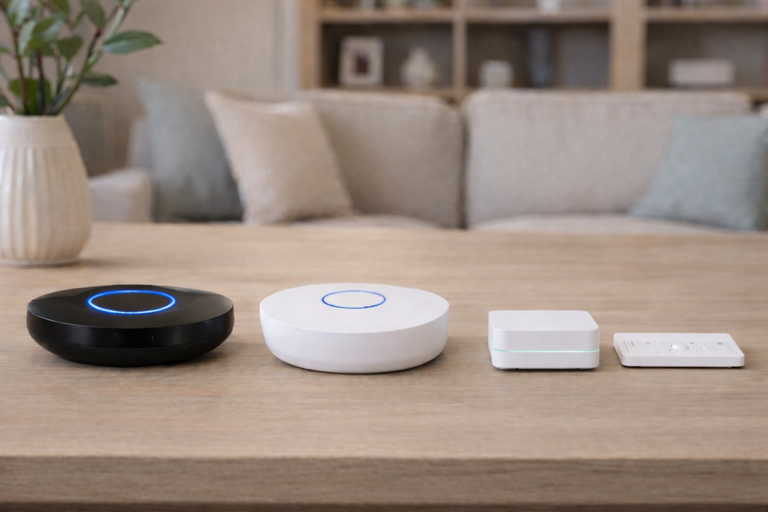
Bond Bridge ($129) vs. Replacing with Native Smart Devices
A new smart ceiling fan with built-in Wi-Fi costs $200-500+ depending on features and quality. If you have three ceiling fans, replacement costs $600-1,500 versus $129 for Bond Bridge controlling all three existing fans. The math favors Bond when existing equipment works well mechanically.
When replacement makes more sense: Your current fans are old, noisy or inefficient. You want integrated smart features like DC motors for energy efficiency, advanced scheduling tied to temperature sensors, or modern designs. Your existing fans lack light kits but you need (or want) integrated lighting. The fans are failing mechanically and due for replacement anyway.
When Bond makes sense: Your existing ceiling fans are quality equipment (Hunter, Minka Aire etc.) in good mechanical condition. You like the current design and don’t want to change it. You’re in a rental property and can’t replace fixtures. You have many devices to control (fans, fireplace, shades) making per-device replacement costs prohibitive.
Bond Bridge vs. Lutron Caseta Smart Switches
Lutron Caseta takes a completely different approach by replacing wall switches rather than bridging RF signals. A Lutron Caseta Smart Hub costs $89.95 and each fan speed control switch costs $69.95, totaling $160 for one ceiling fan versus $129 for Bond controlling multiple devices.
Lutron advantages: More reliable since it controls power directly at the switch. No cloud dependency for basic operation (hub stays local). Better integration with Apple HomeKit. Cleaner permanent installation. Provides genuine on/off state feedback. Works regardless of remote frequency compatibility issues.
Lutron limitations: Requires neutral wire in switch box (not available in all homes). Permanent installation requiring electrical work (not suitable for rentals). Only controls electrical devices (can’t control fireplaces or motorized shades). Higher per-device cost makes it expensive for multiple ceiling fans.
When Lutron makes more sense: You own your home and can modify electrical wiring. You have one or two ceiling fans to control. Reliable local operation matters more than cost. You want genuine device state feedback. You need Apple HomeKit integration (Bond doesn’t support HomeKit, but Lutron does).
When Bond makes more sense: You’re renting and can’t modify electrical systems. You need to control non-electrical devices (fireplace, motorized shades). You have many ceiling fans making per-switch costs prohibitive. Your switch boxes lack neutral wires. You just want a solution that doesn’t require any electrical work.
Bond Bridge ($129) vs. Bond Bridge Pro ($379)
Bond Bridge Pro offers extended range (3,500 sq ft vs 2,500 sq ft), higher device capacity (50 vs 30), and Ethernet connectivity with Power over Ethernet support. It’s designed for professional installations and larger homes.
The problem: Bond Bridge Pro costs $250 more and consistently receives fewer reviews and lower average ratings than the standard model. The professional grade features appeal to integrators but offer limited value for general homeowners.
Our recommendation: Most homeowners should stick with the standard Bond Bridge. The 2,500 sq ft range covers many homes effectively, 30 device capacity exceeds most household needs, and the $250 premium for Pro features isn’t justified unless you’re a professional integrator working on large installations or have a need for hardwired Ethernet connectivity.
Common Questions
What happens if Bond Bridge stops working or fails?
Your original remotes continue functioning as normal. Bond doesn’t modify or disable existing remote controls. Devices simply revert to standard remote operation. Since Bond doesn’t require any permanent changes to existing equipment, removing it is as simple as unplugging the unit. This is a distinct advantage over hardwired smart switches.
Will Bond Bridge interfere with my existing remotes?
No. Bond replicates your remote signals but doesn’t interfere with the original remotes. You can use both the Bond app and physical remotes interchangeably. The only issue occurs when Bond’s assumed device state doesn’t match reality because someone used the physical remote.
Can multiple people in my household control Bond Bridge devices?
Yes. Multiple phones and tablets can install the Bond Home app and control devices using the same Bond account. Each household member can operate devices independently through their own device without interfering with each other.
Bridging the Gap
Bond Bridge works when compatibility aligns with your devices. For renters with multiple RF ceiling fans or homeowners juggling fans, fireplaces and motorized shades, the $129 retrofit approach makes more financial sense than replacing everything individually. For one or two ceiling fans in a home you own, Lutron Caseta’s hardwired reliability might justify the higher per-device cost.
The critical step happens before purchase. Verify your devices use RF remotes between 300-450 MHz. Check Bond’s compatibility database or look up your remote’s FCC ID. Confirmed compatibility means Bond delivers what it promises. Questionable compatibility means you’re gambling on returns and frustration.
Bond Bridge won’t control everything, but what it does control, it controls well. Check compatibility now, then buy with confidence later.
Product Links
Bond Bridge – View on Amazon
Standard model controlling up to 30 devices with 2,500 sq ft range
Bond Bridge Pro – View on Amazon
Professional model with extended range and Ethernet connectivity (most users don’t need this)
Lutron Caseta Smart Hub – View on Amazon
Alternative approach requiring hardwired smart switches
Lutron Caseta Fan Speed Control – View on Amazon
Hardwired ceiling fan control (requires Lutron hub and neutral wire)
Lutron Caseta Dimmer Switch Kit – View on Amazon
Complete starter kit with hub for lighting control
Looking to replace existing ceiling fans with native smart models instead? Our Best Smart Ceiling Fans for 2026 guide compares top options from budget to premium, covering DC motor efficiency, CFM ratings and which fans actually deliver on their smart features. For broader smart home planning, explore our Smart Home 101 Guide to understand how different devices and protocols work together.