
Most smart bulb guides treat Zigbee as a footnote. A bulb either works with Alexa or it doesn’t, and the protocol behind it gets skipped entirely. That’s a problem, because the protocol determines how your Zigbee light bulbs behave in a mesh network, which hubs they pair with, whether they strengthen or weaken your Zigbee network, and what features survive a hub change.
This guide focuses specifically on Zigbee bulbs, what differentiates them from Wi-Fi alternatives, which ones pair cleanly with general Zigbee hubs, and why Philips Hue, despite being the most recognized Zigbee lighting brand, sits in its own section at the end. The Innr and Aqara T2 picks were hands-on tested with the Echo Dot Max. All other picks were evaluated using manufacturer documentation, official compatibility lists and community testing data.
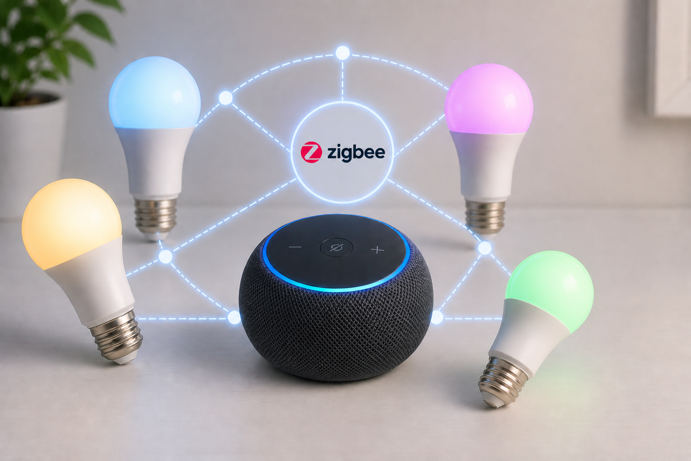
Quick Picks: Best Zigbee Smart Bulbs
🏆 Best Budget White: Sengled Zigbee A19 Soft White – $13-$17 (2-pack)
Lowest per-bulb cost, end device design, universal hub compatibility
🎨 Best Budget Color: ThirdReality Smart Color Bulb ZL1 – $11-$13 (1-pack) / around $30 (4-pack)
Color + tunable white, acts as a Zigbee router, broad hub compatibility
🔆 Best Mid-Range Color: Innr Zigbee A19 White and Color – around $30 (2-pack)
Tested with Echo Dot Max, Hue Bridge compatible, 840 lumens
🌡️ Best Specialist Pick: Aqara LED Bulb T2 – $22-$24
Thread/Zigbee dual protocol, widest color temperature range (2000K-9000K), Matter compatible
🔵 Best for Recessed Cans: Sengled Zigbee BR30 – $11-$16
Flood light format for recessed fixtures, end device design
30-Second Selector
Do you need color?
- Warm white only → Sengled A19 or Sengled BR30 (recessed cans)
- Color + tunable white → ThirdReality ZL1, Innr A19 or Aqara T2
What’s your budget?
- Under $15 per bulb → ThirdReality ZL1, Sengled A19 or Sengled BR30
- $15+ per bulb → Innr A19 or Aqara T2
What’s your ecosystem?
- Apple HomeKit without a hub → Aqara T2 (Thread mode)
- Hue Bridge already owned → Innr A19 (also works with Hue Bridge)
- Echo, SmartThings, Home Assistant → Any pick in this guide
Do you want bulbs that strengthen your Zigbee mesh?
- Yes → ThirdReality ZL1, Innr A19 or Aqara T2
- No → Sengled A19 or Sengled BR30
Quick Comparison
| Model | Price | Lumens | Color Temp | Mesh Router? | Best For |
|---|---|---|---|---|---|
| Sengled A19 Soft White | $13-$17 (2-pack) | 800 | 2700K | ❌ End device | Budget white |
| Sengled BR30 | $11-$16 (1-pack) | 650 | 2700K | ❌ End device | Recessed cans |
| ThirdReality ZL1 | $11-$13 / ~$30 (4-pack) | 800 | 2700K-6500K + RGB | ✅ Router | Budget color |
| Innr A19 White and Color | around $30 (2-pack) | 840 | 1800K-6500K + RGB | ✅ Router | Mid-range color |
| Aqara T2 | $22-$24 | 950 | 2000K-9000K + RGB | ✅ Router | Thread/Matter/Zigbee |
Jump To:
- Quick Picks
- Sengled Zigbee A19 Soft White (Best Budget White)
- ThirdReality Smart Color Bulb ZL1 (Best Budget Color)
- Innr Zigbee A19 White and Color (Best Mid-Range Color)
- Aqara LED Bulb T2 (Best Specialist Pick)
- Sengled Zigbee BR30 (Best for Recessed Cans)
- What About Philips Hue?
- Buying Guide
The Mesh Router vs End Device Distinction
This is the most important thing to understand when choosing Zigbee bulbs, and most buyer’s guides skip it entirely.
In a Zigbee mesh network, line-powered devices typically act as routers. They relay signals between other devices, extending range and creating redundant paths. Battery-powered devices are usually end devices. They receive and send signals but don’t relay for others.
Most Zigbee bulbs act as routers. Sengled is the notable exception. Its bulbs are deliberately designed as end devices and will not strengthen your mesh network. This isn’t a defect. Sengled designed it this way to prevent network disruption when someone turns off a wall switch. A powered Zigbee router that loses power can temporarily destabilize the mesh. By keeping bulbs as end devices, Sengled avoids that failure mode entirely.
The practical implication is simple. If you’re building out a Zigbee mesh network and want your bulbs to contribute to it, choose Innr, ThirdReality or Aqara. If you want affordable Zigbee bulbs for voice control and scheduling without affecting your mesh topology, Sengled is the better choice.
For a deeper look at how Zigbee mesh networking works, the Zigbee protocol guide covers device roles, routing and the full protocol stack.
Best Zigbee Smart Bulbs for 2026
Each bulb in this list addresses a different need, whether that’s the lowest per-bulb cost for white lighting, affordable color with mesh routing, a mid-range color option with the widest compatible hub list, or dual Thread/Zigbee flexibility for the most protocol-conscious setups.
Sengled Zigbee A19 Soft White
Best Budget White | $13-$17 (2-pack) | View on Amazon (Research Based Evaluation)
Rating: 4.2/5
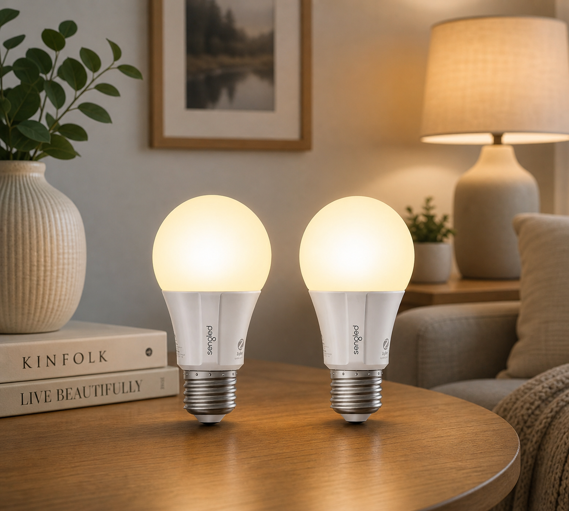
The Sengled A19 Soft White covers the most common smart bulb use case – reliable warm white lighting that responds to voice commands and schedules – at the lowest per-bulb cost in this guide. It pairs with any general Zigbee hub (Echo Dot Max, SmartThings, Hubitat, Home Assistant) without compatibility caveats, and the setup process follows standard Zigbee pairing on all of them.
The bulb runs at 800 lumens and 2700K, equivalent to a standard 60W incandescent in both brightness and warmth. There’s no color changing, no tunable white, and no mesh routing involvement. Just dependable Zigbee white lighting at under $9 per bulb.
Key Specs
- Base: E26
- Lumens: 800
- Color temperature: 2700K soft white
- Hub compatibility: Echo Dot Max, SmartThings, Hubitat, Home Assistant
- Mesh role: End device (does not route)
Worth Knowing
White only. Should not be used with traditional dimmer switches, as this can cause flickering, instability or damage.
Best For
Budget-first buyers who want reliable Zigbee white lighting for lamps, bedrooms and general fixtures without color functionality.
ThirdReality Smart Color Bulb ZL1
Best Budget Color | $11-$13 (1-pack) / around $30 (4-pack) | View on Amazon (Research Based Evaluation)
Rating: 4.0/5
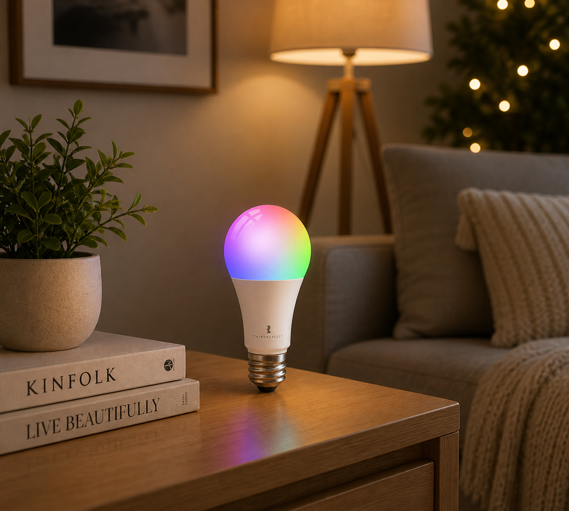
The ThirdReality ZL1 is the most affordable color Zigbee bulb that also acts as a mesh router. At around $7.50 per bulb in the 4-pack, it adds RGB color, tunable white (2700K-6500K) and active signal relaying, making each bulb useful for both lighting and network coverage.
Hub compatibility is broad – Home Assistant (ZHA and Zigbee2MQTT), SmartThings, Aeotec, Homey, Hubitat, and Echo devices with a built-in Zigbee hub.
A note on Apple HomeKit: Native HomeKit support requires ThirdReality’s separate Smart Bridge MZ1, which converts the Zigbee connection to Matter. Direct pairing without the bridge doesn’t include HomeKit. If Apple Home is your primary ecosystem, the Aqara T2 is the stronger choice.
Key Specs
- Base: E26
- Lumens: 800
- Color temperature: 2700K-6500K tunable white + RGB full color
- Hub compatibility: Echo (built-in Zigbee), SmartThings, Hubitat, Homey, Home Assistant (ZHA/Z2M)
- Mesh role: Router (extends Zigbee mesh)
- Apple HomeKit: Requires Smart Bridge MZ1 (sold separately)
Worth Knowing
The ZL1 is a newer product with a shorter track record than Sengled or Innr. Community feedback from Home Assistant users is positive on pairing reliability with ZHA and Zigbee2MQTT, which is where the most detailed real world testing has been documented.
Best For
Color lighting on a budget with the added benefit of strengthening your Zigbee mesh, particularly for Alexa, SmartThings and Home Assistant users.
Innr Zigbee A19 White and Color
Best Mid-Range Color | around $30 (2-pack) | View on Amazon (Hands-On Tested)
Rating: 4.3/5
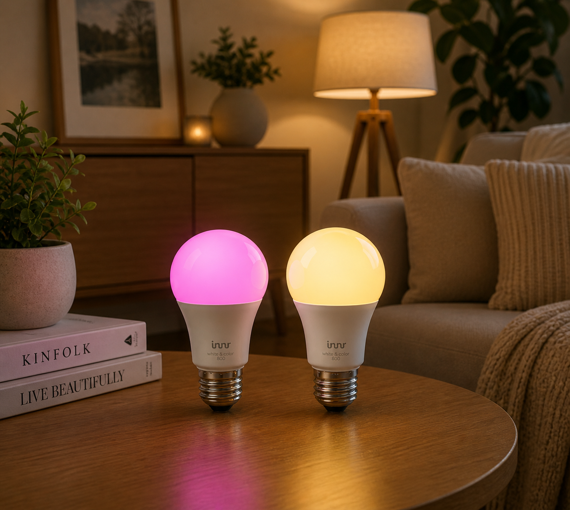
Innr occupies a useful position in the Zigbee bulb market – compatible with the Philips Hue Bridge, compatible with general Zigbee hubs, and built to act as a mesh router. That combination gives Hue Bridge users a more affordable color bulb option while also serving Echo, SmartThings and Home Assistant setups without any additional compatibility workarounds.
At 840 lumens across a 1800K-6500K color temperature range, the Innr A19 covers an unusually wide white light range, with warm candlelight at the low end through to cool daylight at the top. The color output adds 16 million colors via RGB mixing alongside the tunable white channel.
Tested with the Echo Dot Max: Innr pairing through the Alexa app was documented during the Zigbee hub guide testing session. Both the pairing process and a live motion-triggered color automation were confirmed working. The full walkthrough with screenshots is in that post.
I later used the same bulb for a six-evening scheduling test, with Alexa routines switching it between dark orange and lime green at set times. The results are in my Halloween lighting ideas guide.
Key Specs
- Base: E26
- Lumens: 840
- Color temperature: 1800K-6500K tunable white + RGB (16 million colors)
- Hub compatibility: Philips Hue Bridge, Echo Dot Max and other Echo with Zigbee, SmartThings, Home Assistant
- Mesh role: Router (extends Zigbee mesh)
Worth Knowing
Confirmed compatible with the Hue Bridge for standard lighting control. On mainstream hubs – Echo, SmartThings and Hue Bridge – pairing and performance are reliable based on documented testing and manufacturer specifications.
Best For
Mid-range color lighting with the widest color temperature range in the standard picks, particularly for Hue Bridge users who want a more affordable color bulb or for any setup where Innr hub compatibility has already been confirmed.
Aqara LED Bulb T2
Best Specialist Pick | $22-$24 (RGB CCT) / $20-$22 (tunable white) | View on Amazon (Hands-On Tested)
Rating: 4.1/5
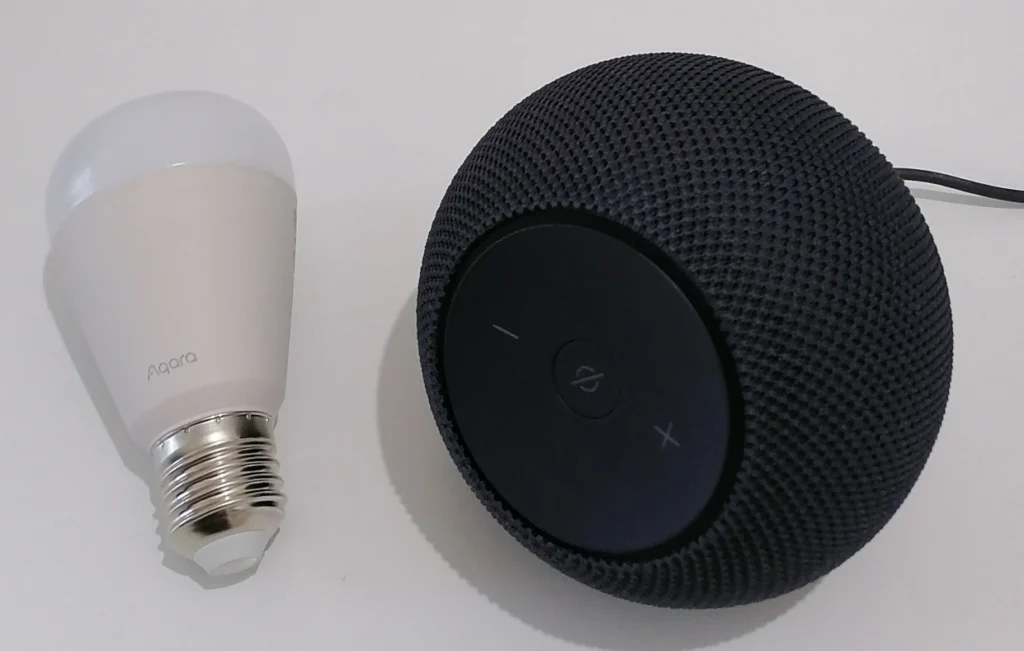
The Aqara T2 is the most technically distinctive bulb in this guide. It supports both Thread (via Matter) and Zigbee, operating in one mode at a time, which means it can function as a native Matter device without any hub if you have a Thread Border Router, or as a standard Zigbee bulb if you prefer that path. No other bulb in this guide offers that flexibility.
The color temperature range of 2000K-9000K is wider than any other pick here. The 9000K ceiling reaches into daylight-plus territory that most color bulbs don’t cover, making the T2 useful for photography setups, task lighting or circadian rhythm applications where precise color temperature control matters.
Thread Mode (Tested with Echo Dot Max)
Pairing the T2 in Thread mode through the Echo Dot Max is documented in full in the Thread Border Router guide, including the full Alexa app setup sequence, the “Connected Via Echo Dot Max” confirmation, and the Matter multi-admin feature that allows sharing the device with additional ecosystems.
Zigbee Mode (Tested with Echo Dot Max)
The pairing process starts in the Alexa app but requires a detour through the Aqara Home app before Zigbee mode becomes available. Here’s what the process looks like in practice.
Opening the Alexa app and selecting Aqara as the brand prompts the question “Is your Light already set up in the Aqara app?” – answering No redirects you to link Alexa from within the Aqara Home app instead. Inside Aqara Home, adding the T2 as an accessory (via the Matter logo) puts the bulb into pairing mode. Scan its QR code. The app prompts for an Aqara-specific Matter controller. Canceling this step still adds the bulb as a selectable device in the Aqara Home accessory list.
From there, selecting the bulb in Aqara Home presents the option to change protocol. Choosing Zigbee Protocol triggers a confirmation dialog and then a firmware transfer process that takes several minutes and cannot be interrupted. Once complete, the app prompts for an Aqara Zigbee hub. Skipping this step is possible if you want to attempt direct pairing with a general Zigbee coordinator instead.
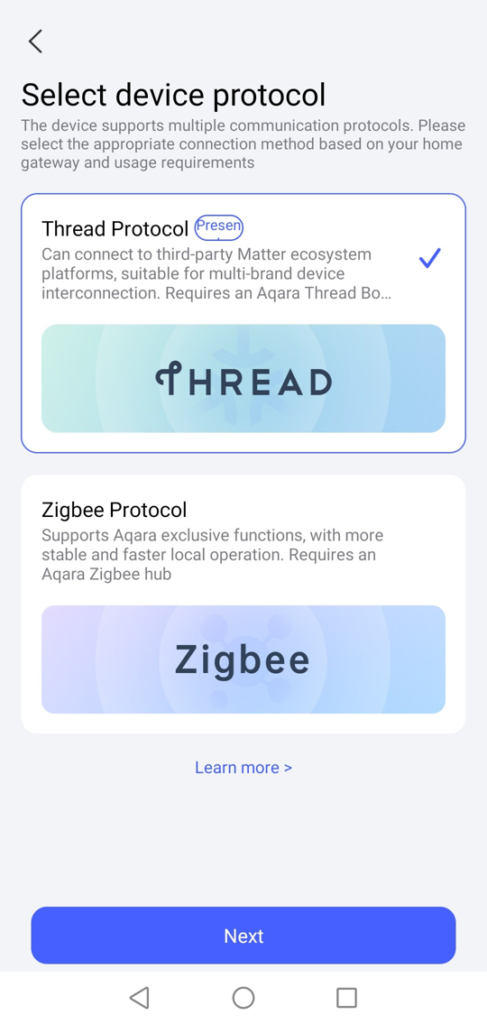
Back in the Alexa app, navigating to Add Device → Other → Zigbee → Discover Devices found the bulb after a few seconds. Pairing completed without an Aqara hub.
What’s Available Without an Aqara Hub?
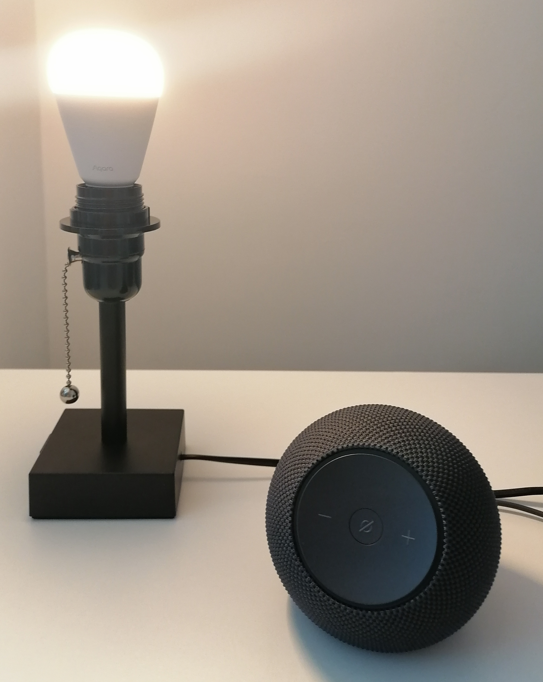
The controls available in Zigbee mode through Alexa are brightness and color temperature only (warm white through to cool white). The full RGB color capability present in Thread mode is unavailable. If color matters, Thread mode is the right choice for this bulb. If tunable white via a standard Zigbee hub is sufficient, Zigbee mode works without any Aqara hardware, but the setup path is considerably more involved than any other bulb in this guide.
Key Specs
- Base: E26
- Lumens: 950 (varies by color temperature, higher at cooler settings)
- Color temperature: 2000K-9000K tunable white + RGB (16 million colors)
- Protocol: Thread (Matter) or Zigbee (one mode at a time)
- Thread mode hub: Any Thread Border Router (Echo Dot Max, HomePod mini, Nest Hub 2nd gen) – full RGB + color temperature control
- Zigbee mode with Aqara hub: Full feature set – RGB color, circadian lighting sync, dynamic effects, advanced automations
- Mesh role: Router
Worth Knowing
Switching from Thread to Zigbee mode requires the Aqara Home app. The process takes several minutes and involves a firmware transfer that cannot be interrupted. In Zigbee mode without an Aqara hub, the Alexa app exposes brightness and color temperature only. RGB color and advanced features including Circadian Lighting Sync, dynamic effects and Aqara-specific automations are unavailable. With a compatible Aqara hub in Zigbee mode, the full feature set becomes available. Notably, Circadian Lighting Sync is a Zigbee-only feature. It is not supported in Thread mode at all. Switching back from Zigbee to Thread requires the same firmware process in reverse.
Best For
Users who want maximum color temperature range, Apple HomeKit integration without a dedicated hub (via Thread), or the flexibility of dual Thread/Zigbee protocol support. Also the right pick for anyone building a Thread mesh and wanting bulbs that contribute to it.
Sengled Zigbee BR30
Best for Recessed Cans | $11-$16 (1-pack) | View on Amazon (Research Based Evaluation)
Rating: 4.2/5
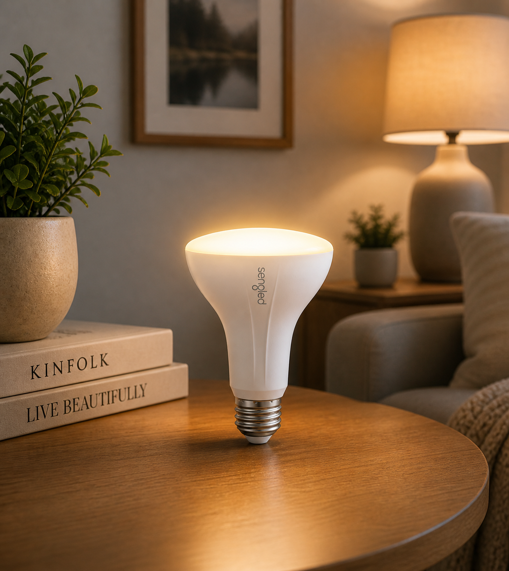
The BR30 is the recessed can companion to Sengled’s A19, carrying the same end device design and hub compatibility list in a flood light format that fits standard 6-inch recessed cans. Most A19 bulbs in this guide won’t work in that fixture type, which makes the BR30 a practical pick for living rooms, hallways and kitchens where recessed downlighting is the primary light source.
At 650 lumens and 2700K, output is softer than the A19’s 800 lumens. The per-bulb pricing at under $16 makes it an affordable recessed Zigbee option.
Key Specs
- Base: E26
- Format: BR30 flood light for 6-inch recessed cans
- Lumens: 650
- Color temperature: 2700K soft white
- Hub compatibility: Echo Dot Max, SmartThings, Hubitat, Google Home
- Mesh role: End device (does not route)
Worth Knowing
White only. Color options in the BR30 format are fairly limited in the Zigbee market. Should not be used with traditional dimmer switches, as this can cause flickering, instability or damage.
Best For
Adding Zigbee dimming and scheduling to recessed can fixtures at the lowest per-bulb cost.
Other Bulbs Considered
- Sengled Zigbee A19 Daylight (5000K): A valid variant for workspaces or kitchens where cooler daylight white is preferred, but it carries a noticeably higher price per bulb than the soft white version for the same end-device only design. The soft white pick represents better value for most households.
- Philips Hue Essential A19: Considered but excluded from the main picks. See the What About Philips Hue? section below for a full explanation of why.
- Philips Hue White Ambiance GU10: The only GU10 option from a major brand assessed during research. Too few reviews on Amazon US at time of writing to feature with confidence, and the $65.99 price for a 2-pack is difficult to justify without a stronger review base. Worth revisiting as the product matures.
What About Philips Hue?
Philips Hue is the most recognizable name in Zigbee smart lighting, and the ecosystem earns that reputation. It’s deep, the reliability track record is strong, and white light quality is consistently above the alternatives in this guide. But Hue bulbs are not universal Zigbee devices, and that distinction is important for anyone specifically evaluating Zigbee options.
Hue bulbs are not general Zigbee devices: Hue uses Zigbee (ZLL/Zigbee 3.0), but is optimized for the Hue Bridge, is not designed for general Zigbee coordinators and is typically limited or unreliable outside the Hue Bridge. Without a Bridge, many Hue bulbs fall back to Bluetooth for basic control only.
The Hue Bridge adds cost and ecosystem commitment: The standard Bridge runs around $60 and the Bridge Pro around $100. If you’re building a Zigbee setup from scratch and plan to invest in a Bridge, Hue becomes a compelling choice – reliable mesh, deep automation through the Hue app, and Matter support via the Bridge for cross-platform integration. For a full assessment of the Hue ecosystem against Wi-Fi alternatives, read my Philips Hue vs Govee guide.
If you want Hue Bridge compatibility with more affordable bulbs, the Innr A19 in this guide is confirmed compatible and costs roughly half the price of native Hue color bulbs.
Buying Guide
What You Need Before Buying
Zigbee bulbs require a Zigbee coordinator hub. Without one, they won’t pair or function. If you already own one of the following, you’re ready.
- Amazon Echo Dot Max: Built-in Zigbee hub, Thread Border Router and Matter controller (~$100). The most accessible entry point for most households.
- Amazon Echo Hub, Echo (4th gen), Echo Show 8 (3rd gen): Include built-in Zigbee hubs.
- Aeotec Smart Home Hub: Runs SmartThings, strong third-party Zigbee device compatibility.
- Hubitat Elevation C-8 Pro: 100% local processing, best option for privacy-first users.
- Home Assistant with a Zigbee dongle: Most flexible, highest learning curve.
For a full comparison of these hubs, see the best Zigbee hubs guide.
Router vs End Device: Why It Matters for Bulbs
Most Zigbee buyer’s guides treat all Zigbee bulbs as equivalent mesh participants. They aren’t. Sengled bulbs are end devices. They don’t relay signals for other devices. Innr, ThirdReality and Aqara T2 bulbs are routers. Each powered bulb strengthens the mesh by relaying signals to devices further from the hub.
If you’re placing bulbs in rooms far from your hub, or relying on the mesh to reach battery sensors in distant areas, router bulbs are the better choice. If your Zigbee network is already well covered by plugs and switches, end device bulbs like Sengled are perfectly capable.
Color Temperature and What It Means
Color temperature, measured in Kelvin, determines the warmth or coolness of white light. Lower numbers (2700K) are warm and amber, similar to incandescent bulbs. Higher numbers (5000K and above) are cool and blue-white, similar to daylight.
Most households use 2700K-3000K for living areas and bedrooms, 4000K-5000K for kitchens and workspaces. Tunable white bulbs, such as the Innr, ThirdReality and Aqara T2, let you adjust color temperature on demand, which is useful for circadian lighting routines that shift from cool morning light to warm evening light automatically. For more on how smart lighting affects sleep and daily rhythm, the smart home wellness guide covers the science in detail.
Fixture Compatibility
Most Zigbee bulbs use E26 (standard US medium screw) bases, which fit the majority of table lamps, floor lamps and ceiling fixtures. The BR30 format fits 6-inch recessed cans. GU10 spots fit track lighting and are currently an underserved format in the Zigbee bulb market.
Smart bulbs manage their own dimming electronically and should not be used with dimmer switches unless the manufacturer explicitly lists compatibility. On a dimmer, smart bulbs can flicker, buzz or lose network connectivity. Replace dimmers with standard on/off switches before installing any Zigbee bulb.
Enclosed fixtures can trap heat and shorten bulb life. Check whether the bulb you’re buying is rated for enclosed fixtures before installing it in a recessed can with an airtight cover.
Hub Compatibility and Feature Depth
Not all hubs expose the same controls for the same bulb. Pairing an Innr or ThirdReality bulb directly through the Echo Dot Max will give you on/off, dimming and color control via Alexa. Pairing the same bulb through Home Assistant with Zigbee2MQTT may expose additional attributes (e.g. color temperature precision, transition times, startup behavior) that the Alexa app doesn’t surface.
If feature depth is important to you, Home Assistant or Hubitat might just be worth the additional setup investment. For straightforward voice control and scheduling, Echo or SmartThings usually covers everything most households need.
Making Your Decision
Quick Decision Guide by Scenario
- “I want reliable white lighting at the lowest per-bulb cost” → Sengled Zigbee A19 Soft White – universal hub compatibility, end device design keeps your mesh stable
- “I need white lighting for recessed cans” → Sengled Zigbee BR30 – the only recessed-format pick in this guide
- “I want color on a budget and my bulbs to strengthen my mesh” → ThirdReality Smart Color Bulb ZL1 – matches Sengled’s per-bulb price in the 4-pack, acts as a Zigbee router
- “I want mid-range color and Hue compatibility” → Innr Zigbee A19 White and Color – tested with Echo Dot Max, also works with Hue Bridge
- “I want Apple HomeKit without a separate hub” → Aqara LED Bulb T2 in Thread mode – pairs directly via any Thread Border Router
- “I want the most capable bulb regardless of setup complexity” → Aqara LED Bulb T2 in Zigbee mode with an Aqara hub – full RGB, Circadian Lighting Sync, advanced automations
The Final Buzz
Some Zigbee bulbs quietly strengthen your network. Others stay out of the way. Which one you want depends less on features and more on how your lights are used day to day.
If a bulb is going to stay powered (lamps, always-on fixtures), router bulbs like Innr, ThirdReality and Aqara can improve coverage as your setup grows. If it’s tied to a wall switch that gets flipped off, a non-routing bulb like Sengled avoids the kind of dropouts that can ripple through a mesh.
That single choice shapes how reliable everything feels after the setup is done.
Get that right, and the rest – color, brightness, price – tends to fall into place.
For a broader look at how smart bulbs work in general – including the smart switch vs smart bulb decision – the how do smart bulbs work guide is a great starting point.